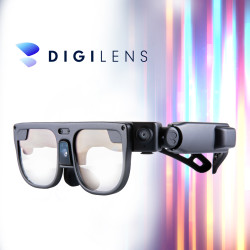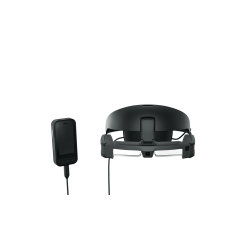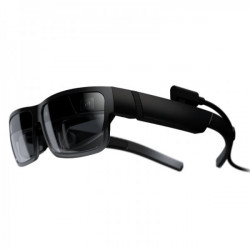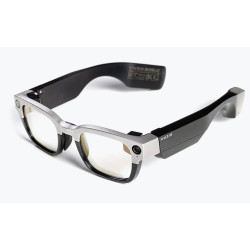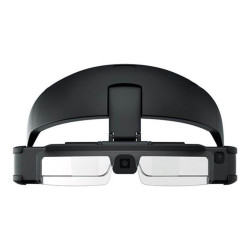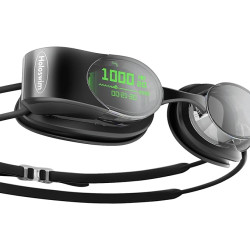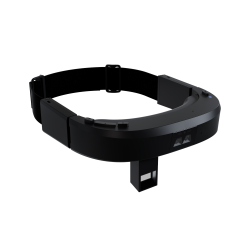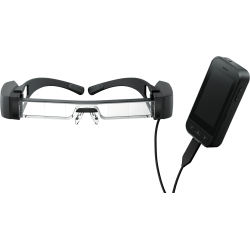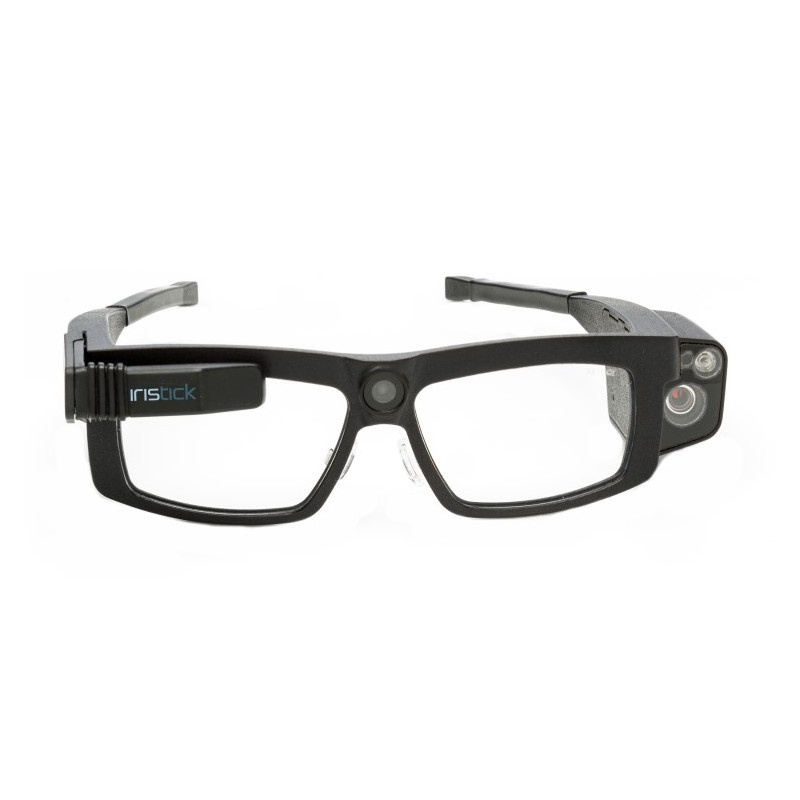
The Iristick G2 PRO is a lightweight, certified smartglasses designed for hands-free operation.
The solution is primarily intended for field service, maintenance, production, logistics, laboratories, technical inspections, healthcare, and remote expert support.
The glasses enable user-perspective image transmission, photo capture, code scanning, video calling, displaying instructions, and control of selected functions via voice or touchscreen.
Iristick G2 PRO
The Iristick G2 PRO is a lightweight, certified smartglasses designed for hands-free operation.
The solution is primarily intended for field service, maintenance, production, logistics, laboratories, technical inspections, healthcare, and remote expert support.
The glasses enable user-perspective image transmission, photo capture, code scanning, video calling, displaying instructions, and control of selected functions via voice or touchscreen.
The device does not operate entirely independently. It is connected via a coaxial cable to the Iristick Pocket Unit, which then connects to an Android or iOS smartphone.
The smartphone is responsible for running applications, processing data, and providing Wi-Fi, 4G, or 5G connectivity. By moving the computation and power outside the frame, the glasses remain relatively lightweight and do not generate significant heat near the user's head.
Technical Specifications
Device Type: Smart protective glasses in a form similar to traditional glasses.
Glasses Weight: 78 g, excluding smartphone and Pocket Unit.
Display: LCD [Liquid Crystal Display].
Display Resolution: WQVGA 426 × 240 pixels.
Display Location: In front of the right eye.
Display Adjustment: Three-axis adjustment and the ability to move the display out of the field of view.
Display Brightness: The manufacturer does not provide a value in nits.
Main Camera: 16 Mpix.
Main Camera Field of View: 117° diagonal.
Zoom Camera: 5 Mpix.
Zoom: 6x optical zoom.
Additional Camera Features: Laser Pointer and LED Flash.
Image Transmission: Full HD 1080p at 30 frames per second. Code scanning: including QR, EAN-13, 1D, 2D, and Aztec codes.
Control: Voice commands and a touchpad located on the temple.
Audio: Two microphones, an integrated speaker, and a 2.5 mm audio jack.
Battery: Located in the Pocket Unit.
Battery capacity: 13.3 Wh.
Stated operating time: over 5 hours.
Battery replacement: Hot-swappable – the hot-swappable design allows for battery replacement without extended downtime.
Charging time: The data sheet states 1.5 hours, while the product page says approximately 2 hours. Therefore, a safe estimate is approximately 1.5–2 hours.
Basic hardware requirements: Android 8 or later or iOS 12 or later, although specific apps may require a significantly newer system version.
Connection: Coaxial cable between the glasses and the Pocket Unit, and USB-C or Lightning between the Pocket Unit and the phone. Safety eyewear certifications: ANSI Z87 and EN 166S.
IP rating: not specified for the G2 PRO. Therefore, do not assume IP54 or IP67 water or dust resistance.
Prescription lens compatibility: an optional insert is available, allowing your optician to install custom lenses.
Available Variants and Models
Iristick G2 PRO Variants
Android Variant – Pocket Unit with USB-C connection.
iOS Variant with Lightning – Designed primarily for older iPhone models.
iOS Variant with USB-C – Designed, among others, for iPhone 15 and newer models equipped with USB-C.
Public documentation describes the G2 PRO as a device with a display for the right eye. It does not indicate a separate version of the G2 PRO designed for the left eye.
Other Current Manufacturer Models
Iristick G3 – A newer glasses model with a 640 x 400 OLED display, without the Pocket Unit, connects directly to the smartphone via USB-C; available in right- or left-eye versions.
Iristick H1 – A more durable model mounted on a headband, helmet, or other personal protective equipment; designed for harsh industrial environments. The G2 PRO remains the lightest of the models mentioned, while the G3 offers a newer display and simpler smartphone connection.
Software Required
The glasses require a compatible smartphone and an app designed for a specific purpose.
There is no single app that is required for all use cases. The software is tailored to the type of task being performed.
Iristick.Teams
An application that allows you to make calls and join Microsoft Teams meetings hands-free.
The user sees meetings and contacts on the glasses' display, and the other party receives the image from the G2 PRO camera.
A Microsoft 365 corporate plan with access to Microsoft Teams is required.
Android 11 or later or iOS 14 or later is required.
The recommended minimum connection speed is 1.5 Mbps in both directions for 720p HD transmission.
Upon initial deployment, the Microsoft administrator may be required to approve the application in the Microsoft Entra ID tenant.
Deployment is available as a SaaS (Software as a Service) solution or as a self-hosted solution hosted on the customer's infrastructure.
The application requires a license assigned to a pair of glasses. The new glasses include the ability to make ten test calls.
Iristick.Assist
A simple application for direct, remote support, such as "see what the employee sees."
It allows for conversations, image transfer, taking photos, and using zoom, flashlight, and laser.
It does not require creating a user account in the basic scenario.
The manufacturer currently offers free use of the app, but reserves the right to change the terms.
The manufacturer's documentation and current app availability in stores are not fully consistent with the supported systems. Before implementation, confirm compatibility of a specific phone with the current app version.
Iristick.Collector
Software for structured field data collection.
It allows for capturing photos, voice annotations, numbers, barcodes, and other observations without the need to manually complete forms.
Data is synchronized with a portal where you can prepare forms, object lists, and inspection templates.
The manufacturer's requirements are Android 8 or later, or iOS 17 or later on an iPhone 11 or later.
The manufacturer does not currently publish a final standard pricing list for the Collector license and recommends contacting us to discuss terms.
Iristick SDK
The SDK (Software Development Kit) allows you to create your own app using the camera, HUD (Head-Up Display), voice control, and other features of the glasses.
The SDK is optional and is not required to use the pre-made Iristick apps.
The manufacturer offers tools and sample apps for Android and iOS.
Acty by Icona
Partner software compatible with Iristick glasses.
Enables remote support, step-by-step instructions, and automatic translation of communication.
The Acty Glasses app is available for Android and iOS.
This is a third-party solution, so licensing, data storage, and security terms should be verified independently of Iristick's terms.
The Iristick G2 PRO is a lightweight, certified smartglasses designed for hands-free operation.
The solution is primarily intended for field service, maintenance, production, logistics, laboratories, technical inspections, healthcare, and remote expert support.
The glasses enable user-perspective image transmission, photo capture, code scanning, video calling, displaying instructions, and control of selected functions via voice or touchscreen.