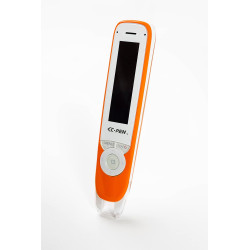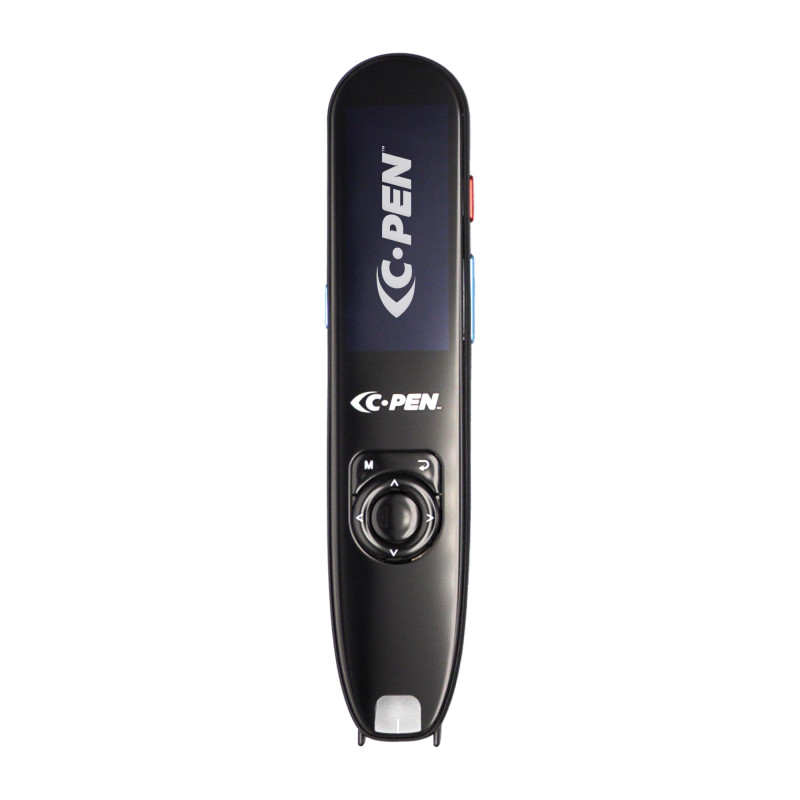
C-Pen Reader 3 is a portable printed-text reader designed for students, people with dyslexia, users with reading difficulties, and language learners. The device scans words and full lines of text, displays them on a colour screen, and reads them aloud using a natural-sounding voice.
Reader 3 expands on the capabilities of the previous generation with a colour touchscreen, Bluetooth connectivity, translation functions, and extended language support available when connected to the Internet
C-Pen Reader 3 helps users independently read and understand content found in textbooks, books, magazines, instructions, and other printed materials. Simply move the scanning tip across a selected word or line of text, and the content will be recognised, displayed on the screen, and read aloud.
This combination of visual text and audio can support people who have difficulty decoding written content, including users with dyslexia. It can also help with pronunciation practice and vocabulary development. The manufacturer states that C-Pen readers are designed to support independent reading, comprehension, and learning without the need for constant assistance from a teacher or another person.
Reader 3 features a 2.3-inch colour touchscreen as well as a physical navigation control. The menu can also be read aloud, making the device easier to use for people with visual difficulties or reading problems.
The device can work independently without being connected to a computer or smartphone. When connected to Wi-Fi, it provides access to additional functions, including extended language support and translation. Reader 3 also supports Bluetooth headphones and headphones connected through the USB-C port.
Key features
scans individual words and full lines of printed text;
instantly reads scanned text aloud;
colour touchscreen display;
natural-sounding text-to-speech;
built-in dictionary definitions;
text translation via Wi-Fi connection;
support for more than 40 languages and language variants in online mode;
option to save scanned text to a file;
library of saved texts;
option to reopen and listen to saved materials;
built-in voice recorder;
practice mode for vocabulary, pronunciation, and translation;
spoken menus and audio-assisted interface;
built-in speaker;
support for Bluetooth and USB-C headphones;
USB storage mode;
option to scan text directly into a computer using USB keyboard mode;
suitable for both right-handed and left-handed users.
Text scanning and read-aloud function
The main function of C-Pen Reader 3 is converting printed text into speech, known as Text-to-Speech — TTS. After a passage is scanned, the device displays the text on the screen and can automatically begin reading it aloud.
Users can adjust:
reading speed;
volume level;
pause length between words;
pause length at punctuation marks;
scanning language;
selected voice;
automatic reading after scanning.
Dictionaries and translation
Built-in dictionaries allow users to check the meaning of unfamiliar words without using a separate smartphone or computer. Reader 3 also offers translation functions that require a Wi-Fi connection.
This means the device can be used both as a reading aid and as a tool supporting foreign-language learning, pronunciation practice, and vocabulary development.
Saving text and computer modes
Scanned text can be saved in the device memory as a text file. Saved materials can later be opened, listened to again, expanded with additional passages, renamed, or edited by deleting words and sentences.
When Reader 3 is connected to a computer via USB-C, additional modes are available:
USB Storage – provides access to files stored in the device library and allows them to be transferred to a computer.
USB Keyboard – scanned text is automatically entered into the active text field, for example in Microsoft Word, Google Docs, a spreadsheet, or another application.
Charging – charges the device without transferring data.
Practice mode and voice recorder
The built-in practice mode can be used for vocabulary revision, pronunciation practice, learning word definitions, and reinforcing translations. The device also includes a voice recorder for recording speech, pronunciation exercises, instructions, or audio notes.
Applications
C-Pen Reader 3 can be used:
during independent study and homework;
for reading textbooks, books, and printed materials;
by students with dyslexia and other reading difficulties;
to improve reading fluency and text comprehension;
to check the meaning of unfamiliar words;
for pronunciation practice;
while learning foreign languages;
to save quotations and passages from printed documents;
to enter printed text directly into a computer;
in schools, libraries, counselling centres, educational institutions, and at home.
Supported languages
When connected to the Internet, Reader 3 supports more than 40 languages and language variants:
Afrikaans, Arabic, Basque, Bulgarian, Cantonese, Catalan, Czech, Danish, Belgian Dutch, Netherlands Dutch, Australian English, Indian English, British English, American English, Filipino, Finnish, Canadian French, European French, Galician, German, Greek, Hebrew, Hindi, Hungarian, Indonesian, Italian, Japanese, Kannada, Korean, Latvian, Lithuanian, Malay, Mandarin Chinese, Taiwanese Mandarin, Norwegian Bokmål, Polish, Brazilian Portuguese, European Portuguese, Romanian, Russian, Serbian, Slovak, European Spanish, American Spanish, Swedish, Turkish, and Ukrainian.
Polish language support
Polish is included among the languages available when the device is connected to the Internet. However, the manufacturer’s materials do not list Polish as a user-interface language.
Interface languages
The user interface is available in:
English;
French;
Spanish;
Italian;
German.
C-Pen Reader 3 is a portable printed-text reader designed for students, people with dyslexia, users with reading difficulties, and language learners. The device scans words and full lines of text, displays them on a colour screen, and reads them aloud using a natural-sounding voice.
Reader 3 expands on the capabilities of the previous generation with a colour touchscreen, Bluetooth connectivity, translation functions, and extended language support available when connected to the Internet