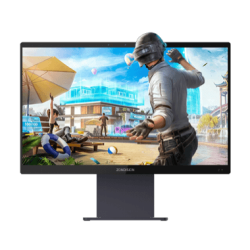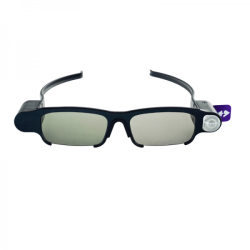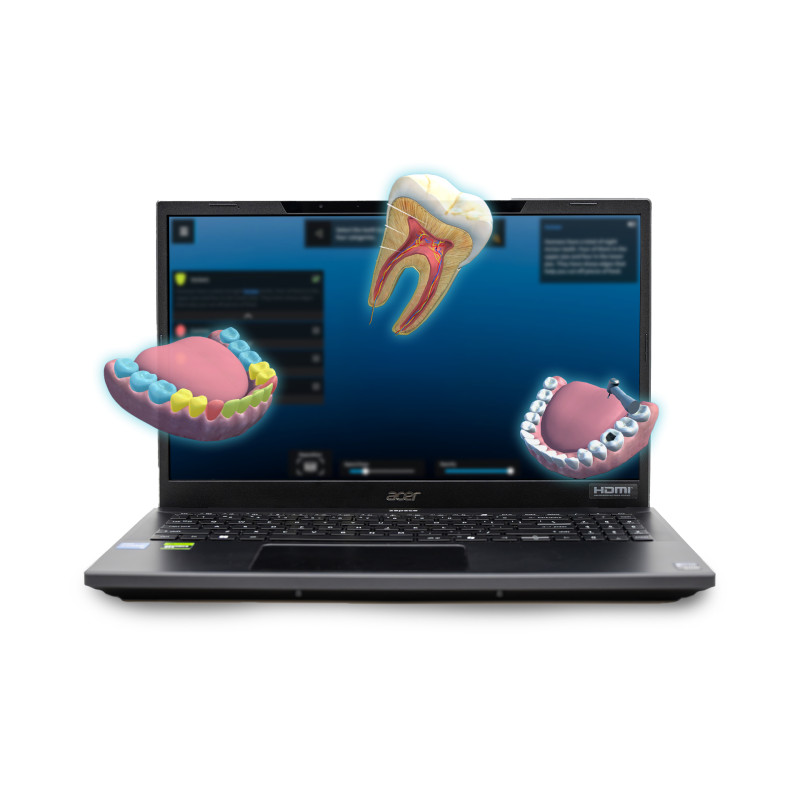
The zSpace Inspire 2 is a mobile workstation designed for interactive visualization, education, and training using AR (Augmented Reality) and VR (Virtual Reality) technologies.
zSpace Inspire 2
The zSpace Inspire 2 is a mobile workstation designed for interactive visualization, education, and training using AR (Augmented Reality) and VR (Virtual Reality) technologies.
The device allows users to view stereoscopic 3D images without wearing 3D glasses or a head-mounted display (HMD).
The system utilizes:
an autostereoscopic SpatialLabs 3D screen,
a camera that tracks the user's eye position,
a zSpace active stylus,
a Stylus Sensor Module (SSM),
zSpace software responsible for stylus tracking and running interactive 3D applications.
The stylus allows users to point, rotate, move, separate, and analyze virtual spatial objects displayed in front of or within the screen plane.
The solution is designed for:
mathematics and science education,
visualization of anatomical and biological models,
modeling and simulation,
data visualization,
technical and vocational training,
STEM [Science, Technology, Engineering, and Mathematics] learning,
CTE [Career and Technical Education] applications.
The device can also be used as a standard Windows 11 Pro laptop, including typical office applications, design software, simulation software, and educational applications.
Available Models
The manufacturer offers two variants of the Inspire 2 generation:
zSpace Inspire 2 and
zSpace Inspire 2 Pro.
According to the currently published datasheet:
The Inspire 2 has 16 GB of DDR5 memory,
The Inspire 2 Pro has 32 GB of DDR4 memory.
zSpace Inspire 2 — Technical Specifications
Operating System:
Windows 11 Pro, 64-bit.
Processor:
Intel Core i5-13420H.
Memory:
16 GB DDR5 SDRAM,
dual-channel configuration.
Graphics Card:
NVIDIA GeForce RTX 4050,
6 GB dedicated GDDR6 VRAM.
Storage:
512 GB NVMe SSD,
PCIe Gen4 interface,
Manufacturer claims 16 Gb/s bandwidth.
Display:
15.6-inch diagonal,
IPS display,
3840 x 2160 pixel resolution in 2D mode,
1920 x 2160 pixel resolution in stereoscopic 3D mode,
Acer ColorBlast technology,
Pantone color certification,
Delta E < 2 color accuracy,
100% Adobe RGB color space coverage,
SpatialLabs 3D stereoscopic module.
Webcam:
1280 x 720 pixel resolution,
720p HD video and audio recording.
Eye-tracking camera:
1280 x 480 pixel resolution,
dual VGA camera system,
SpatialLabs technology.
Wireless connectivity:
Intel Wireless Wi-Fi 6 AX201,
supports 802.11a/b/g/n/acR2/ax,
Bluetooth 5.1.
Wired connectivity:
Gigabit Ethernet,
Wake-on-LAN [remote computer wake-up over the network].
Ports:
1 × USB 3.2 Type-C with Thunderbolt 4,
3 × USB 3.2 Type-A,
1 × HDMI with HDCP support,
1 × Ethernet RJ-45.
Dimensions:
Width: 362.3 mm,
Depth: 239.89 mm,
Height: 24.6 mm.
zSpace Inspire 2 Pro — Technical Specifications
Operating System:
Windows 11 Pro, 64-bit.
Processor:
Intel Core i7-13620H.
Memory:
32 GB DDR4 SDRAM,
dual-channel configuration.
Graphics Card:
NVIDIA GeForce RTX 4050,
6 GB GDDR6 VRAM.
Storage:
1 TB NVMe SSD,
PCIe Gen4 interface,
16 Gb/s declared bandwidth.
Display:
15.6-inch,
IPS display,
3840 x 2160 pixels in 2D,
1920 x 2160 pixels in 3D,
Acer ColorBlast,
Pantone validation,
Delta E < 2,
100% Adobe RGB color space,
SpatialLabs 3D stereoscopic module.
Webcam:
1280 x 720 pixels,
720p HD recording.
Eye-tracking camera:
1280 x 480 pixels,
dual VGA camera array,
SpatialLabs technology.
Connectivity:
Wi-Fi 6 Intel AX201,
Bluetooth 5.1,
Gigabit Ethernet,
Wake-on-LAN.
Ports:
1 × USB 3.2 Type-C with Thunderbolt 4,
3 × USB 3.2 Type-A,
1 × HDMI with HDCP,
1 × Ethernet RJ-45.
Dimensions:
Width: 362.3 mm,
Depth: 239.89 mm,
Height: 24.6 mm.
Software Required for Operation
Windows 11 Pro 64-bit:
This is the device's primary operating system,
It is pre-installed on the Inspire 2 and Inspire 2 Pro.
zSpace App Manager:
This is used to install and update system software and zSpace applications.
It is required to download and install the zSpace System Software package.
After initial startup, the manufacturer recommends running the App Manager and installing all available updates.
zSpace System Software for Inspire 2:
This is the primary zSpace runtime environment.
It supports stylus tracking.
It ensures communication between the hardware and zSpace applications.
It is required for the proper operation of interactive 3D features.
It is not offered as a standalone installer—it is installed and updated through the zSpace App Manager.
Acer SpatialLabs drivers:
Support the autostereoscopic display and eye tracking features.
Must be compatible with the specific zSpace Inspire 2 configuration.
Do not replace them with random or generic drivers downloaded for a similar Acer laptop.
NVIDIA graphics driver:
Required for application and 3D rendering.
Should be maintained at a version approved for the zSpace and SpatialLabs platforms.
Stylus and tracking module software:
Installed as part of the zSpace software stack,
it is responsible for communicating with the SSM module and determining the stylus position and orientation.
Inspire 2 devices are shipped pre-configured and licensed by the manufacturer. After restoring the system from a factory image or manually installing Windows, reinstallation of the appropriate drivers, zSpace App Manager, and zSpace System Software is required.
Educational and Specialized Software
Educational applications are not the same as the system software required for device operation.
To enable hardware features, you primarily need:
Windows 11 Pro,
appropriate drivers,
Acer SpatialLabs,
zSpace App Manager,
zSpace System Software.
Specific educational applications and content depend on the purchased package, license, and intended use of the workstation.
The zSpace platform supports applications related to, among others:
life sciences,
anatomy,
physics,
chemistry,
mathematics,
3D modeling,
welding,
industrial automation,
robotics,
automotive,
electrical engineering,
HVAC [Heating, Ventilation, and Air Conditioning].
The zSpace Inspire 2 is a mobile workstation designed for interactive visualization, education, and training using AR (Augmented Reality) and VR (Virtual Reality) technologies.