The Magnima AirPoint Ring is a wireless finger mouse that can be worn on a flat surface or in the air. The device combines the functions of a traditional computer mouse, a 3D mouse, a presentation remote, and a gesture controller.
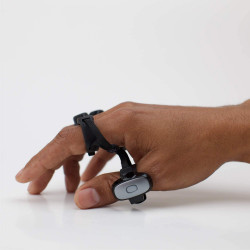
The AirPoint Ring is worn on the index finger. Control is achieved using hand movements, two capacitive touchpads, and a physical finger button. This design allows you to control the cursor without having to hold a traditional mouse or presenter.
Magnima AirPoint Ring – Wireless Ring Mouse and Gesture Controller
The Magnima AirPoint Ring is a wireless finger mouse that can be worn on a flat surface or in the air. The device combines the functions of a traditional computer mouse, a 3D mouse, a presentation remote, and a gesture controller.
The AirPoint Ring is worn on the index finger. Control is achieved using hand movements, two capacitive touchpads, and a physical finger button. This design allows you to control the cursor without having to hold a traditional mouse or presenter.
The device offers two basic modes of operation:
2D surface mouse mode – moving your finger across the desk or other flat surface controls the cursor;
3D air mouse mode – hand movements made in the air are converted into cursor movement on the screen.
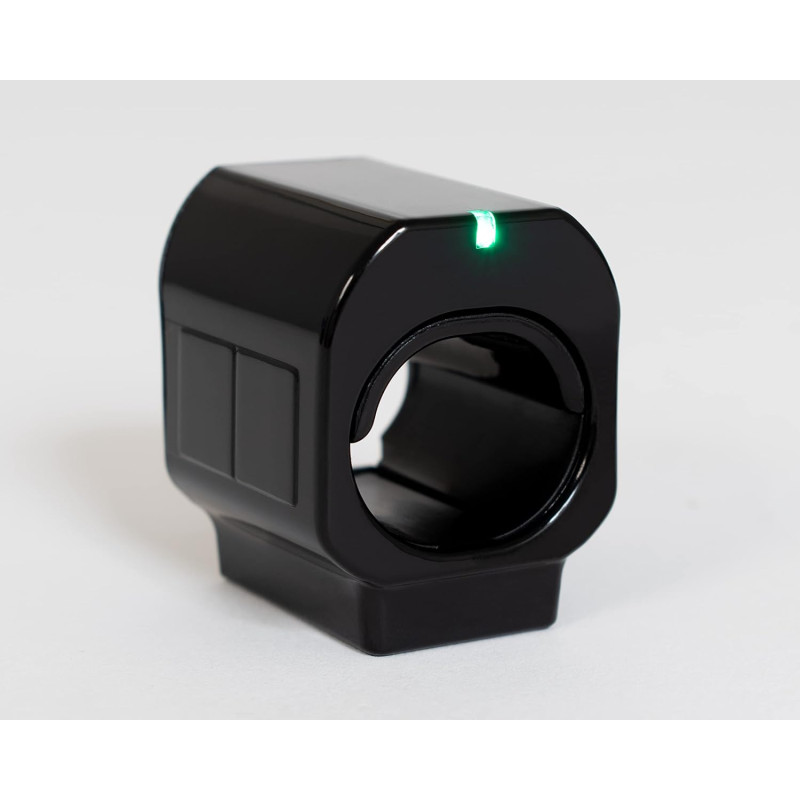
In surface mode, the lower touchpad or physical button controls the left click, while the upper touchpad allows for the right click. The device also supports dragging and scrolling.
Motion and Gesture Control
The built-in 3D accelerometer and gyroscope allow you to control the cursor using hand movements. Air Mouse mode can be activated or deactivated by sliding your thumb between the upper and lower touchpads.
AirPoint Ring also supports air gestures, which can be used for:
scrolling content;
advancing to the next slide;
returning to the previous slide;
controlling the cursor without using the surface;
managing multimedia presentations.
In presentation mode, the lower touchpad or physical button allows you to advance to the next slide, while the upper touchpad returns to the previous slide.
AirPoint App
The AirPoint app, designed for Windows and macOS, allows you to extend and configure the device's features.
Using the app, you can:
adjust the cursor sensitivity in 3D mode;
enable air gestures;
enable presentation mode;
configure the device for left-hand use;
update the device's firmware;
Check for app and firmware updates.
The AirPoint app requires Windows 10 or later or macOS 10.14 or later. Basic mouse functionality is also available on older supported systems without installing the app.
Applications
The Magnima AirPoint Ring can be used for, among other things:
giving presentations;
operating a computer or mobile device;
controlling multimedia;
browsing websites;
working with graphics applications and 3D models;
educational purposes;
operating a computer from a distance;
controlling the cursor without access to a desk;
using a computer while traveling.
The device communicates wirelessly via Bluetooth 5.0 and does not require a dedicated USB receiver if the computer or mobile device supports Bluetooth Low Energy.
The Magnima AirPoint Ring is a wireless finger mouse that can be worn on a flat surface or in the air. The device combines the functions of a traditional computer mouse, a 3D mouse, a presentation remote, and a gesture controller.
The AirPoint Ring is worn on the index finger. Control is achieved using hand movements, two capacitive touchpads, and a physical finger button. This design allows you to control the cursor without having to hold a traditional mouse or presenter.