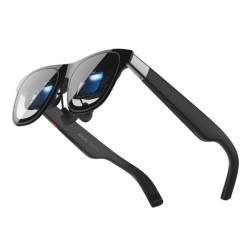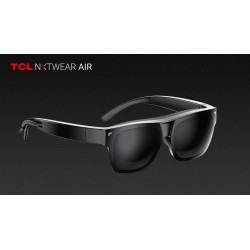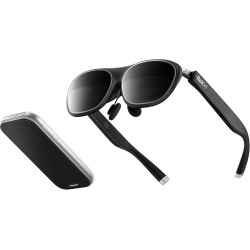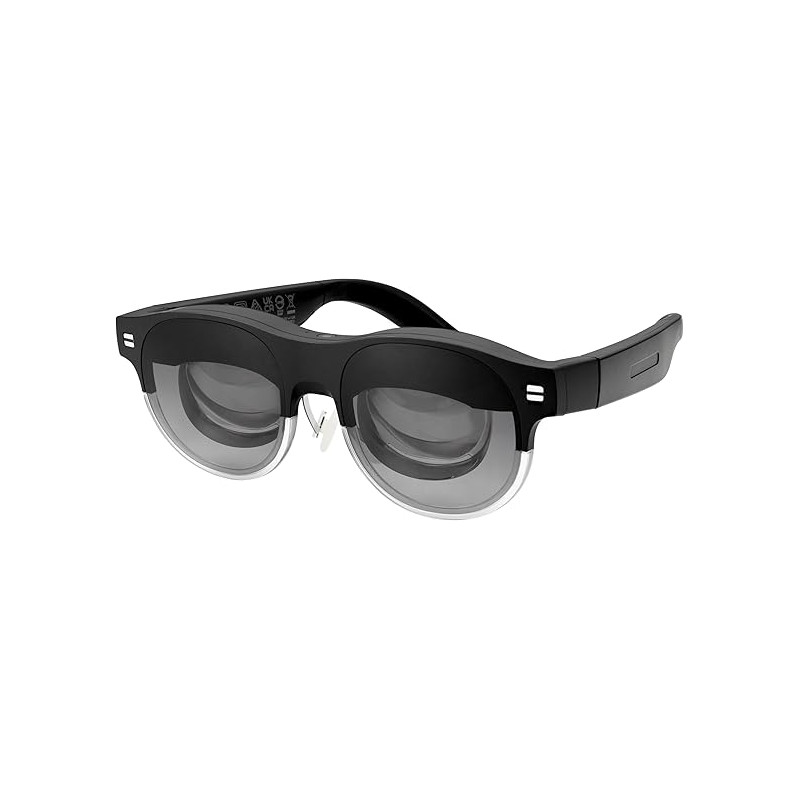
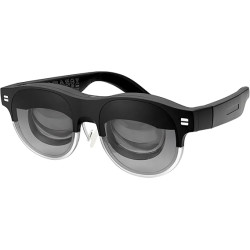
The ASUS AirVision M1 is a personal display worn as glasses. The device displays a virtual screen or set of virtual screens in front of the user, using two Micro OLED displays—one for each eye.
The ASUS AirVision M1 is a personal display worn as glasses. The device displays a virtual screen or set of virtual screens in front of the user, using two Micro OLED displays—one for each eye.
This product is primarily intended for:
working on multiple virtual monitors;
watching movies and multimedia content;
gaming on computers, compatible smartphones, and portable consoles such as the ASUS ROG Ally;
using a large, private screen while traveling or working outside the office.
The image can correspond to a screen up to 100 inches diagonally viewed from a distance of approximately 3.75 meters. This is the size perceived by the user, not the physical 100-inch screen.
The AirVision M1 is not a standalone computer or standalone augmented reality headset. It primarily functions as an external, wearable display connected by cable to the source device. The glasses use 3DoF (Three Degrees of Freedom) head tracking, which means they recognize head rotation along three axes. They do not provide full tracking of the user's position in space, which is typical of 6DoF systems.
Technical Specifications
Image
Display Technology: Micro OLED.
Optical Lens Type: Freeform.
Panel Size: 0.49 inches.
Resolution: 1920 × 1080 pixels per eye.
Refresh Rate: 72 Hz.
Maximum Brightness: 1100 nits.
DCI-P3 (Digital Cinema Initiatives – P3) Color Gamut Coverage: 95%.
Field of View: 38°.
Angle Density: 58 PPD (Pixels Per Degree – Field of View).
Optical Transmittance: 60%.
3D support: Yes, for SBS (Side-by-Side) content. Available picture modes: Standard, Office, Theater, Game, and Low Blue Light/Eye Care.
Tracking and Sensors
Head tracking: yes.
Positioning system: 3DoF.
Proximity sensor detects when glasses are on.
Ambient light sensor.
Audio
Built-in speakers.
Built-in microphone array.
Software-based microphone noise reduction.
Supports Bluetooth headphones connected to the source device.
Controls
Touchpad located on the frame.
Adjust brightness with a swipe gesture.
Play and pause content with a single tap.
Center the image.
Change display mode.
Extended gesture control requires the ASUS AirVision app to be running.
Connectors and Connection
USB Type-C port.
Requires a USB-C-compatible source device that supports:
video streaming;
audio streaming;
powering the connected device.
USB-C ports with DisplayPort Alt Mode and Thunderbolt 4 ports are supported.
Devices with only HDMI or DisplayPort require a suitable active adapter that passes the signal to USB-C DisplayPort Alt Mode.
Dimensions and Weight
Device dimensions: approximately 17.1 x 5.3 x 17.0 cm.
Weight reported in marketing materials: approximately 87 g.
The official specification table rounds the net weight to 0.08 kg.
Adjustment Range
Digitally supported IPD (Interpupillary Distance) range: approximately 53.5–74.5 mm.
The apparent distance of the virtual screen can be adjusted.
The image can be adjusted separately to the user's eye distance.
Software Required for Operation
The ASUS AirVision app is not required for basic display. When connected directly, the glasses can act as an external display, and the touchpad allows you to adjust brightness and control media playback.
The ASUS AirVision app is required for extended features:
creating multiple virtual screens;
pinning screens to a specific position;
adjusting the apparent distance and screen size;
adjusting the IPD;
using Working, Gaming, Infinity modes, and custom layouts;
supporting extended gestures;
managing the device's firmware.
Working mode can create two additional screens on the sides of the main screen. Gaming mode supports 21:9, 32:9, and 48:9 aspect ratios.
Infinity mode provides an expanded workspace, perfect for digital whiteboarding and creative work, among other things.
Supported Systems
The official product page specifies:
Windows 11 or later;
macOS 12 Monterey or later.
Recommended PC Hardware Requirements
AMD Radeon 680M or newer graphics card.
NVIDIA GeForce GTX 1060 with GPU Direct support or newer.
Intel Iris Xe or newer graphics card.
USB-C port with DisplayPort Alt Mode or Thunderbolt 4.
Smartphones and Mobile Devices
The smartphone must have a USB-C port that supports DisplayPort Alt Mode.
Just having a physical USB-C port doesn't guarantee compatibility—many phones don't support USB-C display output.
On the phone, the glasses function primarily as an external display that mirrors the image.
ASUS doesn't offer a separate AirVision app for Android or iOS on the product page; the advanced multi-display environment is primarily intended for Windows and macOS.
Advantages
Excellent image sharpness thanks to Full HD resolution for each eye and a PPD of 58.
High claimed brightness of 1100 nits.
Wide color gamut covering 95% of DCI-P3.
Lightweight—around 87g—for easy portability and extended work.
Create a mobile workstation with multiple virtual monitors without carrying physical screens.
Compatible with laptops, ROG Ally, and compatible smartphones.
Built-in noise-canceling speakers and microphones.
Option to order custom prescription lenses.
Ambient light sensor and glasses detection.
60% transparency allows for partial viewing of your surroundings while working.
TÜV Rheinland certified for flicker reduction and blue light emission reduction.
Basic operation as an external display is possible without installing additional software.
Disadvantages and Limitations
The glasses require a wired connection to the source device. They are not a standalone solution.
The source device must simultaneously provide video, audio, and power, which can increase the battery consumption of the laptop, console, or phone.
The field of view is 38°. This is sufficient for a virtual monitor, but significantly narrower than typical VR headsets. In practice, the AirVision M1 should be considered a personal display, not a full VR headset.
3DoF tracking recognizes head rotation, but not the user's full movement in space. This limits applications requiring accurate spatial positioning.
Advanced multi-display features require the AirVision app and a sufficiently powerful graphics card.
Each additional virtual screen increases the load on the GPU (Graphics Processing Unit). ASUS confirms that this can cause fans to spin faster and slow down less powerful computers. While the app is running, the screen may flicker or scale temporarily as the program creates additional virtual displays.
HDCP [High-bandwidth Digital Content Protection]-protected content is not supported within the AirVision app. Netflix and similar services can be viewed by directly mirroring the image from a compatible smartphone.
The limited frame size available may not be suitable for everyone.
Individuals with an IPD outside the range of approximately 53.5–74.5 mm may have difficulty achieving a clear and sharp image.
Volume control may be limited for iPhone 15 and newer models; ASUS recommends using Bluetooth headphones.
The manufacturer recommends that the device be used by adults, limiting use to two hours at a time, and taking a 5–10-minute break after every 45 minutes of use.
The ASUS AirVision M1 is a personal display worn as glasses. The device displays a virtual screen or set of virtual screens in front of the user, using two Micro OLED displays—one for each eye.