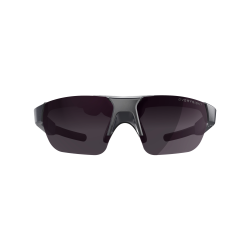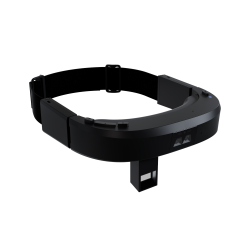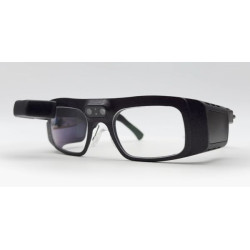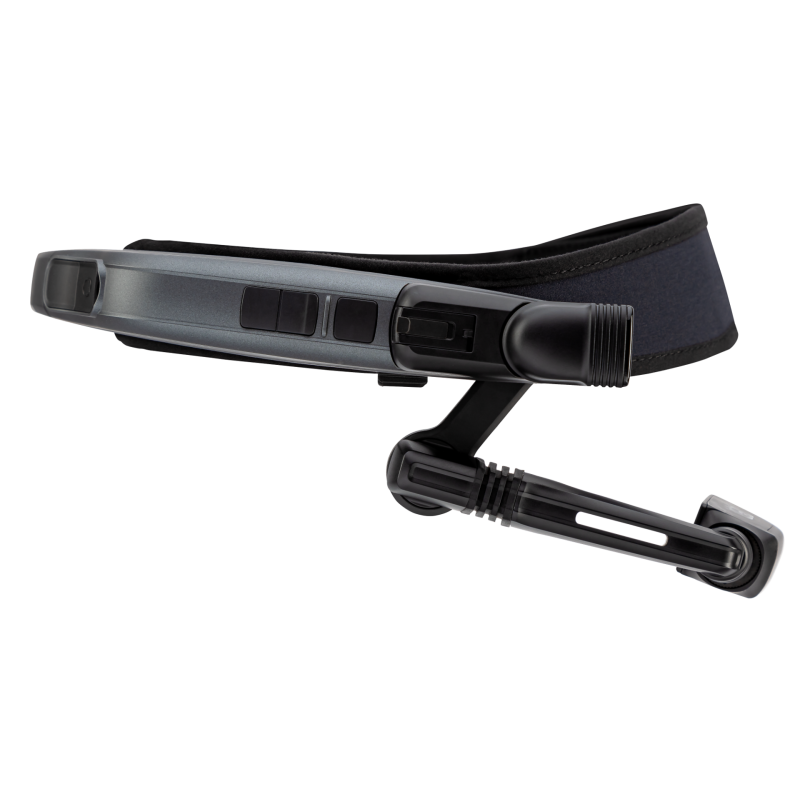

The RealWear Navigator 520 is an industrial, Assisted Reality headset designed for field workers, service technicians, production operators, and maintenance personnel.
The device displays information on a small screen placed in front of one eye, leaving the user free to observe their surroundings. It is not a virtual reality headset or a spatial augmented reality system with images superimposed directly on real objects.
RealWear Navigator 520
– The RealWear Navigator 520 is an industrial, Assisted Reality headset designed for field workers, service technicians, production operators, and maintenance personnel.
– The device displays information on a small screen placed in front of one eye, leaving the user free to observe their surroundings. It is not a virtual reality headset or a spatial augmented reality system with images superimposed directly on real objects.
– The Navigator 520 enables hands-free operation thanks to voice control, four microphones with active noise reduction, and an adjustable display arm. – The device can be used for, among other things:
– conducting remote consultations with experts,
– conducting inspections and technical reviews,
– displaying work instructions and documentation,
– capturing photos and videos,
– scanning barcodes,
– completing forms and reports,
– training employees,
– supporting digital service processes,
– visualizing data from industrial systems and the Internet of Things (IoT).
– The device is designed for use in industrial environments. The Navigator 520 can be worn on a work headband or attached to a compatible safety helmet. It is also compatible with many models of safety glasses, prescription glasses, and hearing protection.
Technical Specifications
– Device Type: Industrial, voice-controlled Assisted Reality headset.
– Manufacturer's Model: RealWear Navigator 520, Product Reference 127128d.
– Operating System: Ari OS based on Android 13.
– User Interface: Voice Control optimized for hands-free operation and physical buttons.
– Processor: Qualcomm Snapdragon 662, octa-core, clocked at up to 2.0 GHz.
– RAM: 4 GB.
– Internal Memory: 64 GB.
– Memory Expansion: MicroSD card slot, supports cards up to 512 GB.
– Display Technology: Liquid Crystal on Silicon [LCoS], full-color RGB.
– Display Resolution: 1280 × 720 pixels, HD.
– Display Field of View: 24°.
– Image type: Monocular, viewed with one eye.
– See-through display: No.
– Eye support: Left or right.
– Display adjustment: Six-axis arm allows for adjusting the screen position to the user's needs.
– The Navigator 520 display is approximately 20% larger and has twice the resolution of the Navigator 500 display.
– Main camera: 50 MP, Sony LYT-600 sensor.
– Camera field of view: 82°.
– Maximum recording resolution: 1920 × 1080 pixels at 60 frames per second.
– Backlight: Yes.
– Supported codecs: H.264, HEVC [High Efficiency Video Coding], MPEG-4, VP8, VP9, VC-1, H.263, and MPEG-2.
– The camera module is interchangeable and can be replaced with the optional FLIR thermal imaging module. – Microphones: Four digital microphones with active noise cancellation.
– Voice control: The manufacturer claims voice recognition in ambient noise levels up to 100 dBA.
– Speakers: Two internal speakers with a level of up to 94 dBA.
– Audio connector: 3.5 mm.
– Support for external headsets: wired and wireless.
– Wi-Fi connectivity: IEEE 802.11 a/b/g/n/ac, 2.4 GHz and 5 GHz bands.
– Bluetooth connectivity: Bluetooth 5.1, including Bluetooth Low Energy.
– Built-in cellular connectivity: No.
– Optional cellular connectivity: via an additional Mini LTE Modem module.
– Location systems: GPS, GLONASS, Galileo, BeiDou, QZSS, NavIC, SBAS, and dual-band GNSS. – Sensors: three-axis gyroscope, three-axis accelerometer, magnetometer, barometer, ambient light sensor, and fingerprint reader.
– Battery: lithium polymer, hot-swappable.
– Battery capacity: 2600 mAh, 3.8 V.
– Hot-swappable: the battery can be replaced without turning off the device.
– Charging: via USB-C or using an optional external battery charger.
– The manufacturer positions the device as a solution that allows for full-shift operation, but actual operating time depends on the application used, video transmission, network quality, temperature, and device settings.
– Weight: 270 g including battery.
– Dimensions when folded: 192 × 200 × 55 mm.
– Dimensions when unfolded: 317 × 200 × 29 mm.
– Housing material: LEXAN EXL9330.
– Protection rating: IP66 – dustproof and resistant to powerful water jets.
– Environmental standard: MIL-STD-810H.
– Operating temperature: -20°C to +45°C.
– Operating humidity: 10% to 80%, non-condensing.
– Connectors: USB-C and 3.5mm audio jack.
– Supported languages include Polish, English, Czech, German, French, Italian, Spanish, Portuguese, Dutch, Russian, Japanese, Korean, Chinese, Thai, and Turkish.
Software Required for Operation
– For basic setup and use of local features, purchasing a separate operating system is not necessary. The device comes with Ari OS based on Android 13 and system apps.
– Pre-installed features include:
– camera,
– video and audio recording,
– document viewing,
– barcode reading,
– web browser,
– media player,
– calculator,
– clock and step counter.
– Ari Companion / RealWear One – a free mobile app for Android and iOS, recommended for initial device setup, preparing QR codes, setting up Wi-Fi networks, and remotely controlling basic functions. It is not essential for every day-to-day operation, but significantly simplifies setup.
– Ari Cloud / RealWear Cloud – a cloud platform designed for centrally deploying, configuring, updating, and managing multiple devices. For a single device, it is not strictly required for all functions, but is recommended for enterprise deployments.
– MDM/EMM [Mobile Device Management / Enterprise Mobility Management] – Optionally, the device can be integrated with a corporate management system, such as Microsoft Intune. This requires the appropriate registration token and QR code.
– To conduct remote consultations, implement digital instructions, or manage service processes, install the appropriate business application from the RealWear ecosystem. Solutions for remote support, inspections, training, workflow, and reporting are available, among others.
– For collaboration with Microsoft Teams, you can use the RealWear Collaborate application, built on Microsoft Azure Communication Services. The application enables voice and video calls, calendar access, and connections via Quick Connect code. In some scenarios, the RealWear add-on for Teams is also required for the Microsoft Teams user.
– Licenses for Microsoft 365, TeamViewer, Zoom, workflow applications, inspection systems, or other partner solutions are not automatically included with the device purchase. Their requirements and costs depend on the selected application and the application provider.
– Cloud features, video calls, synchronization, and remote management require an internet connection via Wi-Fi, a hotspot, or an optional LTE modem.
– The device should be running the latest supported firmware version. The manufacturer releases functional and security patches only for current software versions; older versions may not receive patches or full technical support.
The RealWear Navigator 520 is an industrial, Assisted Reality headset designed for field workers, service technicians, production operators, and maintenance personnel.
The device displays information on a small screen placed in front of one eye, leaving the user free to observe their surroundings. It is not a virtual reality headset or a spatial augmented reality system with images superimposed directly on real objects.