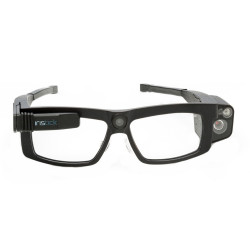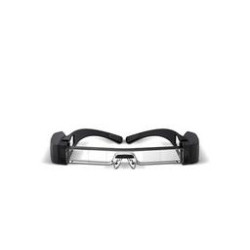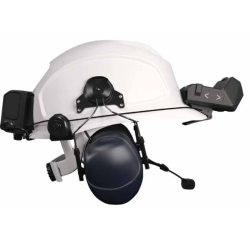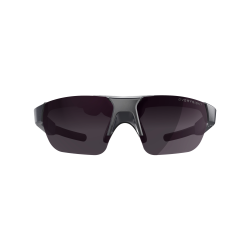
The RealWear Arc 3 is a lightweight, head-mounted Assisted Reality device designed primarily for field workers, technicians, service technicians, inspectors, and operators performing hands-free tasks.
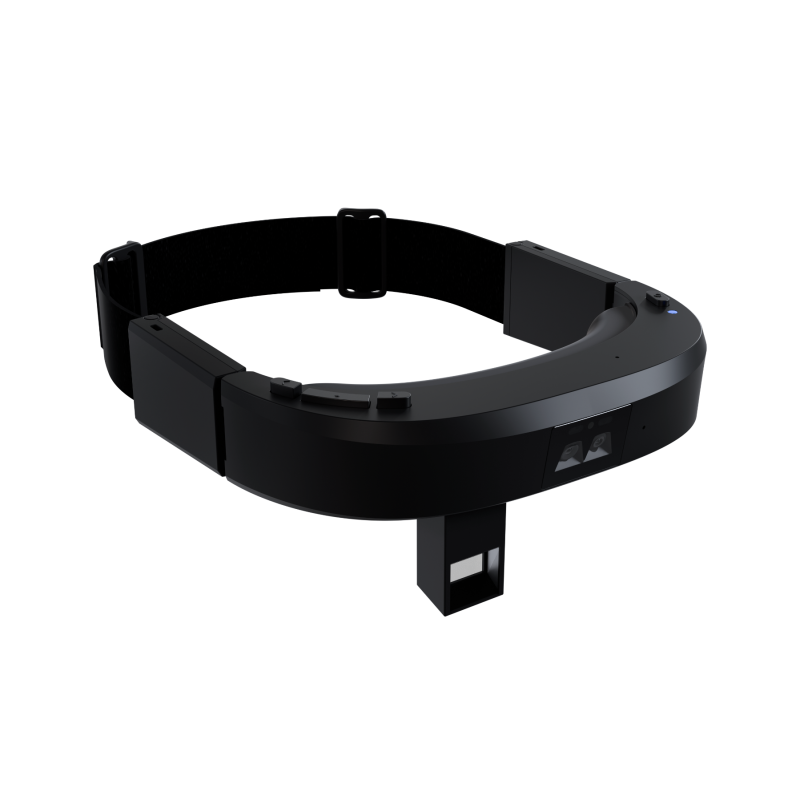
The device is a headband-style device that utilizes a translucent, monocular Micro-OLED display positioned in front of the right eye. The user sees digital information while maintaining the ability to observe their surroundings.
RealWear Arc 3
– The RealWear Arc 3 is a lightweight, head-mounted Assisted Reality device designed primarily for field workers, technicians, service technicians, inspectors, and operators performing hands-free tasks.
– The device is a headband-style device that utilizes a translucent, monocular Micro-OLED display positioned in front of the right eye. The user sees digital information while maintaining the ability to observe their surroundings.
– The Arc 3 is not a VR (Virtual Reality) headset or a full-featured AR (Augmented Reality) headset. It is primarily a personal information display capable of displaying documents, instructions, video feeds, and process data.
– Operation is primarily voice-based via the WearHF interface. The device is also equipped with a capacitive touchscreen and physical controls. – RealWear Arc 3 can be used for:
– conducting remote consultations with experts,
– conducting inspections and technical reviews,
– displaying instructions and digital procedures,
– documenting faults using photos and videos,
– conducting voice and video conferences,
– managing forms and workflow processes,
– displaying data from IoT [Internet of Things] systems,
– conducting on-the-job training,
– running applications developed for RealWear and Android.
Technical Specifications
Platform and Design
– Product Name: RealWear Arc 3.
– Operating System: Ari OS 2.0 based on Android 13.
– Hands-free Interface: WearHF.
– Enterprise Features: Android Enterprise Support.
– Processor: Qualcomm Snapdragon 662.
– RAM: 4 GB.
– Internal Memory: 64 GB.
– MicroSD Card Slot: The manufacturer does not provide memory card support for the Arc 3.
– Housing Material: LEXAN EXL9330.
– Ports: One USB-C port.
– 3.5 mm Headphone Jack: None.
– Weight given in the current datasheet and in the store: 179 g.
– Dimensions given in the datasheet: 155 × 68 × 64 mm.
– Operating temperature: -20°C to +45°C.
– Operating humidity: 10% to 80%, non-condensing.
Durability
– Ingress protection indicated in the technical documentation and official comparison with the Navigator 520: IP54.
– Drop resistance indicated by the manufacturer: up to 1 meter.
– IP54 indicates partial dust protection and protection against splashes of water. It does not provide the same dust and water resistance as the IP66 rating used in the Navigator 520.
– The Arc 3 is not the durability equivalent of the Navigator 520. It is lighter, but less protected against water, dust, and drops.
Display
– Technology: Micro-OLED. – Image type: full color.
– Color gamut coverage: 95% DCI-P3.
– Design: head-up display.
– Resolution: 1920 × 1080 pixels, Full HD.
– Field of view: 22°.
– Display type: monocular - image for one eye.
– Supported eye: right eye only.
– Display module positioning: no adjustable arm as seen in the Navigator series.
– Outdoor visibility: the manufacturer declares the display suitable for outdoor use.
– A wide eyebox is designed to facilitate quick acquisition of a complete image.
Camera System
– Design: Two fixed, front-facing cameras.
– Main camera: 50 MP, 82° field of view, according to the current store and datasheet.
– Wide-angle camera: 8 MP, 120° field of view.
– Wide-angle camera sensor: OmniVision OV8856.
– Built-in flash: yes.
– The cameras are permanently mounted and do not have the up-and-down adjustable module characteristic of the Navigator 520.
– Supported codecs include H.264, H.265/HEVC, MPEG-4, VP8, VP9, VC-1, H.263, and MPEG-2.
Audio and Voice Control
– Number of microphones: Four digital microphones.
– Active noise cancellation: yes.
– Echo cancellation: yes.
– The manufacturer claims voice recognition in noise levels up to 100 dBA.
– Speakers: Two internal speakers, one on each side of the device.
– Speaker volume: Up to 85 dBA.
– External headphone support: Wireless Bluetooth headphones.
– 3.5 mm wired headset connector: None.
Connectivity
– Wi-Fi: IEEE 802.11 a/b/g/n/ac.
– Supported Wi-Fi bands: 2.4 GHz and 5 GHz.
– Bluetooth: Bluetooth 5.1, including BLE [Bluetooth Low Energy].
– Built-in LTE or 5G modem: None.
– The official product comparison lists a future optional cellular accessory, but does not confirm its current availability for the Arc 3.
– The current store page lists support for GPS, GLONASS, NavIC, BeiDou, Galileo, QZSS, SBAS, and dual-band GNSS [Global Navigation Satellite System]. However, this information is not included in the current Arc 3 datasheet, so manufacturer confirmation for the specific product number should be obtained before using satellite location in a project.
Sensors
– Three-axis gyroscope.
– Three-axis accelerometer.
– Three-axis magnetometer.
– Barometer.
– Ambient light sensor.
– Wear detection sensor.
– Capacitive touchscreen.
– Additional monochrome Awareness Sensor with 2 MP resolution and a wide field of view.
– Wear sensor can automatically detect whether the device is on the user's head, which can be used to manage sleep mode and power consumption, among other things.
Battery and Charging
– Battery type: Lithium-ion polymer.
– Capacity: 2000 mAh.
– Voltage: 3.8 V.
– The battery is rechargeable.
– Hot swappable: None – the battery does not support hot swapping.
– Standard charging: via USB-C.
– Optional charging: Arc 3 Base Station.
– The manufacturer states that the Arc 3 Base can charge the device from 20% to 80% in approximately 25 minutes.
– The manufacturer does not provide a clear operating time on a single charge in the current datasheet.
Device Security
– Qualcomm Trusted Execution Environment.
– Qualcomm Crypto Engine.
– Secure Boot.
– Support for secure voice keyboard mode.
– Available login methods include the Companion app, secure voice keyboard mode, and Everykey.
Compatibility and Accessories
– Compatible with prescription glasses.
– Compatible with safety glasses.
– Compatible with in-ear and over-ear hearing protectors.
– Compatible with wireless Bluetooth headphones.
– The manufacturer declares compatibility with Peltor hearing protectors.
– Standard accessories according to the datasheet include:
– headband,
– cushioning elements,
– USB-C cable,
– quick start guide,
– protective EVA case.
Software Required for Operation
– Ari OS 2.0 – pre-installed operating system based on Android 13. No separate purchase of a license for the base operating system is required.
– WearHF – an interface enabling hands-free voice control of the device and applications.
– Ari – built-in RealWear AI agent [Artificial Intelligence]. It can be activated by using the command "Hey Ari" or by long-pressing the Home button.
- Ari can, among other things:
- change system settings such as brightness, volume, Bluetooth, and flashlight,
- answer basic questions,
- open installed apps,
- initiate calls via RealWear Collaborate.
– Using Ari requires the user to accept this feature during setup or upon first launch.
– RealWear Collaborate – a remote communication and collaboration app designated by the manufacturer as included with Arc 3. Full use of collaboration features may require a valid account, organization setup, and internet access.
– RealWear system apps – includes features for configuration, file management, camera, settings, updates, and user training.
– RealWear One, previously also referred to as the Companion app – a free app for Android and iOS used for device configuration, QR code generation, parameter setting, and easy login.
– RealWear One is not strictly necessary for every daily activity, but is recommended for initial setup.
– Ari Cloud, also referred to in some materials as RealWear Cloud – a platform for centrally deploying, configuring, and managing a fleet of devices.
– Ari Cloud is particularly useful for multi-device deployments. It is not required for basic local use of the camera, documents, and system apps. – EMM/MDM [Enterprise Mobility Management/Mobile Device Management] – an optional system for centrally managing Arc 3 devices. The manufacturer indicates that the device can be managed by Ari Cloud or a compatible EMM solution using Android Enterprise standards.
– Business applications – features such as advanced work instructions, inspections, forms, integration with plant systems, or specialized remote support may require additional software and licenses.
– Before purchasing, verify the specific application's compatibility with:
– Ari OS 2.0,
– WearHF interface,
– 1920 x 1080 display,
– voice control,
– a specific video conferencing system,
– a company's MDM or EMM solution.
The RealWear Arc 3 is a lightweight, head-mounted Assisted Reality device designed primarily for field workers, technicians, service technicians, inspectors, and operators performing hands-free tasks.
The device is a headband-style device that utilizes a translucent, monocular Micro-OLED display positioned in front of the right eye. The user sees digital information while maintaining the ability to observe their surroundings.