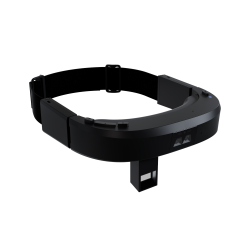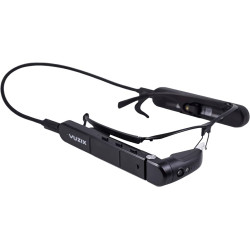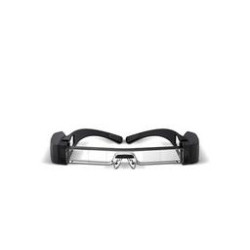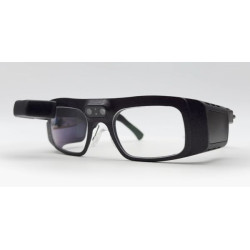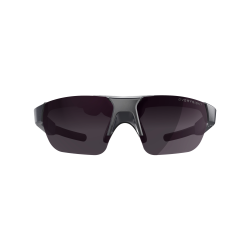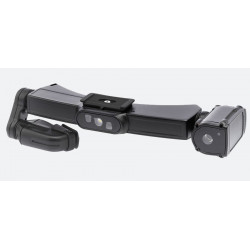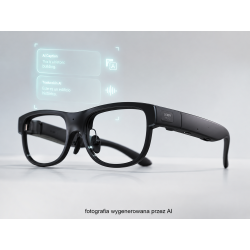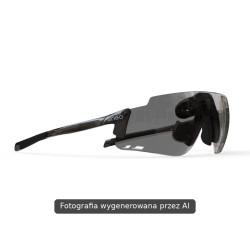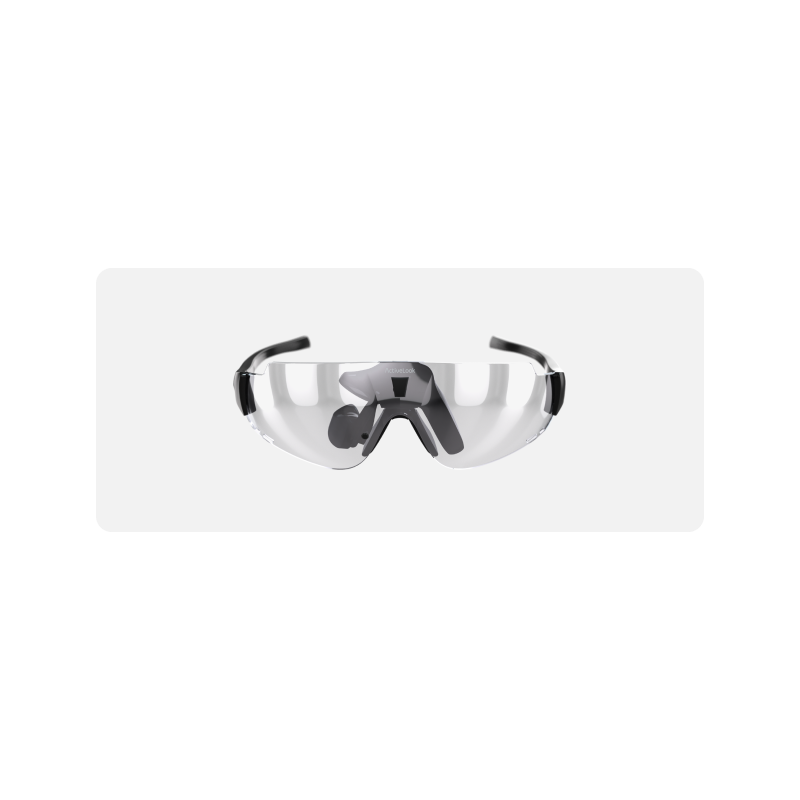
ActiveLook Enterprise is a lightweight smart glass designed to display brief information, messages, and operational data directly in the user's field of view. The manufacturer refers to this technology as Light AR, a lightweight form of augmented reality based on a HUD (Head-Up Display).
ActiveLook Enterprise – HUD/Light AR Smart Glasses for Professional Applications
ActiveLook Enterprise is a lightweight smart glass designed to display brief information, messages, and operational data directly in the user's field of view. The manufacturer refers to this technology as Light AR, a lightweight form of augmented reality based on a HUD (Head-Up Display).
The device is not a full-featured augmented reality suite capable of displaying complex 3D objects. Its purpose is to present key data such as instructions, process parameters, alerts, messages, numerical values, simple icons, and graphics. Information can be transferred from a phone, tablet, computer, or other device equipped with Bluetooth Low Energy.
The glasses can be used in industries such as manufacturing, logistics, service and maintenance, construction, security, trade, research and development, and medical applications. Employees can receive instructions or messages without having to take their hands off the task at hand and look at the phone or computer screen.
Technical Specifications
– Device Type: HUD/Light AR Smart Glasses
– Display Technology: MICROOLED MDP05 AMOLED
– Image Type: Monochrome, 16-level grayscale
– Display Resolution: 304 × 256 pixels
– Manufacturer's Recommended Effective Viewing Area: Approximately 244 × 206 pixels, after taking into account margins to improve visibility for different users
– Displayable Elements: Text, Numbers, Icons, Lines, Geometric Shapes, Simple Images, Screen Layouts, and Animations of Limited Complexity
– Connectivity: Bluetooth Low Energy [BLE – energy-efficient version of Bluetooth]
– Control: Capacitive Sensor, Gesture Sensor, and Ambient Light Sensor
– Brightness Adjustment: Automatic, Using the Light Sensor
– Battery Life: Approximately 10–12 Hours
– Maximum Claimed Operating Time: Up to 24 Hours with Sensors Off, Including the Gesture Sensor
– Battery: Built-in, Rechargeable
– Connector Charging: Magnetic pogo connector
– Cable included: USB with pogo tip, length 50 cm
– Weight: 36 g
– Temple length: 133 mm
– Temples: Flexible and adjustable
– Lenses: Clear, polycarbonate
– Lens light transmission: 52%
– Lens intended use: Indoor use and in low-light conditions
– Lens coating: A solution that enhances the contrast of displayed information
– Resistance: Water and sweat resistance according to the manufacturer's declaration; however, the manufacturer does not provide a specific IP rating
– Frame color: Black
– Camera: None
– Microphone and audio features: None
– Certification: CE for the European market and FCC for the United States
– Package contents: ActiveLook Enterprise glasses, USB cable with pogo tip, case, and cleaning cloth.
Software Required for Operation
ActiveLook Enterprise does not operate as a standalone computer. The glasses primarily function as an external display, while the data, application logic, and information processing reside on a connected device, such as a smartphone, tablet, computer, watch, or specialized terminal.
For basic configuration, updates, and operation of the ActiveLook ecosystem, the manufacturer provides the ActiveLook Sport Eyewear app for mobile devices. The app communicates with the glasses via Bluetooth Low Energy. The current version for Apple devices requires at least iOS 15.0, iPadOS 15.0, or watchOS 10.0.
For enterprise applications, one of the following solutions is typically required:
– a dedicated enterprise app that works with the glasses;
– a technology partner app compatible with the ActiveLook platform;
– integration with an existing production, logistics, service, or information system;
– an app developed using the ActiveLook Android SDK;
– an app developed using the ActiveLook iOS SDK;
– Direct communication with the glasses via an open API and Bluetooth Low Energy;
– Creation of custom icons, screens, layouts, graphics, and fonts using the manufacturer's Configuration File Builder tool.
This means that purchasing the glasses alone does not automatically provide a ready-made solution for production, warehouse, or service. Business implementation may require the creation or customization of an application that transmits the appropriate data to the display.
Advantages
– Very light weight at 36 g, facilitating long-term use.
– Operating time of approximately 10–12 hours can be sufficient for a standard work shift.
– Option to extend operating time to 24 hours after the sensors are turned off.
– Displays data directly in the user's field of view.
– Hands-free operation, beneficial for technical, service, and logistics work.
– Transparent lenses designed for indoor use.
– Automatic brightness adjustment to ambient light.
– Open API and available SDKs for Android and iOS.
– Integration with existing BLE-equipped phones, tablets, computers, and terminals.
– Low power consumption thanks to the memory-based display – unchanged image elements do not need to be constantly refreshed.
– The lack of a camera and microphone reduces some of the risks associated with accidental video or audio recording.
– The simple presentation of information can reduce distractions for the user. – Ability to create screens tailored to a specific process, position, or type of work.
Disadvantages and Limitations
– The monochrome display does not support full-color presentation.
– The 304 x 256 pixel resolution is suitable for numbers, icons, and short messages, but not for detailed documents, technical diagrams, or complex interfaces.
– It is not a full AR platform supporting 3D spatial objects, environment mapping, or advanced holograms.
– The display is not designed to play standard video. The manufacturer's documentation describes ActiveLook primarily as a display for notifications and simple information.
– The lack of a camera prevents object recognition, code scanning without an additional device, work documentation, and image transmission from the user's perspective.
– The lack of a microphone and speakers means no native voice communication or support for voice commands.
– The glasses require constant interaction with an external device and a suitable application.
– Corporate implementation may require programming and integration work. – The BLE connection has limited bandwidth, so this solution works best for short messages and relatively infrequent data changes.
– The manufacturer claims resistance to water and sweat, but does not provide a specific IP rating.
– The public specification does not indicate compliance with the EN 166 standard for eye protection. The CE marking alone does not automatically mean that the glasses can replace required safety glasses for a given job.
– There is no publicly available vision correction regulation or official solution for corrective lenses.
– Lenses with a light transmission of 52% may be suitable for indoor use, but they are not completely neutral, transparent lenses.
– The small display area limits the length of readable instructions and the amount of information displayed simultaneously.
ActiveLook Enterprise is a lightweight smart glass designed to display brief information, messages, and operational data directly in the user's field of view. The manufacturer refers to this technology as Light AR, a lightweight form of augmented reality based on a HUD (Head-Up Display).