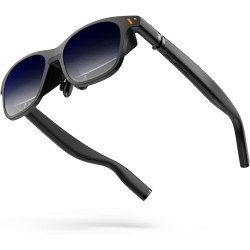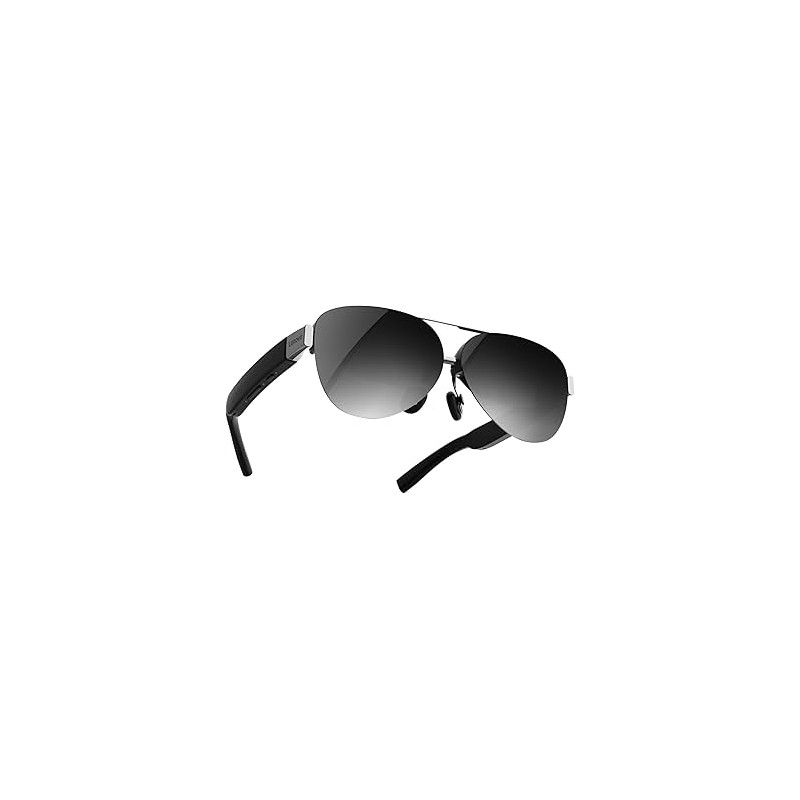
The Lenovo Legion Glasses Gen 2 are lightweight glasses equipped with two Micro-OLED displays that, when connected to a compatible computer, portable console, tablet, or smartphone, act as a private monitor worn in front of your eyes. The manufacturer claims the image is equivalent to a screen up to 126 inches diagonally, although this value is based on a theoretical calculation for a distance of 4 meters and may vary depending on the user.
Lenovo Legion Glasses Gen 2
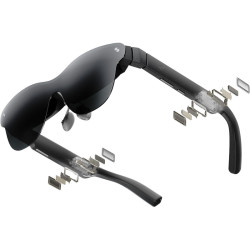
The Lenovo Legion Glasses Gen 2 are lightweight glasses equipped with two Micro-OLED displays that, when connected to a compatible computer, portable console, tablet, or smartphone, act as a private monitor worn in front of your eyes. The manufacturer claims the image is equivalent to a screen up to 126 inches diagonally, although this value is based on a theoretical calculation for a distance of 4 meters and may vary depending on the user.
This is not a standalone VR (Virtual Reality) headset or a full-fledged AR (Augmented Reality) system that maps your surroundings. The glasses function primarily as a wired external display, intended for gaming, movies, streaming, and working with content displayed by a source device.
Specifications
Device type: Wired glasses with a virtual screen.
Display technology: Micro-OLED.
Number of panels: Two – separate images for each eye.
Panel size: 0.6 inches.
Resolution: 1920 × 1080 pixels per eye.
Aspect ratio: 16:9.
Maximum refresh rate: 120 Hz.
Available refresh rates in 2D mode: 60 Hz, 90 Hz, or 120 Hz – depending on the source device and its settings.
Refresh rate in 3D mode: 60 Hz.
Image brightness: Up to 800 nits.
DCI-P3 color gamut coverage: 98%.
Field of view (FOV): 43.5°.
Declared virtual image size: Up to 126 inches – theoretical value at a distance of 4 meters. Optical Design: Bird-Bath – an optical system using semi-transparent elements to direct the image from the micro-displays towards the eyes.
Supported Image Modes: 2D and stereoscopic 3D.
Connectivity: USB-C 3.2 with DisplayPort 1.2 and DisplayPort Alternate Mode support.
Required Source Device Port: USB-C supporting DP Alt Mode image output; a USB-C port solely for charging or data transfer is not sufficient.
Supported Operating System: OS-independent device – acts as an external monitor.
Audio: Built-in speakers with volume control.
Controls: Three buttons for brightness, volume, screen off, and 2D/3D mode switching.
Sensors: IMU (Inertial Measurement Unit) and gyroscope.
Automatic Image Turn-Off: After approximately 5 minutes of inactivity.
Power Consumption: Approximately 1.6 W, depending on image brightness and volume level. Power: Directly from the source device via USB-C; the glasses do not require separate charging.
Weight: 65 g.
Dimensions: approximately 163 x 169 x 52 mm.
Thickness: approximately 18.5 mm.
Color: Black.
Operating temperature range: 0°C to 40°C.
Certifications and compliance: CE, FCC, CB, RoHS, VCCI, and RCM-EMC, among others.
Part number GY21R10234 – EMEA [Europe, Middle East, and Africa] version, suitable for the European market, among others.
Software Required for Operation
For standard operation in external monitor mode, no drivers or additional applications are required.
When connected to a compatible USB-C port with DP Alt Mode, the glasses should be recognized as an external display – Plug and Play.
The resolution, refresh rate, and display usage are configured in the source device's operating system settings.
Standard stereoscopic 3D mode is activated by a button on the glasses but requires specially prepared content, such as SBS (Side-by-Side) video.
Legion Space software is not required for basic operation.
Legion Space is used as an additional mode for converting supported 2D games to 3D on select Lenovo devices running Windows 11. This feature is not universal for every computer or game.
Examples of devices tested by Lenovo include the Legion Go, Legion Go S, select Lenovo computers, MacBook Pro, Samsung Galaxy series devices, select Motorola smartphones, and iPhones and iPads equipped with USB-C. However, the list of tested models does not automatically mean that other devices are incompatible – the basic requirement remains USB-C DP Alt Mode output.
Advantages
Lightweight at 65g, making it much easier to use while traveling and during extended sessions.
Full HD image quality for every eye.
Refresh rate up to 120Hz, especially beneficial for gaming.
High declared brightness of up to 800 nits.
Wide color gamut – 98% DCI-P3.
Micro-OLED panels for deep blacks and high perceived contrast.
No need to charge a separate battery.
No drivers or apps required for basic use.
Compatible with various device categories, provided they support USB-C DisplayPort Alt Mode. 2D and stereoscopic 3D viewing options are available.
Built-in speakers and physical volume and brightness controls.
Magnetic cover reduces ambient light and improves image privacy.
Includes a frame for prescription lenses.
Carrying case included.
Disadvantages and Limitations
The glasses are not a standalone device – they will not display an image without a compatible computer, smartphone, tablet, or console.
The connection is wired; there is no standard wireless image transmission.
A USB-C port with image output is required. The presence of a physical USB-C connector does not guarantee compatibility.
The resolution is 1920 x 1080 per eye, not 4K.
The claimed 126-inch resolution is theoretical and should not be considered a direct equivalent of a physical TV of this diagonal.
3D mode limits the refresh rate to 60 Hz.
2D-to-3D game conversion via Legion Space only works on specific Lenovo devices and with supported titles.
There is no built-in diopter adjustment – those requiring vision correction must order lenses for the included frame.
Correct positioning of the glasses is important. Improper nose pad positioning can result in blurred edges or incomplete images.
Drawing power from the source device can shorten the battery life of your smartphone, laptop, or console.
Built-in speakers do not provide complete audio privacy; in public places, Bluetooth headphones may be a better option.
These glasses are not a replacement for VR headsets – they do not offer the typical experience of motion controllers, complete isolation from the surroundings, and movement in a virtual space.
The Lenovo Legion Glasses Gen 2 are lightweight glasses equipped with two Micro-OLED displays that, when connected to a compatible computer, portable console, tablet, or smartphone, act as a private monitor worn in front of your eyes. The manufacturer claims the image is equivalent to a screen up to 126 inches diagonally, although this value is based on a theoretical calculation for a distance of 4 meters and may vary depending on the user.