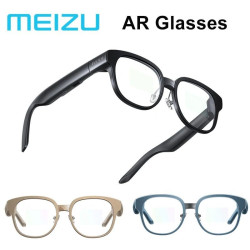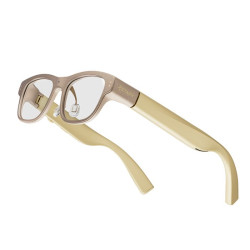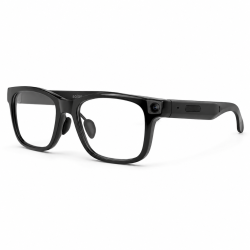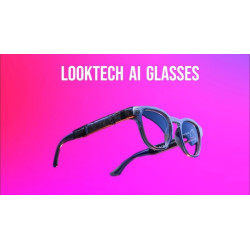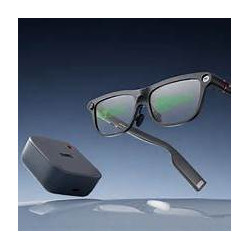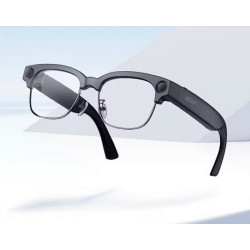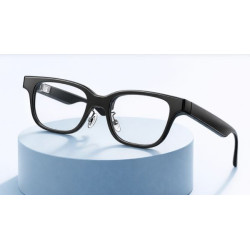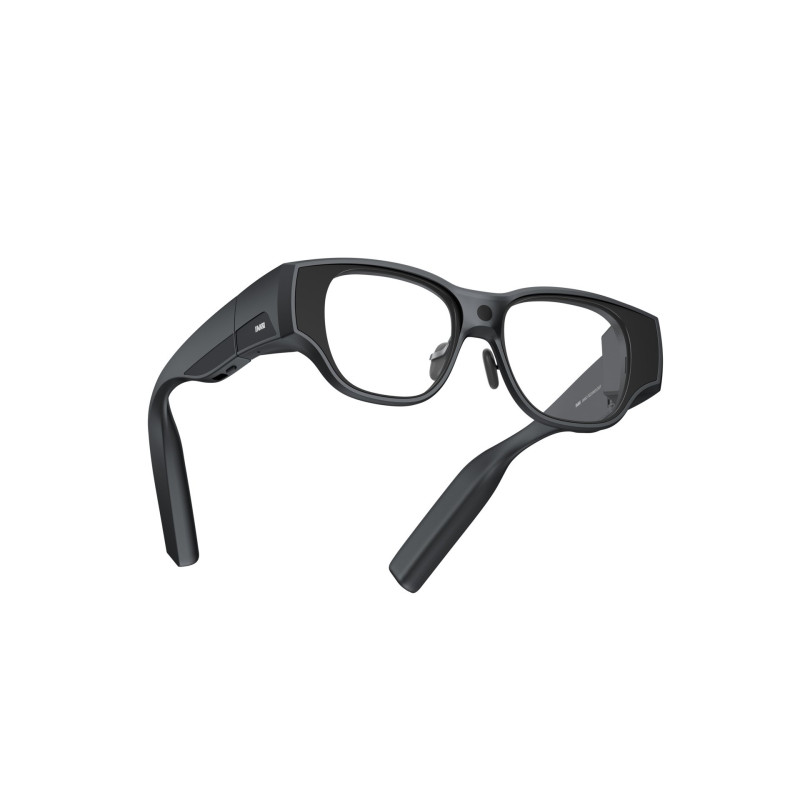
The INMO AIR3 are standalone, full-color AR (Augmented Reality) glasses. Unlike many glasses that function solely as an external monitor, the AIR3 has its own processor, memory, operating system, Wi-Fi and Bluetooth connectivity, camera, microphones, and speakers. This means it can operate without a permanent wired connection to a smartphone or computer.
The glasses are available exclusively through the manufacturer's online store or at authorized optical stores in Europe.
INMO AIR3 AR Glasses
The INMO AIR3 are standalone, full-color AR (Augmented Reality) glasses. Unlike many glasses that function solely as an external monitor, the AIR3 has its own processor, memory, operating system, Wi-Fi and Bluetooth connectivity, camera, microphones, and speakers. This means it can operate without a permanent wired connection to a smartphone or computer.
The device uses two Sony Micro-OLED displays and an optical waveguide that overlays a digital image on a real-world view of the surroundings. The resolution is 1920 × 1080 pixels, a 36° field of view, a maximum brightness of 600 nits, and a refresh rate of 60 or 120 Hz. The manufacturer claims a virtual screen effect up to approximately 150 inches diagonally, but this is a marketing way of describing the perceived image size, not the physical screen diagonal.
It is powered by an octa-core Qualcomm Snapdragon processor, 8 GB of RAM, and 128 GB of internal memory. The glasses feature a 16 MP camera with a 120° lens, 1080p video recording, and EIS (Electronic Image Stabilization). Four microphones, two open-back speakers, and a set of spatial orientation sensors are also integrated.
The AIR3 can be used for, among other things:
watching movies and streaming;
running Android apps;
using email, browsers, instant messaging, and office tools;
displaying up to three floating windows;
taking photos and recording images from the user's perspective;
video communication and remote technical support;
operating AI assistants;
Text, image, and speech translation;
Game or image streaming from your phone and computer.
The manufacturer claims to support over 90% of Android apps, but this doesn't mean that all of them will be properly adapted to glasses control and unusual screen formats.
Software Required for Operation
Glasses System
INMO AIR3 runs on IMOS 3.0 based on Android 14. The global version of the device is available through Google Play and the INMO app store. Apps are installed directly on the glasses, just like on an Android phone or tablet.
For basic operation, you need:
Wi-Fi connection – for configuration, downloading apps, updates, and internet services;
Google account – if you want to install apps from Google Play;
Optional Bluetooth devices, such as a keyboard, headphones, controller, or INMO Ring 3.
A dedicated mobile app is not required for basic use of the AIR3. The current official INMO app download page provides mobile apps for the GO, GO2, and GO3 series, while for the AIR3, it primarily publishes instructions and support materials. The glasses can also receive wireless video from Android devices, iPhones, iPads, or computers.
Control Methods
Control can be performed via:
Touch panel on the frame;
Included external touchpad;
Physical buttons;
Voice commands – a feature marked by the manufacturer as beta;
Optional INMO Ring 3.
Polish Language Support
Polish Interface Language for the Glasses
The manufacturer provides the ability to add system languages and change the interface language in the settings:
Settings → System → Language → System Language → Add Language.
However, the official manual does not provide a complete list of available languages and does not explicitly mention Polish. Therefore, based on the current materials, it is impossible to confirm that the entire IMOS 3.0 interface is officially Polish.
I would therefore not recommend using the "Polish menu" claim in product materials without obtaining written confirmation from INMO or verifying a specific copy of the global version.
Polish Translation
The global version of AIR3 supports the Google Translate and Google Lens applications running directly on the glasses. The official INMO materials demonstrate translation of Google Lens and Google Translate without the need for a smartphone.
Google Translate supports Polish and offers, among other things:
translation of typed or pasted text;
recognition and translation of text viewed through the camera;
translation of photos;
translation of spoken utterances;
bilingual conversation mode;
offline translation after downloading the appropriate package, provided it is available for the given feature and language pair.
Google notes that the scope of functionality may vary for individual languages. Polish is included in the general list of supported languages, but there is no official confirmation that each mode—for example, continuous real-time transcription—will work in Polish on AIR3 to the same extent.
What form does translation take?
Depending on the app and the selected mode:
Conversation Translation
The glasses' microphones record the spoken word. The app recognizes speech, translates it, and displays the resulting text on a virtual screen. The app can also play the translation through built-in speakers. With online translation, the audio is processed by the provider's cloud service.
Ambient Text Translation
The camera captures a text, document, menu, or sign. Google Lens or Google Translate recognizes the text using OCR (Optical Character Recognition) and then displays the translation on the glasses' screen.
Translating Input
Text can be entered using a virtual keyboard, touchpad, ring, or external Bluetooth keyboard. Due to the lack of a convenient touchscreen, long text inputs can be cumbersome.
Offline Translation
After downloading a language pack, some operations can be performed without internet access. However, the availability of offline modes depends on the language and translation type.
Privacy Information:
Selected device functions may involve recording images or sound and transmitting data to external services. Before deploying the device within an organization, it is necessary to verify the application configuration, the scope and location of data processing, the legal basis for the intended use, and the requirements regarding the notification of individuals whose data may be recorded.
Product Safety (GPSR)
Product: INMO AIR3 AR Glasses
Model: AIR3
Brand: INMO
Manufacturer (as stated in the manual): Shenzhen INMO Technology Co., Ltd.
Address: 8F, D, F1 Building, TCL International E City, Shuguang Community, Xili Street, Nanshan District, Shenzhen, Guangdong, China
Country: China
E-mail: support@inmoxr.com
Website: https://www.inmo.com/
Responsible entity in the EU:
Important safety warning – INMO AIR3
WARNING: RISK OF OVERHEATING AND BURNS
The manufacturer, INMO, has announced a remediation program for INMO AIR3 glasses due to the potential for the left temple arm to overheat during prolonged use. This defect may lead to serious burns.
On September 24, 2026, the U.S. Consumer Product Safety Commission (CPSC) published a recall notice (number 26-797) regarding the affected products.
Users of affected units should immediately stop using the device and contact INMO to arrange for a free remediation measure, which involves a software update to version V3.16.
Do not resume using an affected unit without confirmation that the appropriate remediation measure has been performed. Contact regarding the program: support.usa@inmoxr.com
Official manufacturer announcement: https://www.inmo.com/pages/recall
Official CPSC announcement:
https://www.cpsc.gov/Recalls/2026/INMO-International-Technology-Limited-Recalls-INMO-Air3-Smart-Glasses-Due-to-Risk-of-Serious-Injury-or-Death-from-Burn-Hazard
Intended use
INMO AIR3 are standalone augmented reality (AR) glasses equipped with Micro-OLED displays, a battery, a camera, microphones, speakers, and wireless communication modules.
The device is designed for displaying digital content, communication, media viewing, and using compatible applications.
Battery, charging, and temperature safety
The device should be used at temperatures between 0°C and 40°C and at altitudes below 2,000 meters above sea level.
The permissible storage temperature range specified in the manual is -20°C to 60°C.
Use the original charging cable and a power adapter that meets the device's specifications.
Do not expose the device to fire, direct sunlight, heaters, or other sources of high heat.
Do not immerse the device in water or other liquids.
Do not disassemble, crush, puncture, or modify the battery.
The device is equipped with a built-in battery that should not be replaced by the user. In the event of excessive heating, smoke, casing deformation, or other signs of danger, stop using the device and, if safe to do so, disconnect the charger.
Do not use power adapters or accessories that are unapproved or incompatible.
Safe use of AR glasses
Read the manufacturer's instructions before first use.
Adjust the temples and nose pads to fit your face so that they do not cause excessive pressure.
Displayed content may distract you from your actual surroundings. Do not use features that cause distraction while driving, operating machinery, or performing tasks requiring full concentration.
Stop using AR features if you experience eye strain, headaches, dizziness, or nausea.
Do not use the glasses if the lenses are cracked, the casing is damaged, or there is other visible damage.
This product is not a toy. Keep it out of the reach of children, particularly due to small parts and the risk of choking.
Wireless connectivity and medical devices
Do not use the device in areas where the use of radio devices is prohibited.
Observe wireless connectivity restrictions applicable in medical facilities.
Maintain a distance of at least 15 cm from implanted medical devices, as specified in the instructions.
Individuals using pacemakers, hearing implants, or other electronic medical devices should also follow the recommendations provided by the manufacturers of those devices. Cleaning, maintenance, and transport
Protect the glasses from drops, pressure, impacts, and mechanical damage.
Do not bend the temples excessively.
Use a soft brush or an air blower to remove dust from optical components.
Use a soft cloth designed for optics to clean the lenses.
Do not use alcohol to clean the front or rear optical components.
Do not wrap the charging cable around the device.
Store the glasses in a suitable case during transport.
Do not install unauthorized operating system versions or modified firmware.
Camera, microphones, and privacy
The device can take photos and record audio and video.
When using recording functions, comply with applicable regulations regarding privacy and personal data protection.
The INMO AIR3 are standalone, full-color AR (Augmented Reality) glasses. Unlike many glasses that function solely as an external monitor, the AIR3 has its own processor, memory, operating system, Wi-Fi and Bluetooth connectivity, camera, microphones, and speakers. This means it can operate without a permanent wired connection to a smartphone or computer.