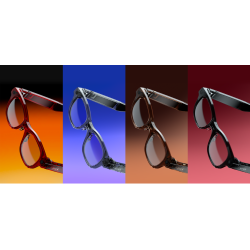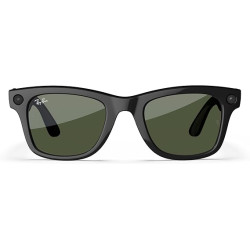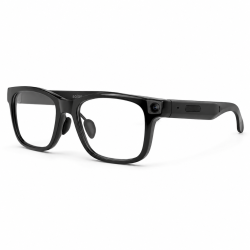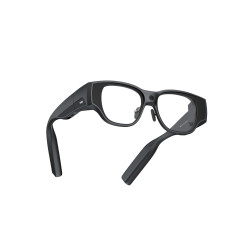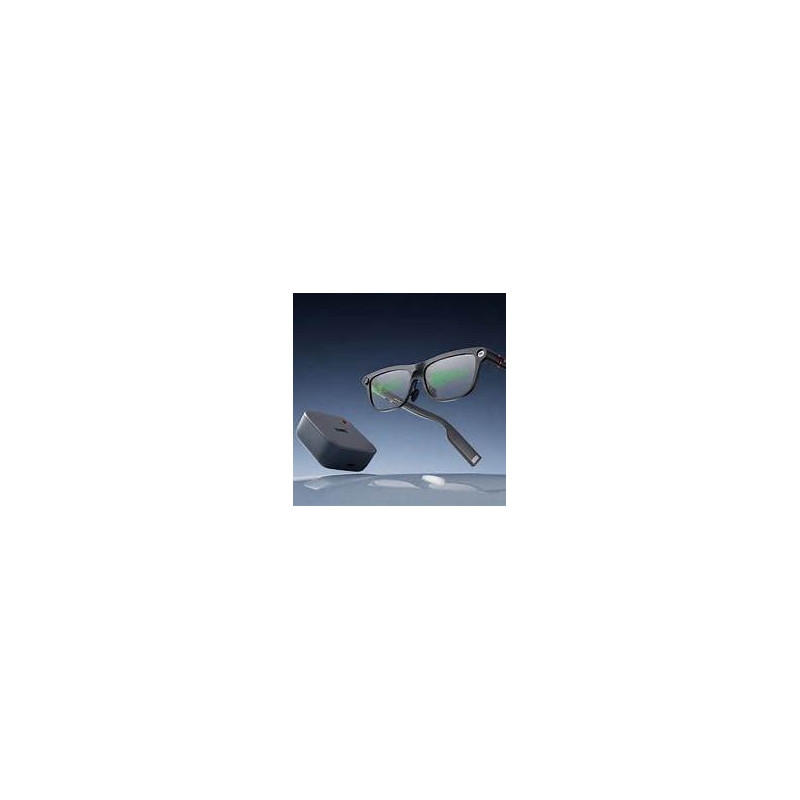
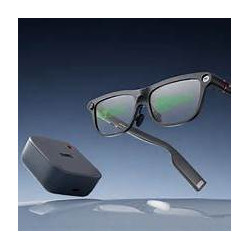
The INMO GO3 are lightweight AI/AR (Artificial Intelligence/Augmented Reality) glasses designed primarily for real-time conversation translation. The speaker's speech is converted into text and displayed directly in front of the user's eyes. The device also offers an AI assistant using ChatGPT and Gemini models, live captions, text translation from photos, meeting transcription and summary, a teleprompter, smartphone notifications, and pedestrian and bicycle navigation.
The glasses are available for purchase exclusively through the manufacturer's online store or at authorized opticians in Europe.
INMO GO3 AI Glasses
The INMO GO3 are lightweight AI/AR (Artificial Intelligence/Augmented Reality) glasses designed primarily for real-time conversation translation. The speaker's speech is converted into text and displayed directly in front of the user's eyes. The device also offers an AI assistant using ChatGPT and Gemini models, live captions, text translation from photos, meeting transcription and summary, a teleprompter, smartphone notifications, and pedestrian and bicycle navigation.
The GO3 are not full-color glasses for advanced spatial applications. They utilize binocular, monochromatic Micro LED displays that display information in green. Therefore, the product should be considered primarily information and translation glasses, not a complete immersive augmented reality set.
Technical Specifications
Model: IMG301.
Operating System: RTOS [Real-Time Operating System].
Display: Binocular, monochrome, green Micro LED.
Optics: Diffractive optical waveguide.
Resolution: 640 × 480 pixels.
Field of View: 30°.
Brightness: Up to 1500 nits, adjustable.
Processor: Dual-core.
Memory according to manufacturer: 256 MB + 64 GB.
Audio: Four microphones and two speakers.
Controls: Touchpad on the temple, physical buttons, mobile app, voice control, and optional INMO Ring4.
Material: Aluminum alloy and PA [polyamide].
Weight: Approximately 58 g.
Temple thickness: Approximately 8 mm.
Fit: Adjustable temples (approximately 15°) and pressure-relieving "Air Cushion" nose pads.
Camera
The glasses feature a built-in 8MP camera. It allows you to take photos, translate captured text, and record videos up to 60 seconds long. Images are transferred to your phone, and the manufacturer states that photos and videos automatically receive the INMO AI Glasses watermark. The camera has a physical cover for increased privacy.
Power
The glasses use a magnetically removable 270 mAh battery. The manufacturer includes a second battery and a 1300 mAh charging case, which is expected to provide approximately 3-4 full charges. Replacing the battery takes approximately five seconds.
Standby time:
Continuous translation: up to approximately 3 hours,
Teleprompter: up to approximately 3.3 hours,
Music or phone calls: up to approximately 4.5 hours,
Standby mode: over 8 hours.
The term "all-day battery" therefore refers to the use of removable batteries and a case, not all-day operation on a single battery.
Software Required for Operation
Full operation requires a smartphone and the official INMO app:
The app is currently available on iOS as INMO Glasses,
on Google Play as INMO Global,
and the manufacturer's official website also refers to it as the INMO GO3 APP.
The app is used for:
pairing the glasses via Bluetooth,
managing settings,
selecting translation languages,
viewing, copying, and sharing translation history,
importing texts to the teleprompter,
managing notifications,
synchronizing photos and recordings,
generating transcripts and AI summaries.
The manufacturer claims compatibility with Android and iOS. The current version of the app in the App Store requires at least iOS 17.0. The minimum Android version is not explicitly specified in the public Google Play tab.
An internet connection is required for online translations, the AI assistant, synchronization, and most cloud features. Only a limited set of languages can work offline.
Additional Accessories
The INMO Speaker is an optional speaker designed, among other things, to play the user's translated speech in the other person's language. Without it, voice translation can be played through the phone's speaker. The INMO Ring4 allows gesture control, changing teleprompter pages, and operating selected functions without touching the glasses.
Polish Language Support
Is Polish supported?
Yes, Polish is listed by INMO as one of the languages for Dialogue Translation, which translates conversations online. The manufacturer claims 78 source languages and 98 target languages, although the main website does not provide a complete table of all available translation directions.
Polish, however, is not included in the official list of offline translation languages. The manufacturer lists English, Simplified Chinese, Japanese, Spanish, Korean, French, German, Russian, and Thai, among others, in this mode. This means that translating from or into Polish should be considered a function requiring an internet connection.
What format does the translation take?
INMO GO3 offers several translation methods:
Conversation Translation to Subtitles
Microphones recognize the speaker's speech, and the translated text is displayed on the glasses' lenses. The user can choose between a bilingual view or just the translated text.
Bidirectional Dialogue Mode
The speaker's speech appears as text in the glasses. The user's speech can be translated and played back verbally via a smartphone or the optional INMO Speaker. The glasses allow you to switch between directional voice pickup and 360° omnidirectional reception.
Real-time Captioning
The glasses can convert speech to text during meetings, lectures, conferences, or conversations. The text appears on a display in front of the user.
Text Translation from a Photo
The user takes a photo of a menu, sign, label, or document, and the recognized and translated text is displayed in the glasses.
History and Summary
The translation history can be saved in the app, copied, shared, and summarized by AI.
Is Polish language support free?
The iOS app is marked as free. Google Play allows installation of the app but also flags it as containing in-app purchases.
The product page presents translation as a basic feature of the glasses, and no separate fee for the Polish language is indicated. However, due to the "In-App Purchases" designation, it cannot be reliably guaranteed that all AI and translation features will always be completely free and unlimited.
Is the app interface in Polish?
No. The current iOS app lists English, French, German, Japanese, Korean, and Simplified and Traditional Chinese. Polish is not listed as an interface language.
Therefore, it is important to distinguish:
Polish language support as a translation language – yes, online;
Polish app interface – no public confirmation, and the iOS version does not offer it;
Polish offline translation – no.
Advantages
Very light weight, approximately 58 g, for glasses with two displays, a camera, microphones, and a replaceable battery.
Translation displayed directly in the field of view allows for maintaining eye contact with the speaker.
The binocular display may be more comfortable for extended reading than a monocular design.
High brightness claimed at up to 1500 nits.
Extensive translation modes: conversation, subtitles, photos, and session history.
The replaceable battery reduces the hassle of interrupting work while charging.
Four microphones, directional mode, and 360° reception.
Business features: teleprompter, meeting recording, transcription, summaries, and to-do list.
Physical camera cover.
Compatible with Android and iOS.
Disadvantages and limitations
The display is only monochrome and green. The 640 x 480 resolution and 30° field of view are sufficient for subtitles and simple information, but not for complex, full-color AR applications.
Polish requires an internet connection.
The app interface is not available in Polish on the iOS version.
A single battery provides up to approximately three hours of continuous translation; full-day operation requires a battery replacement.
A more complete, two-way voice dialogue requires a phone or an additional INMO Speaker.
The teleprompter's automatic scrolling supports only seven languages and does not include Polish.
Videos are limited to approximately 60 seconds and receive an automatic watermark.
Many features depend on the smartphone, app, and cloud services.
The manufacturer provides inconsistent language counts: the app card lists over 70 languages, while the product page lists 78 source languages and 98 target languages.
The manufacturer's materials also provide varying values for offline translation: nine languages on some pages, nine on Android, and thirteen on iOS on the current store page. Functions may therefore depend on the system, region and application version.
Privacy and Data
According to the developer's declaration on Google Play, the app may collect, among other things, personal data, audio, files, and documents. It may also share location data, messages, and contacts with third parties. Data is encrypted during transmission, and the user can request its deletion.
This is particularly important when using meeting recording, phone calls, transcription, and AI summarization features. For business, legal, medical, or sensitive information applications, please review the terms and conditions, privacy policy, data processing location, and GDPR compliance beforehand.
Privacy Information:
Selected device functions may involve recording images or sound and transmitting data to external services. Before deploying the device within an organization, it is necessary to verify the application configuration, the scope and location of data processing, the legal basis for the intended use, and the requirements regarding the notification of individuals whose data may be recorded.
Product Safety (GPSR)
Product Name: INMO GO3 AI Glasses
Brand: INMO
Model: IMG301
Manufacturer: Shenzhen INMO Technology Co., Ltd.
Country: China
Manufacturer/Brand Contact: support@inmoxr.com
Website: https://www.inmo.com/
Responsible Entity in the European Union:
Intended Use
INMO GO3 are AI/AR smart glasses equipped with a transparent, binocular Micro LED display, a camera, microphones, speakers, and wireless connectivity.
The device enables features such as conversation translation, subtitle display, teleprompter use, notification reception, image and audio recording, and navigation guidance.
Full functionality requires a compatible mobile device with the INMO app.
Safety Warnings
CAUTION – Safe Use
Do not use the glasses while driving.
Do not excessively bend the temples, as this may damage mechanical and electronic components.
Protect the device from water, extreme temperatures, and high-salinity environments.
Keep the device out of the reach of children.
Do not use the glasses if the casing, lenses, temples, or power components are damaged.
Do not disassemble or modify the device's internal components.
Display Safety
Before use, properly adjust the glasses to your face and set the display brightness to a comfortable level.
Images and messages displayed in your field of view may distract you from your surroundings.
Do not use functions requiring you to read messages while crossing the street, operating machinery, or performing other activities that require full concentration.
Stop using the device if you experience headaches, eye strain, dizziness, nausea, or visual disturbances.
Take regular breaks during prolonged use of the display.
The device is not a substitute for certified safety glasses or eye protection.
Removable Battery Safety
The INMO GO3 uses a removable 270 mAh battery and a portable charging case.
Use only batteries designed for the INMO GO3 model and accessories compatible with the device.
Do not disassemble, puncture, crush, or modify the batteries.
Do not expose the batteries to fire, excessive temperatures, or water.
Do not use a battery that shows visible damage, deformation, signs of leakage, or abnormal heating.
Follow the manufacturer's procedure when replacing the battery.
Do not short-circuit the battery terminals, particularly through contact with metal objects.
Store and transport batteries in a manner that protects them from damage and short-circuiting. Charging case safety
Use a power source and cable that meet the manufacturer's specifications for charging.
Do not use the charging case if the connectors, casing, or cable are damaged.
Do not expose the charging case to liquids or excessive heat.
Do not cover the device while charging with materials that could impede heat dissipation.
Before placing the battery in the case, ensure its contacts are clean, dry, and undamaged.
In the event of excessive heat, smoke, sparking, or an unusual odor, stop charging and, if safe to do so, disconnect the power supply.
Camera and microphone safety
The glasses are equipped with a camera, microphones, and a recording indicator.
Observe privacy and data protection regulations when recording video or audio.
Do not record people or conversations in situations where it is prohibited.
When the camera is not in use, you may use the physical cover provided by the manufacturer.
Before using AI, transcription, or translation services for confidential conversations, familiarize yourself with the data processing policies of the application and service providers.
Audio and connectivity safety
Do not set the volume level excessively high.
Ensure you can still hear important warning signals from your surroundings.
Observe restrictions regarding the use of wireless devices in medical facilities, on board aircraft, and in other restricted areas.
If you use electronic medical implants, follow the manufacturer's recommendations regarding the distance to be maintained from devices that emit radio waves.
Cleaning and maintenance
Use a soft cloth designed for optical components to clean the lenses.
Do not apply excessive pressure to the lenses or display components.
Do not spray liquids directly onto the device, connectors, or electronic components.
Do not bend the temples beyond the limits of the device's design.
Protect the glasses from drops, impacts, and mechanical pressure.
Repairs to electronic components should be performed by a qualified service provider.
Procedure in the event of a malfunction
Immediately stop using the device if the glasses, battery, or charging case are damaged, or if there is excessive heating, leakage, smoke, or other signs of a potential hazard.
Do not reuse the damaged device until its condition has been assessed by a qualified service provider. Documentation and technical support
Official product page: https://www.inmo.com/pages/inmo-go3-ai-glasses
Official manufacturer store: https://www.inmo.com/products/inmo-go3
Contact: support@inmoxr.com
Official INMO GO3 specifications: https://www.inmo.com/pages/inmo-go3-ai-glasses?_su_rec=2azHbIJTZvcuL_U1oVRjK7nbyXbHT-XWVoRPzKHgKzt_KUudf5FcU6ft054G7Y6KOeIIqFZkTo0YR7Bjk973p6jYcCU8S8w9PuZxp4R9WSPOcthmp8Uy1g_NJvzH90U0k_ABUEIrqWhMHOx6wWaPjYZ3JQtfO4x20fxa1EMZ5YNxJe1s4fN8XdkJRc8kflIaR3bGuHvgAAhXhEwTB1EOSbArrV3d7VwUqncAYuPea6kSTlpZafyXtCiW&_su_rec_id=ff0f1f5e-2cb8-467e-8343-d09f2bc55ba1-1791539499
FCC – model IMG301 registration: https://fccid.io/2BP9SIMG301
INMO – Shenzhen INMO Technology company details: https://www.inmo.com/pages/acceptable-use-policy
Before using the device for the first time, please read the user manual and safety warnings provided with the device.
The INMO GO3 are lightweight AI/AR (Artificial Intelligence/Augmented Reality) glasses designed primarily for real-time conversation translation. The speaker's speech is converted into text and displayed directly in front of the user's eyes. The device also offers an AI assistant using ChatGPT and Gemini models, live captions, text translation from photos, meeting transcription and summary, a teleprompter, smartphone notifications, and pedestrian and bicycle navigation.