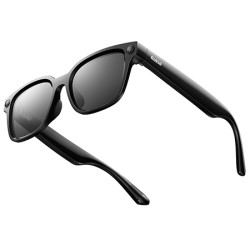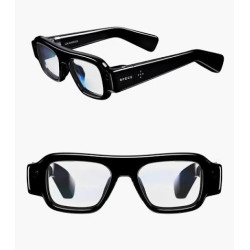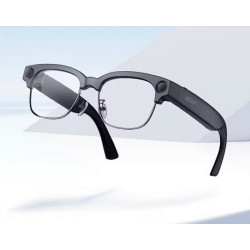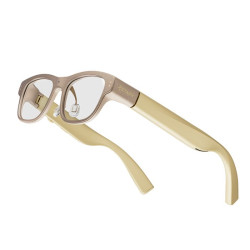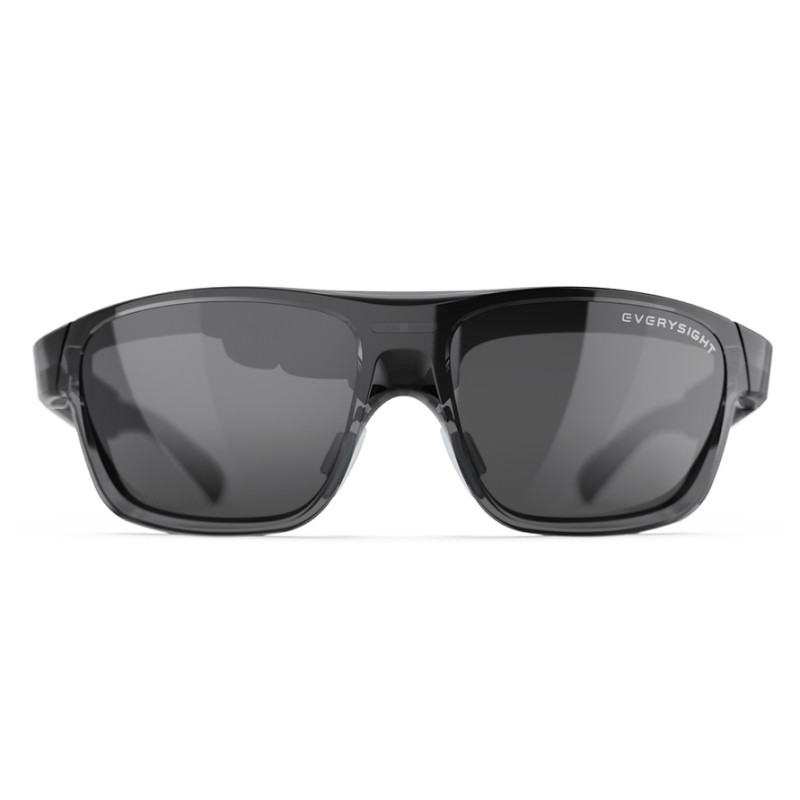
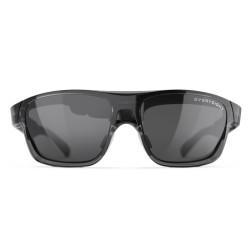
The Everysight Maverick AI is a lightweight smartglasses that combines: a transparent, color HUD (Head-Up Display) display, a front-facing camera, microphones and speaker.
The glasses are available for purchase exclusively through the manufacturer's online store or at authorized optical stores in Europe.
Announcement - expected shipping December 2026
Everysight Maverick AI/AI PRO
The current data is a pre-production specification and not verified parameters on production devices.
The Everysight Maverick AI is a lightweight smartglasses that combines:
a transparent, color HUD (Head-Up Display) display,
a front-facing camera,
microphones and speaker,
artificial intelligence features,
navigation, translation, and transcription,
object recognition and environmental analysis,
the ability to display information from mobile apps directly in front of the user's eye.
Information is overlaid on a real-world image of the surroundings. The design is focused more on short messages, directions, translations, and contextual prompts than on the extensive, spatial AR environment known from large goggles. The manufacturer calls them AR (Augmented Reality) glasses, but from a practical perspective, they are primarily a lightweight, see-through HUD with AI capabilities.
The glasses are not a completely standalone device. Most of the computation, communication with AI services, and internet access are transferred to the smartphone or watch. An Everysight representative confirmed that the device does not run Android XR, and that the AI demonstrations were based on Google Gemini. However, the platform is intended to allow developers to use other language models and AI providers.
Models:
Maverick AI
The basic model features a color display, AI camera, microphones, speaker, touch controls, and AI features. It does not have hardware eye tracking.
Maverick AI Pro
Includes all Maverick AI features plus the built-in Everysight GazeIntent eye tracking system. It allows you to select interface elements with your gaze and is intended to enable more contextual interaction with the AI.
Gaze tracking in the Pro model is a hardware-based solution, not a feature that can be later enabled solely through software in the basic Maverick AI. Other basic parameters, such as display, camera, battery life, and connectivity, are expected to be common to both versions.
The following will be available:
Two frame widths: Standard and Narrow,
IPD range from 54 to 72 mm,
Clear and tinted lenses,
Optional single-vision prescription lenses mounted directly in the frame, without additional prescription.
Weight: 47 g
Sizes: Standard and Narrow
Supported: IPD 54–72 mm
Optics: Everysight BEAM
Display: Sony micro-OLED color
Brightness: Over 5,000 nits
Contrast: Over 10,000:1
Field of View: Current product page: 22°
Running Time: Over 8 hours of continuous use with the display active
Connectivity: Bluetooth 5.2
Supported Devices: iOS, Android, Wear OS; developer tools also available for Apple Watch
Resistance: IP55
Camera: Front-facing camera designed for AI analysis
Audio: Microphone array and one speaker located on the temple
Motion sensors: 3D gyroscope, 3D accelerometer, 3D magnetometer
Additional sensors: Ambient light and proximity
Controls: Touchpad, power button; Eye tracking in the Pro version
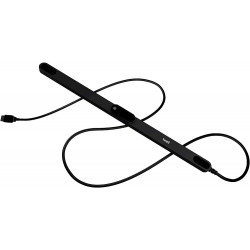
Charging: Magnetic charging system
Declared certifications: FCC, CE, IC
Safety standards: ANSI Z80.3, EN ISO 12311/2-1, UL 1642 for the battery
Warranty: 1-year limited manufacturer's warranty
Software Required for Operation
Basic Application
The manufacturer states that the glasses will connect to a smartphone running:
Android,
iOS,
using the Everysight AI app and Bluetooth. The Maverick Live AI app for Android is currently available in the Google Play Store. Among other features, the app is responsible for:
conversations with the AI,
camera image analysis,
object and text recognition,
presenting responses on the glasses' display,
searching for places and information,
navigation and maps,
displaying images and visual results.
An internet connection is required for the AI functionality.
I have not been able to confirm the publicly available, final version of the Maverick Live AI app for iOS in the App Store at this time. However, the manufacturer declares iOS compatibility, which most likely means the app will be released before the product ships.
Translation App
Everysight also offers the Everysight Translate app. It is described as a working demo app and developer reference, still in the early stages of development. It enables real-time translation and display of results on the glasses.
SDK for developers
The manufacturer provides a free SDK [Software Development Kit] for:
Android,
iOS,
Wear OS,
Apple Watch.
The SDK allows applications to transmit data to the glasses, receive events and sensor data, and control how information is presented. The platform is not intended to be dependent on a single AI vendor.
Polish Language Support
Is Polish supported?
Yes — Polish is listed as one of the selectable languages in the official Everysight Translate app materials. The screenshot published on Google Play shows the Polish flag on the language selection screen.
However, two things need to be distinguished:
Translation to or from Polish is confirmed by the demo app.
The Polish language of the app interface and glasses is not confirmed. Current screenshots and app descriptions are in English.
There is also no published full table of supported language pairs. The manufacturer mentions many languages, and other promotional materials mention the number 13, but has not provided a clear, up-to-date list of all combinations.
Is Polish free?
Currently:
The Everysight Translate app can be installed for free.
There is no published additional price for the Polish language.
The manufacturer states that no subscription will be required to use the basic features of Maverick AI.
Everysight notes, however, that optional premium services may be added in the future. There is currently no public pricing information indicating whether future enhanced AI translations, additional limits, or specific model providers will be free.
How does translation work?
Conversation Translation
The app uses the phone's microphone or the glasses' microphones to recognize speech. The text is then translated and displayed in the user's field of view as subtitles. The official screenshot of the app shows the selection of language pairs and the continuous listening mode.
Example:
The interlocutor speaks English,
the app recognizes the speech,
translates it into Polish,
the Polish text appears on the glasses' display.
Translating Subtitles and Documents
The app can use the phone's camera to recognize text on:
signs,
menus,
packaging,
information boards,
documents.
After recognizing the text using OCR (Optical Character Recognition), the translation is displayed on the phone's screen or in the glasses' HUD.
In Maverick AI and AI Pro, this function will ultimately also be performed by the camera located directly in the glasses. The manufacturer describes the features "Live Translation & Transcription," character reading, and scene and environment analysis.
Where is the translation performed?
The architecture is mixed:
Some analysis can be performed locally on the device,
a significant portion of the calculations is transferred to the smartphone,
generative AI functions require internet access,
the manufacturer's demonstrations used Google Gemini,
developers can connect to another AI provider.
Therefore, Maverick AI should not be presented as a completely offline solution.
Advantages
Very light. At 47 g, it's similar to heavier traditional glasses and significantly lower than typical AR goggles.
Outdoor-viewable display. The claimed brightness of over 5000 nits should allow for the use of HUD information in daylight. This parameter has not yet been independently verified on a production device.
Over eight hours of active display. This is sufficient for a significant portion of a working day, although the manufacturer does not provide battery capacity or charging time.
Supports prescription lenses without an additional overlay. This is a significant advantage for people who wear glasses regularly.
Open development platform. A free SDK and the ability to use various AI services reduce the risk of complete dependence on a single app.
Eye tracking in the Pro version can significantly facilitate hands-free operation, especially in field work, service, logistics, or accessibility applications.
Speech and text translation within the field of view. The user does not need to constantly look at the phone screen.
Drawbacks and risks
Pre-production product. There are no widely available, independent tests of production units yet, and the delivery date has been postponed to December 2026.
Phone and internet dependency. The glasses do not replace a smartphone. Lack of internet connection will limit AI functions, cloud translation, and information downloads.
Small field of view. 22° is sufficient for subtitles, navigation, and short messages, but does not provide the wide, spatial image characteristic of AR/MR goggles.
Single speaker. The design is sufficient for voice prompts, calls, and AI responses, but should not be considered a replacement for stereo headphones. The official specifications call for a single speaker in the earpiece. Early-stage software. Everysight Translate is described by the manufacturer as a reference application for developers and an early-stage solution.
Material discrepancies (22° or 28° field of view, Bluetooth 5.2 or 4.0), and the lack of current resolution confirmation indicate that the specifications changed throughout the project.
Privacy risks. The glasses utilize a camera, microphones, a phone, and external AI services. For business, medical, or sensitive data applications, the final privacy policy, data processing location, and terms of use of the selected AI provider must be verified prior to implementation. Declarations in Google Play refer to the specific application and information provided by the manufacturer, not automatically to each connected AI service.
Privacy Information:
Selected device functions may involve recording images or sound and transmitting data to external services. Before deploying the device within an organization, it is necessary to verify the application configuration, the scope and location of data processing, the legal basis for the intended use, and the requirements regarding the notification of individuals whose data may be recorded.
The Everysight Maverick AI is a lightweight smartglasses that combines: a transparent, color HUD (Head-Up Display) display, a front-facing camera, microphones and speaker.