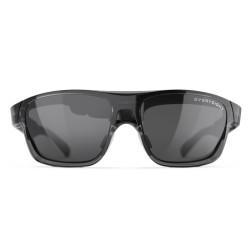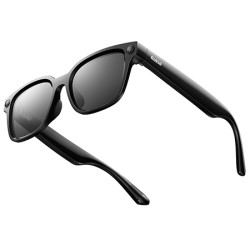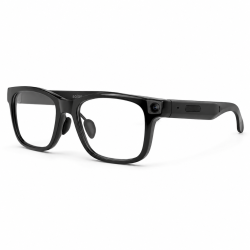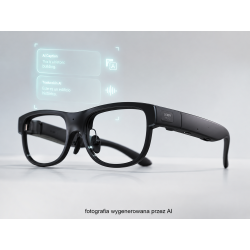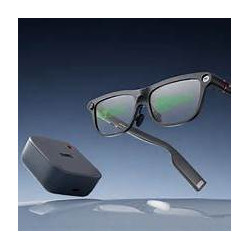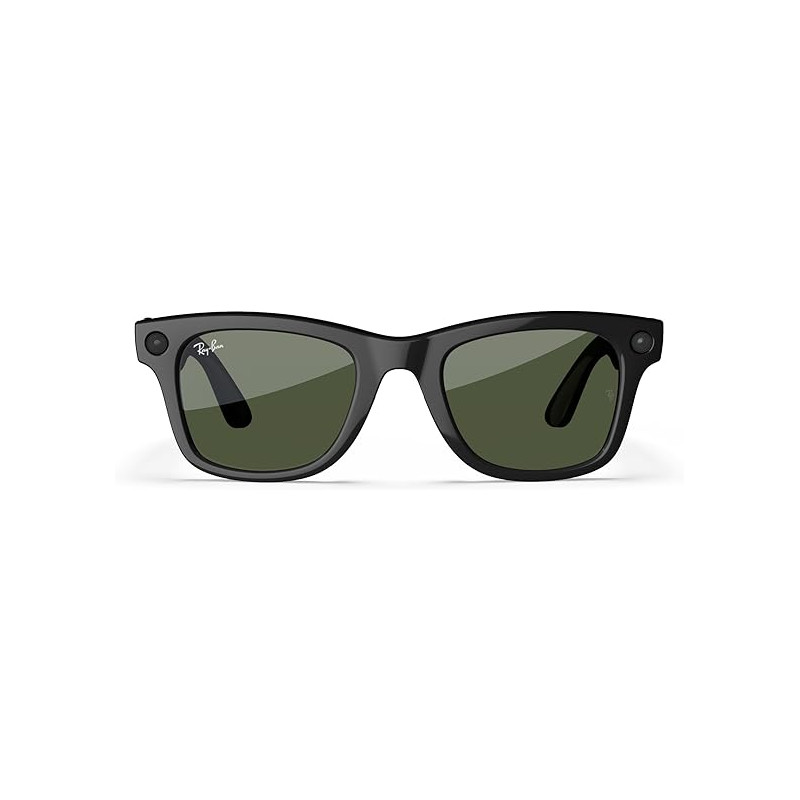
Ray-Ban Meta (Gen 2) is the second generation of smart glasses jointly developed by Ray-Ban and Meta. The device combines traditional eyeglass frames with a camera, microphones, directional speakers, voice control, and Meta AI artificial intelligence services.
Glasses available exclusively through the Meta or Ray-Ban online store
Ray-Ban Meta (Gen 2) – Smart Glasses with Camera, Audio, and Meta AI
Ray-Ban Meta (Gen 2) is the second generation of smart glasses jointly developed by Ray-Ban and Meta. The device combines traditional eyeglass frames with a camera, microphones, directional speakers, voice control, and Meta AI artificial intelligence services.
The glasses allow, among other things, to:
take photos and record videos from the user's perspective,
make phone calls,
listen to music, podcasts, and voice messages,
send messages using voice commands,
ask questions about the surroundings,
recognize objects and read text visible through the camera,
use conversation translation in supported languages,
operate selected apps such as WhatsApp, Messenger, Spotify, and Shazam.
The Ray-Ban Meta Gen 2 does not have a display in the lenses. Therefore, they are not classic augmented reality (AR) glasses. Information, assistant responses, and translations are delivered primarily audibly through the speakers located in the temples, with some content appearing on the phone's screen.
The most important differences from the first generation
The most important improvements to the Gen 2 include:
extended battery life to approximately 8 hours with moderate use,
video recording up to 3K quality,
the ability to record at higher frame rates at lower resolutions,
faster charging,
a case providing up to 48 hours of additional power,
expanded Meta AI and translation features.
The manufacturer claims up to twice the battery life of the Ray-Ban Meta Gen 1.
Official regional Ray-Ban websites are inconsistent in their wireless connectivity labeling: some list Wi-Fi 6, while the data sheets for some Gen 2 models indicate Wi-Fi 6E. Before purchasing a specific model, it's worth checking the data sheet for the specific model number [SKU – Stock Keeping Unit].
The glasses are not intended for immersion in water, swimming, or use in heavy rainfall. The built-in battery cannot be replaced by yourself.
Software and Requirements
To configure and fully operate the glasses, you need the Meta AI app, formerly known as Meta View. This companion app is used for:
first-time setup and pairing,
updating the glasses' software,
importing photos and videos,
changing camera and audio settings,
configuring Meta AI,
selecting language and voice,
starting translations,
connecting to supported communication and music apps.
The minimum requirements provided by the manufacturer are:
a phone with Android 10 or later or iOS 14.4 or later,
enabled Bluetooth,
Wi-Fi or data access,
active location services on Android,
a Meta account,
the Meta AI app installed,
updated glasses software,
a charger or USB-C port for charging the case.
The Meta AI app is available in the Polish versions of Google Play and the App Store. The stores list it as free but include in-app purchases.
Polish Language Support
Does Meta AI understand Polish?
Yes, but with significant limitations.
Meta lists Polish as one of the "additional languages" available in the glasses in collaboration with external technology partners. This means that some conversations with Meta AI can be conducted in Polish, but it's not the same level of integration as with the system's primary languages.
When using Meta AI in Polish:
the glasses must be connected to Wi-Fi,
replies may be slower,
some features may be unavailable,
calls, messages, and sharing may not work when using commands in Polish,
the Live AI feature, which continuously analyzes the surroundings, may not be available,
a selection of different assistant voices may not be available,
questions about what the camera sees may be slower.
Supporting Polish as an assistant language does not automatically mean that the live translation feature supports Polish.
Do the glasses translate conversations from Polish?
No. According to the current official list, Polish is not supported by Live Translation.
Offline conversation translation is available for:
English,
Spanish,
French,
Italian,
Portuguese,
German.
When connected to Wi-Fi or LTE, the list also includes Arabic, Russian, Swedish, Finnish, Mandarin Chinese, Japanese, Korean, Indonesian, Vietnamese, Thai, Turkish, Greek, and Dutch. Polish is not on this list.
In practice, this means that users can attempt to speak Polish with the Meta AI assistant, but cannot currently activate the official seamless conversation translation mode, for example:
Polish ↔ English,
Polish ↔ German,
Polish ↔ French.
How does the translation take place?
During a supported bilingual conversation:
The user selects the language they speak and the language of the other party in the app;
The glasses record the other party's speech;
The user hears the translation through speakers in the earpieces;
The user's response is translated and displayed as text on the phone's screen;
The other party can read the translation or tap the speaker icon in the app to listen to it.
The translation does not appear on the glasses as subtitles. The person wearing the glasses primarily receives audio, while the other party uses a phone running the Meta AI app.
For the six basic languages, you can download a language pack and use the translation offline. The remaining languages require an active internet connection. Polish is not currently available in either mode.
Is translation free?
The current official Meta manual describes Live Translation as a feature of the Meta AI app and does not specify a separate fee or mandatory subscription for using the translation. The app itself is free to download, although app stores indicate in-app purchases are available.
As of this writing:
There is no separate fee for Meta AI in Polish.
Live Translation in supported languages does not have a separate fee.
The user is responsible for standard internet or data connection costs.
There is no guarantee that all future AI features will remain free.
For Polish, the translation price is currently secondary, as Polish is not yet available in the official Live Translation mode.
Availability and Operation in Poland
Please note a significant regional restriction. Poland is not on the official list of countries where Meta declares full availability and support for Ray-Ban Meta. The official list includes, among others, Germany, Austria, Belgium, France, Spain, Italy, the Netherlands, the Scandinavian countries, the United Kingdom, Switzerland, Canada, Australia, and the United States.
The Meta AI app can also be downloaded from Google Play and the App Store in Poland, and Polish is included in the app's language settings. However, this does not guarantee full functionality of all the glasses' features in Poland. Availability may depend on, among other things:
Meta account region,
user location,
country of purchase,
app version,
glasses software version,
the gradual rollout of features on Meta servers.
Before purchasing for use in Poland, please assume that basic hardware features—camera, recording, speakers, and Bluetooth connections—should be less region-specific, while Meta AI, translations, and web integrations may be limited or change after updates.
Advantages
1. Discreet and classic design
The glasses look much more natural than most wearable devices. They are available in popular Ray-Ban styles and can be equipped with sun, clear, photochromic, or prescription lenses.
2. Convenient recording from the user's perspective
Photos and videos can be taken without taking out the phone. This solution is ideal for travel, walks, events, fieldwork, product presentations, or documenting activities.
3. Good sound quality for calls and recordings
The microphone array captures ambient sounds well, and the open speaker design allows you to hear announcements without completely isolating yourself from your surroundings.
4. Longer battery life than the first generation
Up to approximately 8 hours of moderate use and a case that provides up to 48 hours of additional battery life make the Gen 2 more useful throughout the day.
5. Voice Control and Hands-Free Operation
The ability to take photos, start recordings, listen to music, set reminders, or ask questions without using the phone screen is the main practical benefit of the product.
6. Compatible with Prescription Lenses
The glasses can replace daily prescription frames, allowing electronic functions to remain accessible throughout most of the day.
Disadvantages and Limitations
1. No Display
The glasses do not display maps, text, notifications, or translations directly on the lenses. Those expecting traditional augmented reality features may be disappointed.
2. No Polish Conversation Translation
Polish is available as an additional Meta AI language, but it is not supported by Live Translation. This is one of the most significant limitations for Polish users.
3. Lack of Official Full Regional Support in Poland
The device can operate in Poland, but the manufacturer does not list Poland as an officially supported market for AI glasses. This poses a risk of functional limitations and changes after updates.
4. Strong dependence on the Meta ecosystem
A Meta account and the Meta AI app are required for setup. Many AI features require connection to the manufacturer's cloud services.
5. Privacy issues
The glasses contain a camera and multiple microphones, which may raise concerns for those around the user. Although an indicator light is activated during recording, the user should still inform the people being recorded and comply with privacy, image, and call recording regulations.
6. Limited water resistance
The IPX4 rating only protects against accidental splashes and light rain. The glasses are not suitable for swimming or water sports.
7. Non-replaceable battery
Battery wear after a few years may affect the usability of the entire device, as the manufacturer does not provide for user-replaceable batteries.
8. Camera quality lower than that of a modern phone
The camera is very convenient for quick recordings from the user's perspective, but it does not replace a good smartphone or action camera. The vertical format, small sensor, and limited settings options are primarily optimized for social media content.
9. Features may be rolled out gradually.
Not all features are available to all users at the same time. Availability may depend on country, account, software version, and decisions made by Meta services. Official stores also indicate that some features are only available in select countries and languages.
Privacy Information:
Selected device functions may involve recording images or sound and transmitting data to external services. Before deploying the device within an organization, it is necessary to verify the application configuration, the scope and location of data processing, the legal basis for the intended use, and the requirements regarding the notification of individuals whose data may be recorded.
Product Safety (GPSR)
Product Name: Ray-Ban Meta (Gen 2)
Brand: Ray-Ban Meta
Manufacturer: Luxottica Group S.p.A.
Manufacturer Address: Piazzale Cadorna 3, 20123 Milan, Italy
Country of Manufacture: Italy, European Union
Manufacturer Website: https://www.ray-ban.com
Manufacturer Contact: https://customersupport.luxottica.com/wcsstore/ray-ban.html?lang=EN
Manufacturer Email Address:
Technology Partner: Meta Platforms, Inc.
Intended Use
Ray-Ban Meta (Gen 2) are smart glasses equipped with a camera, microphones, open-ear speakers, a rechargeable battery, and a voice control system.
The device allows users to take photos, record videos, make phone calls, play audio, and use selected Meta AI features.
The glasses do not feature an AR visual display in the lenses.
Age Restriction: The product is intended for users aged 13 and older. Do not allow children under the age of 13 to use the device.
Safety of Use
Before using the glasses, please read the user manual and the health and safety information.
Do not use the device if the frames, lenses, temples, or electronic components are damaged.
Do not bend, heat, or attempt to manually adjust the temples or frames using high heat. Doing so may damage the electronics and create a fire hazard. Protect the glasses from drops, strong impacts, and excessive pressure.
Do not open the housing or attempt to repair electronic components yourself.
Discontinue use of the electronic functions if you experience headaches, nausea, or other discomfort. If symptoms persist, stop using the glasses and consult a specialist.
Eye and lens safety
Prescription glasses must only be used by the person for whom they were fitted.
The lenses must be correctly mounted and securely seated in the frame.
The glasses are not designed to provide protection against mechanical impacts.
Do not use them to look directly at the Sun or as protection against UV radiation from artificial sources.
When driving, take into account the lens filter category and the manufacturer's markings.
Category 4 lenses and lenses marked as unsuitable for road use must not be worn while driving.
Category 1–4 sunglasses are not suitable for driving at dusk or at night, in accordance with the manufacturer's warnings.
Hearing Safety
Prolonged exposure to high-volume audio may cause hearing damage.
Avoid using the speakers at high volume levels for extended periods.
Covering the speakers and ears—for example, with a tight-fitting hat, helmet, or your hands—may increase the sound pressure level at the ear.
Ensure you can still hear important warning signals when moving through public spaces.
Driving and Situational Awareness
Using the voice assistant, audio notifications, and other electronic features may distract you from your surroundings.
Maintain full focus on the road and comply with applicable regulations while driving.
Do not use electronic features if doing so could cause distraction.
Do not wear the glasses while driving if they restrict your peripheral vision.
Turn off electronic features in situations requiring your full attention.
Do not rely solely on information generated by the AI system when making safety-related decisions.
Battery and Charging Safety
The glasses contain a built-in lithium-ion battery that should not be replaced by the user.
Do not disassemble, crush, puncture, or short-circuit the battery, and do not expose it to fire or excessive temperatures.
Use charging accessories that meet the manufacturer's specifications.
Do not wear or clean the glasses while they are charging. Regularly check the condition of the charging contacts, the case, and the accessories.
Do not use the device or the case if there are cracks, damage, or exposed internal components.
If excessive heat or thermal discomfort occurs, stop using the device immediately and contact customer support.
Protect the battery from direct sunlight, especially inside a hot car.
In the event of electrolyte leakage, avoid contact with the liquid. If it comes into contact with skin or eyes, rinse immediately with water and seek medical attention.
To minimize the risk of permanent battery damage, the manufacturer recommends fully charging it at least once every 6 months during storage.
Charging case safety
The charging case is not waterproof.
Protect it from liquids, excessive moisture, and high temperatures.
Do not use a damaged case or charging connectors.
Ensure the contacts are clean and dry before charging.
Do not attempt to repair the charging circuitry yourself.
Medical devices and wireless connectivity
The glasses and case contain magnetic components and circuitry that emits radio waves.
These may interfere with the operation of certain medical devices, particularly pacemakers, implanted electronic devices, hearing aids, and insulin pumps.
Users of electronic medical devices should consult a doctor or the device manufacturer before using the glasses.
If interference is observed, the electronic functions of the glasses should be turned off.
Observe restrictions regarding wireless devices applicable in specific locations and situations.
Camera, microphones, and privacy protection
The glasses can take photos and record video and audio of the surroundings.
When using recording functions, comply with applicable laws regarding privacy, personal data, and the rights of others.
Check whether recording is permitted before recording in restricted areas.
Do not cover or modify the recording indicator light.
Familiarize yourself with the Meta AI app's privacy settings and data processing policies.
Do not rely solely on responses from the artificial intelligence system in situations that could affect health or safety.
Cleaning, maintenance, and storage
Store the glasses in the case in a dry, clean place.
According to the manufacturer's instructions, the recommended storage temperature is between -10°C and +35°C. Clean using a soft cloth, optionally slightly dampened with water and a mild detergent, in accordance with the manufacturer's instructions.
Do not use alcohol, solvents, or abrasive materials.
Do not immerse the glasses in water.
Avoid prolonged contact with water or other liquids.
Do not modify the device's software; install updates provided by the manufacturer.
Handling malfunctions
Stop using the device immediately if the glasses are damaged, overheat, emit smoke, leak battery fluid, produce an unusual odor, or exhibit other concerning symptoms.
Do not attempt to repair or disassemble the device yourself.
In the event of a malfunction, contact the manufacturer, an authorized service center, or the retailer.
Manufacturer documentation and support
Official product page:
https://www.meta.com/pl/ai-glasses/ray-ban-meta-wayfarer-gen-2/
Ray-Ban Meta Collection safety guide:
https://media.ray-ban.com/cms/resource/blob/852502/431e2f4d0d902104cf8fe4a53076a8fd/rbm-safetywarranty-data.pdf
Ray-Ban website:
https://www.ray-ban.com/
Technical support:
https://customersupport.luxottica.com/wcsstore/ray-ban.html?lang=EN
Luxottica – Manufacturer's Information Note, Safety & Warranty (PDF):
https://media.ray-ban.com/cms/resource/blob/852502/431e2f4d0d902104cf8fe4a53076a8fd/rbm-safetywarranty-data.pdf
Ray-Ban – official Gen 2 Wayfarer page, manufacturer data, and safety information
https://www.ray-ban.com/poland?cid=RB-RIC_toPL_fromIE
Meta – Ray-Ban Meta Wayfarer Gen 2
https://www.meta.com/pl/ai-glasses/ray-ban-meta-wayfarer-gen-2/
Before using the device for the first time, please consult the safety guide provided with your specific version of the device. In the event of any discrepancy, the current manufacturer instructions applicable to the specific model and lens variant take precedence.
Ray-Ban Meta (Gen 2) is the second generation of smart glasses jointly developed by Ray-Ban and Meta. The device combines traditional eyeglass frames with a camera, microphones, directional speakers, voice control, and Meta AI artificial intelligence services.