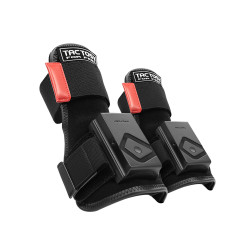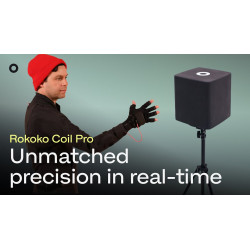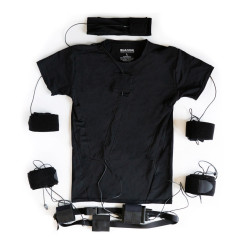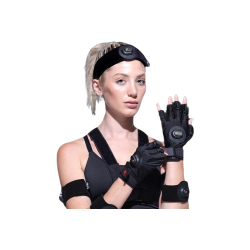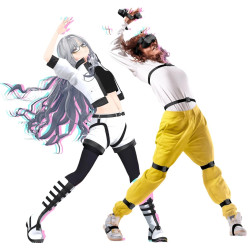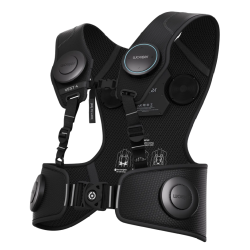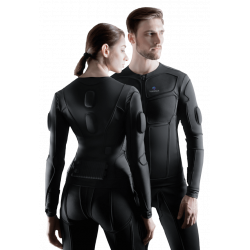
AXIS – Active XR Interface System is a wearable, wireless body tracking system. The solution can be used for:
full-body tracking in VR (Virtual Reality) applications,
controlling avatars in games, including VRChat,
creating VTuber content,
motion capture for 3D animation,
VFX (Visual Effects) production,
integrating motion tracking with applications developed in Unity and Unreal Engine.
AXIS – Active XR Interface System is a wearable, wireless body tracking system. The solution can be used for:
full-body tracking in VR (Virtual Reality) applications,
controlling avatars in games, including VRChat,
creating VTuber content,
motion capture for 3D animation,
VFX (Visual Effects) production,
integrating motion tracking with applications developed in Unity and Unreal Engine.
AXIS is an additional input system that transmits the position and orientation of body segments to a computer, a VR environment, or an animation application. It uses wearable measurement nodes based on an IMU (Inertial Measurement Unit). The manufacturer declares 9DoF (Nine Degrees of Freedom) for each node, including data from an accelerometer, gyroscope, and magnetometer.
The system doesn't require external SteamVR base stations. However, this doesn't mean it's completely independent of additional devices: depending on the positioning mode, a PCVR-compatible headset, an Android phone, or both are required.
Available Versions
AXIS Lite
This version is designed primarily for VR users who require lower-body tracking.
The kit includes:
4 AXIS nodes,
4 mounts,
2 short and 2 medium straps,
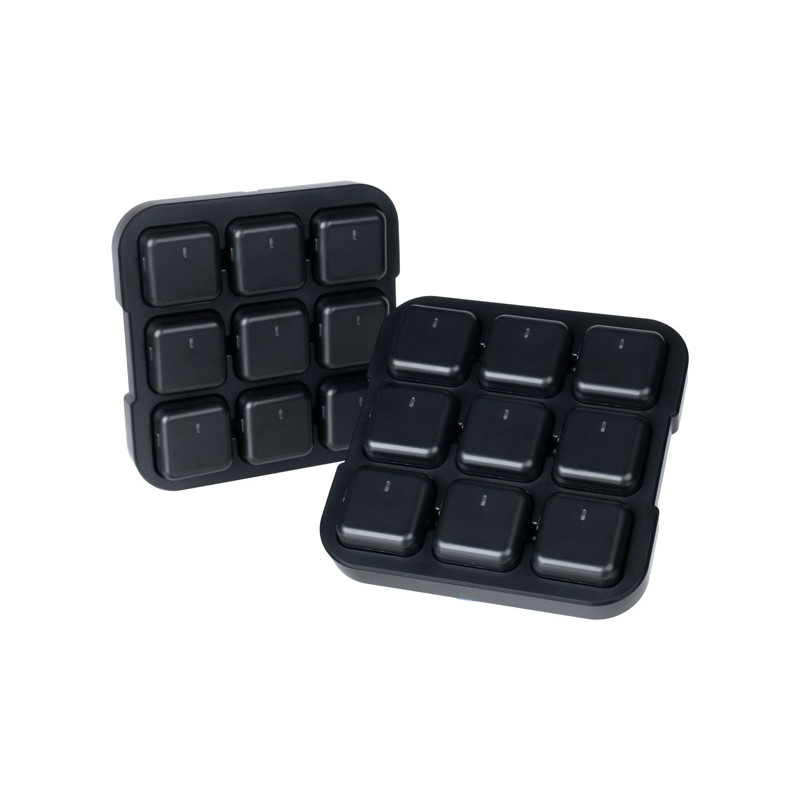
AXIS Lite charging station,
miniature USB receiver,
cable, and USB charger.
The four nodes are attached to the legs. The head, hand, and upper body positions are derived from the VR headset and controllers. Therefore, the manufacturer indicates that a compatible PCVR system is required to achieve full body tracking with this variant.
AXIS Standard
This 9-node version is designed for more comprehensive body tracking, VR gaming, and content creation.
The kit includes:
9 AXIS nodes,
9 mounts,
10 straps,
charging station,
AXIS USB receiver,
phone holder,
waist belt.
In the configuration described in the manual, sensors are placed on areas such as the upper spine, shoulders, forearms, thighs, and calves. A phone with the AXIS Hub app can be placed on the waist belt and used as an additional positioning device.
AXIS Pro
This version is designed for more accurate motion capture, animation, VFX production, and professional applications.
The commercial kit includes:
18 nodes,
18 mounts,
20 straps,
2 charging stations,
2 AXIS receivers,
2 waist belts,
2 phone holders,
Y-strap.
The current technical data sheet lists AXIS Pro as a system with 16 active tracking points, even though the kit includes 18 nodes. The manual also describes a motion capture configuration using 16 nodes, and a single receiver supports a maximum of 16 nodes. The remaining two nodes can be used as spares or for an alternative configuration.
Software Required for Operation
AXIS Control Center
A basic application installed on a Windows computer. It is used for:
detecting and assigning nodes to body parts,
configuring the receiver,
creating a user profile,
entering body dimensions,
calibration,
viewing avatar movement,
managing firmware,
activating appropriate tracking modes,
simple animation recording.
AXIS Control Center is required regardless of the system's primary application.
Node and Receiver Firmware
AXIS nodes and the USB receiver have updatable firmware. The manufacturer recommends updating it via AXIS Control Center. Firmware versions should be compatible with the desktop application version.
AXIS Hub
An Android phone app required for specific positioning modes.
Minimum requirements:
Android 8.0 Oreo or later,
a working phone camera,
the computer and phone connected to the same wireless network.
The application is provided as an APK file, which must be downloaded and installed manually, according to the instructions. Installation may require permission for applications from unknown sources. From an organizational and IT security perspective, this should be verified before implementing the system in a company or institution.
SteamVR and the AXIS SteamVR Driver
To use AXIS in games running on SteamVR, you need:
Steam,
SteamVR,
the appropriate AXIS driver or package for SteamVR,
a game that supports full-body tracking.
SteamVR compatibility alone does not guarantee full AXIS support. The game must implement support for additional full-body tracking points.
Unity SDK
This package is intended for developers creating their own Unity applications. It is not required for regular use of a finished game, but is necessary when AXIS motion data is to be used directly in a Unity project.
Unreal Engine SDK
A plugin and sample scene enabling the use of AXIS data in Unreal Engine applications. The developer identifies Unreal Engine as one of the system's primary integration environments.
Additional Software
Depending on the application, you may also need:
VRChat – full body tracking in a social VR environment,
Virtual Motion Capture – VTuber avatar support,
OBS Studio – video recording and streaming,
3D software for further animation processing,
tools for retargeting animations to the target character skeleton.
The manufacturer provides, among other things, a tutorial on how to configure VTubing with Virtual Motion Capture.
AXIS – Active XR Interface System is a wearable, wireless body tracking system. The solution can be used for:
full-body tracking in VR (Virtual Reality) applications,
controlling avatars in games, including VRChat,
creating VTuber content,
motion capture for 3D animation,
VFX (Visual Effects) production,
integrating motion tracking with applications developed in Unity and Unreal Engine.