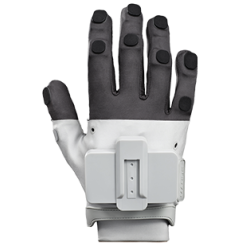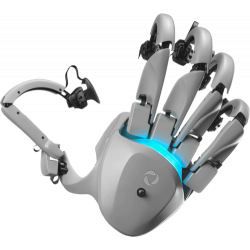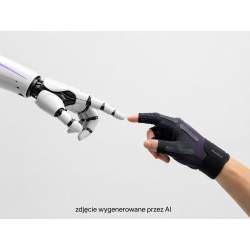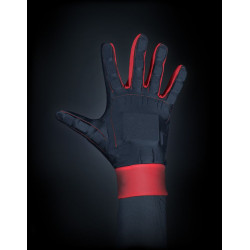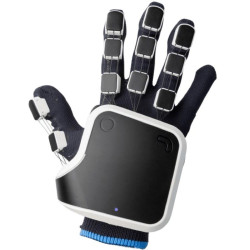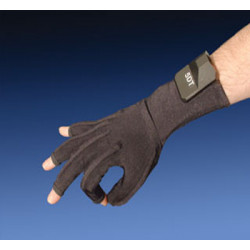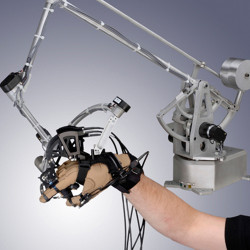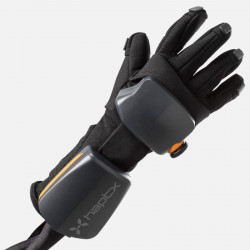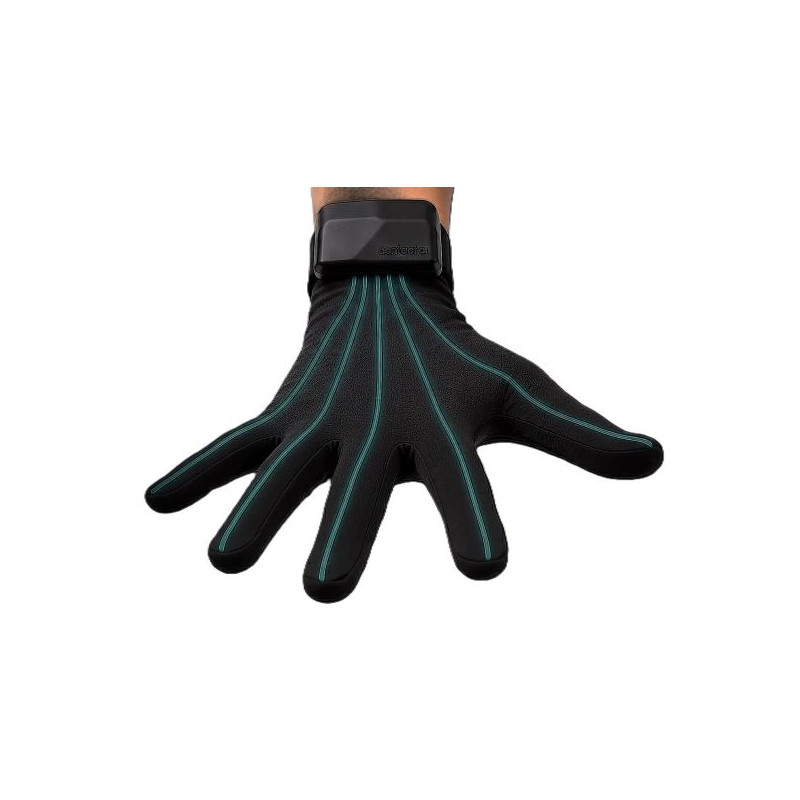
Contact CI Maestro EP is a professional haptic glove system designed for XR simulation, robotic teleoperation, and finger motion, contact, and force capture. The device utilizes patented ExoTendon technology, which uses flexible tendons to generate controlled resistance for each finger, complemented by fingertip vibrations.
Contact CI Maestro EP – Haptic Gloves with Force Feedback
Contact CI Maestro EP is a professional haptic glove system designed for XR simulation, robotic teleoperation, and finger motion, contact, and force capture. The device utilizes patented ExoTendon technology, which uses flexible tendons to generate controlled resistance for each finger, complemented by fingertip vibrations.
Maestro EP allows the user to not only see and touch a virtual object but also feel contact, resistance, movement restriction, or changes in grip force. This system is a professional-grade solution and requires integration with an app, simulation engine, or robotic platform. It is not a typical consumer accessory for VR games.
Key Features
Independent force feedback for each of the five fingers.
Maximum declared dynamic force: up to 10 N per finger.
Five force channels and five vibrotactile channels. Generates resistance, contact, movement limitation, and grip force information.
Records movement, force, tendon tension, and contact state.
Patented ExoTendon design based on flexible tendons running along the palm.
Bluetooth Low Energy wireless connectivity and optional USB connection.
Integration with Unity, Unreal Engine, and native C++ applications.
Supports robot teleoperation and robotic grippers.
Ability to record data for robot training using imitation.
Runtime environment designed for Windows computers.
Declared operating time: several hours, depending on the intensity of force elements.
Lighter design and less restrictive than rigid hand exoskeletons.
Technical Specifications
Device Type: Professional haptic gloves with force and vibrotactile feedback.
Haptic Technology: Contact CI ExoTendon.
Number of force channels: 5, one for each finger.
Number of vibrotactile channels: 5, one for each finger.
Haptic Location: Fingertips.
Maximum Dynamic Force: Up to 10 N per finger.
Force Control: Programmable, independent for each finger.
Effect Adjustment in the SDK: Scale 0–255 and 0–1.0, depending on the interface.
Supported Effect Phases: Contact Initiation, Sustainment, and Contact Termination.
Force Feedback Loop Delay: Less than 15 ms.
Target Total Teleoperation Delay: Less than 50 ms.
Degrees of Freedom in the manufacturer's "alpha production" version: 15 DoF. Laboratory-confirmed degrees of freedom: 23 DoF.
Manufacturer-stated weight: 400 g for the current wearable system.
Connectivity: Bluetooth Low Energy and optional USB.
Stated operating time: 5–8 hours according to the technical table.
Alternative value provided on the SDK page: approximately 3–8 hours, depending on usage.
Host operating system: Windows.
Engines and environments: Unity, Unreal Engine, native C++.
System software: Contact CI Manager and Contact CI Service.
Architecture: MOSA – Modular Open Systems Approach, a modular approach to building open systems.
Deployment mode: local, edge, or cloud, depending on the integration prepared.
Important note regarding parameters
The manufacturer distinguishes between 15 degrees of freedom available in the "alpha production" configuration and 23 degrees of freedom confirmed in the laboratory. Therefore, it should not be automatically assumed that the full 23 DoF is available in every currently shipped product configuration.
Runtime is inconsistently described: the current technical data sheet indicates 5–8 hours, while the SDK website states approximately 3–8 hours.
Software Required
To use Maestro EP, you need a Windows computer and the Contact CI Manager and Contact CI Service software. Depending on the application, you'll also need the appropriate SDK:
Contact CI Unity SDK – for applications created in Unity.
Contact CI Unreal SDK – for XR applications and simulators created in Unreal Engine.
Contact CI C++ SDK – for robotics, teleoperation, custom simulators, and custom control systems.
Unity integration includes pre-built hand models, MaestroManager and MaestroInteractable components, and a sample test environment. The manufacturer lists integrations with Ultraleap, Meta Quest 1, Quest 2, and Quest Pro, as well as the Varjo kit for Ultraleap. The current website does not explicitly confirm ready integration with Meta Quest 3 or specific versions of Unity and Unreal Engine.
Contact CI Maestro EP is a professional haptic glove system designed for XR simulation, robotic teleoperation, and finger motion, contact, and force capture. The device utilizes patented ExoTendon technology, which uses flexible tendons to generate controlled resistance for each finger, complemented by fingertip vibrations.