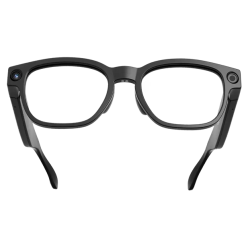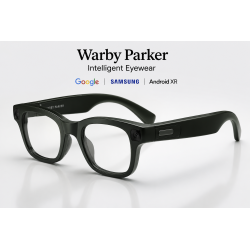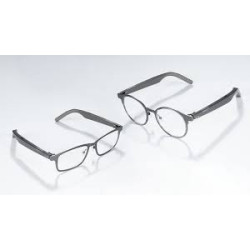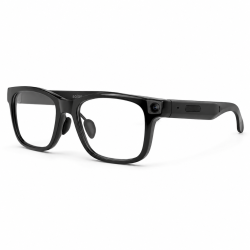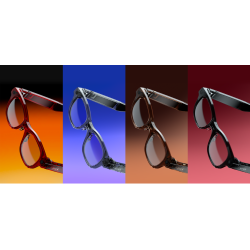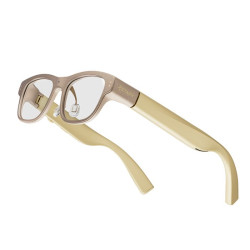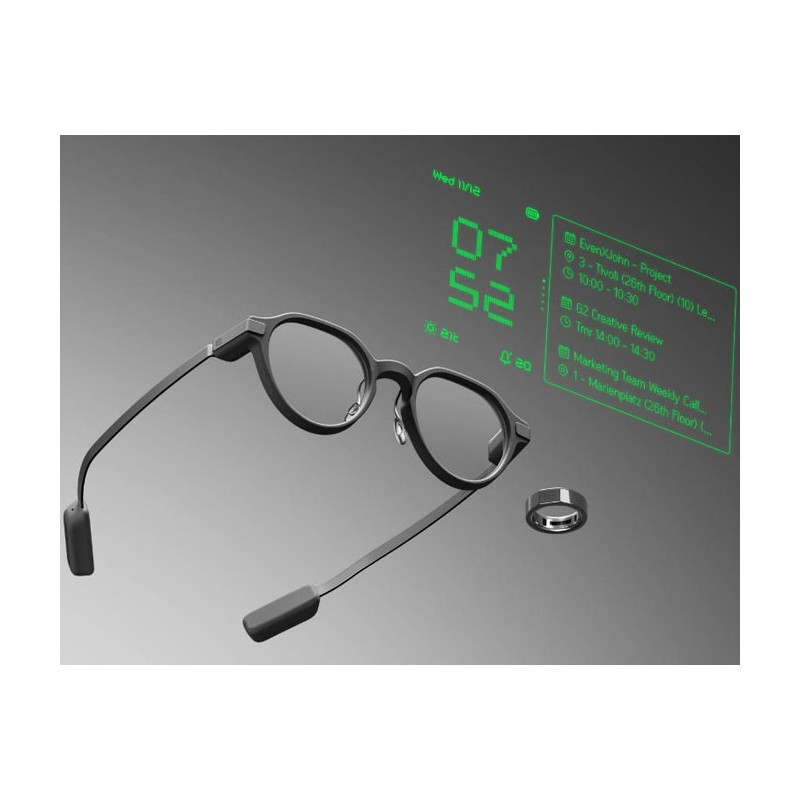
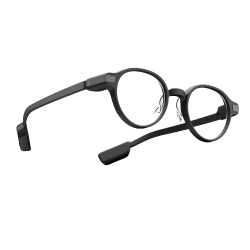
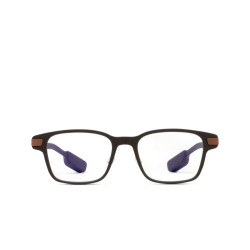
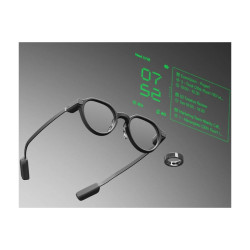
Even G2 are smart glasses with a head-up display (HUD). They look similar to classic prescription glasses, but both lenses display green text, menus, navigation directions, translations, subtitles, notifications, and artificial intelligence prompts.
Glasses can only be purchased through the manufacturer's online store
Even Realities Even G2
Even G2 are smart glasses with a head-up display (HUD). They look similar to classic prescription glasses, but both lenses display green text, menus, navigation directions, translations, subtitles, notifications, and artificial intelligence prompts.
These are not multimedia glasses like the Ray-Ban Meta. The Even G2 does not have a camera or speakers. Their primary use is to discreetly present text information without having to look at the phone. Information is primarily processed by the connected smartphone, while the glasses act as a private display and input device equipped with microphones and touchpads.
Key features include:
Translate – real-time translation of voice conversations.
Conversate – live transcription of the conversation, subtitles, contextual prompts, and summaries.
Teleprompt – a teleprompter that displays a script for a speech or presentation.
Even AI – a voice assistant that provides text-based responses.
Navigate — navigation with instructions displayed before your eyes.
Dashboard — time, calendar, tasks, and other quick information.
Notifications — notifications delivered from your smartphone.
Even Hub — a platform for additional apps and extensions for glasses.
Technical Specifications
Model: Even Realities Even G2.
Frame options: Even G2 A and Even G2 B.
Frame colors: dark gray, olive green, and dark brown.
Weight: approximately 36 g.
Front frame material: magnesium alloy.
Temple material: titanium alloy.
Hinges: patented screwless design.
Nose pads: adjustable.
Temple length: 138.9 mm.
Frame width between hinges: 132–132.8 mm, depending on the version.
Lens width: 47.7 mm in G2 A or 49.5 mm in G2 B.
Lens height: 41.3 mm.
Bridge width: 22.6 mm in G2 A or 19.5 mm in G2 B.
Display type: Micro-LED.
Number of displays: two – the image is presented binocularly.
Image color: monochromatic green.
Resolution declared by manufacturer support: 640 × 350 pixels.
Field of view: 27.5°.
Refresh rate: 60 Hz.
Brightness: up to 1200 nits.
Optical technology: optical waveguides.
Lens light transmission: declared 98%.
Automatic display brightness adjustment.
Lens coatings: anti-reflective and anti-fingerprint.
Ultraviolet radiation protection.
Number of microphones: four.
Camera: none.
Speakers: none.
Taking photos and recording videos: not possible without the phone's camera.
Playing calls, music, or spoken translation directly through the glasses: not possible due to the lack of speakers. Connectivity: Bluetooth Low Energy, according to the current BLE 5.4 consumer specification.
Glasses battery: 192 mAh / 0.744 Wh.
Case battery: 2000 mAh / 7.4 Wh.
Claimed battery life: up to approximately two days of typical use.
The case allows for approximately seven full charges of the glasses.
Charging time for a full charge: approximately 1–1.5 hours.
Dust and water resistance: The manufacturer's official specification indicates IP65 – resistance to dust, rain, and accidental splashes, but not immersion.
Supported lenses: non-prescription and prescription.
Claimed prescription range: from -12.00 to +12.00 diopters.
Includes: glasses, charging case, USB-C cable, cleaning cloth, interchangeable nose pads, and silicone earpiece covers. Optional equipment: Even R1 smart ring, for scrolling and controlling the glasses without touching the frames.
Software Required for Operation
Even Realities App required.
For Even G2, use the current Even Realities app, not the separate "Even G1" app.
Minimum Apple system: iOS 16 or later.
Minimum Android system: Android 11 or later.
Bluetooth enabled is required.
The manufacturer states that currently, all Even G2 features require the glasses to be connected to a smartphone and have internet access.
Translation, Even AI, and Conversate use internet or cloud computing.
Navigation requires the app to access location data; its data source is Google Maps.
Notifications require granting the app access to your phone's notifications.
Even Hub is part of the app and allows you to install additional modules for the glasses.
App Language
In the Polish App Store, the current Even Realities app for G2 only has English as the language. This means that support for Polish in speech recognition and translation does not guarantee a full Polish interface.
Polish Language Support
Conversation Translation
Polish is officially supported as both input and output language for the Translate feature. This means you can:
translate English speech into Polish;
translate Polish speech into English;
translate Polish into other supported languages;
display Polish characters directly on the lenses;
display both the source text and the translation, or just the translation.
How Translation Works
The user launches Translate from the app or from the glasses' menu.
In the app, they select the source and target languages.
The audio source can be the glasses' microphones or the phone's microphone.
The speech is transmitted via Bluetooth to the app.
The app uses a cloud service to recognize speech and perform automatic translation.
The result appears as text on the glasses' display.
Both directions of the conversation can be observed in the app.
The glasses' display shows one selected translation direction at a time.
Translation does not work without an internet connection.
Because the glasses do not have speakers, they do not read the translation aloud – the other person must read the text on their phone or the user must speak the translated content themselves.
Therefore, it is primarily a speech-to-text translation, not a full electronic translator that conducts a bidirectional voice conversation.
Other features in Polish
Conversate: Polish is supported as a language for speech recognition and transcription.
Even AI: Polish is supported as a language for speech and general questions to the assistant. Teleprompt: The manufacturer lists Polish among the supported languages for text and speech recognition.
Advanced Even AI skills: These are currently officially supported only in English, German, French, Spanish, Italian, Chinese, and Japanese. Polish may work for general questions, but not necessarily for all commands and extensions.
Is translation free?
Even G2
Currently, basic translation in the Even G2 is presented as a feature included in the device's price. However, it still requires your phone's internet connection.
Advantages
A very discreet design resembling regular glasses.
A lightweight design of approximately 36 g.
The lack of a camera reduces some of the challenges associated with recording the surroundings and social acceptance of the device.
The image is displayed binocularly, not just in front of one eye.
A wide range of corrective lenses is available.
A useful teleprompter for presenters, trainers, salespeople, and public speakers.
Translation, subtitles, and conversation transcription are visible without glancing at the phone.
Polish language support for Translate, Conversate, Teleprompt, and general questions for Even AI.
Long declared operating time for smart glasses and a case with its own battery.
Touch control without the need to purchase the R1 ring.
No mandatory subscription for the G2.
Expansion of features possible via Even Hub.
Disadvantages and limitations
Almost completely dependent on a smartphone, Bluetooth, and internet connection.
No speakers—the glasses do not support phone calls, music, or spoken translations. No camera—they don't recognize objects, documents, road signs, or text seen by the user.
The display is monochrome and is primarily used for text and simple information; it's not a full-color augmented reality system.
The Polish interface of the G2 app is currently unconfirmed; the iOS version is listed as English.
Not all Even AI features and "skills" can be activated in Polish.
Translation may lose accuracy when multiple speakers are speaking simultaneously, at a fast pace, in noise, with specialized vocabulary, or with a strong accent.
Reading prompts while talking or walking can be distracting and make maintaining eye contact difficult.
Independent tests indicate AI lag, occasional connection issues, and software bugs.
The Conversate feature can discreetly transcribe conversations without a visible indicator. The manufacturer states that Conversate audio is not stored, but transcripts and summaries can be saved. Therefore, for corporate applications, consciously establish rules for informing interlocutors and processing data. The price of the device is high, especially after adding corrective lenses and the optional R1 ring.
Privacy Information:
Selected device functions may involve recording images or sound and transmitting data to external services. Before deploying the device within an organization, it is necessary to verify the application configuration, the scope and location of data processing, the legal basis for the intended use, and the requirements regarding the notification of individuals whose data may be recorded.
Even G2 are smart glasses with a head-up display (HUD). They look similar to classic prescription glasses, but both lenses display green text, menus, navigation directions, translations, subtitles, notifications, and artificial intelligence prompts.