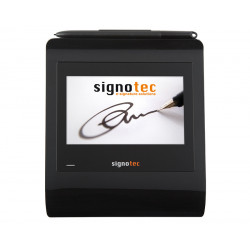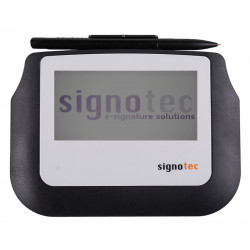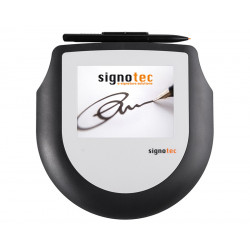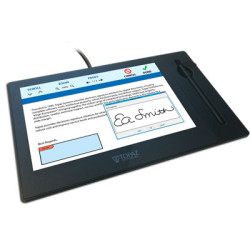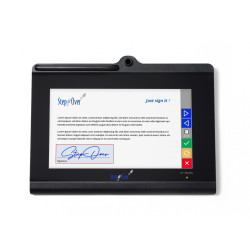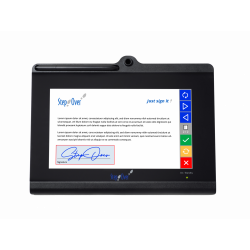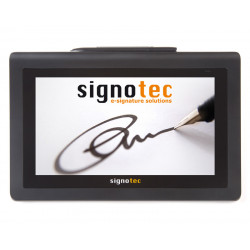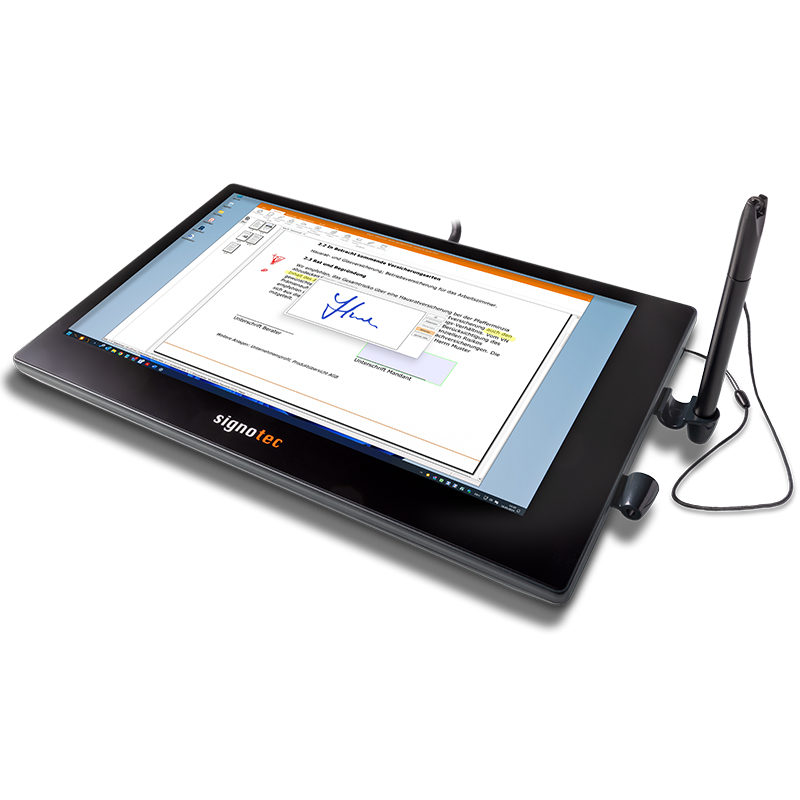
The Signotec Kronos Touch Pen Display is a professional, 11.6-inch pen display designed primarily for creating electronic signatures, filling out forms, taking handwritten notes, and interacting with applications using a pen and touch. The device is not a traditional standalone signature tablet. It functions as an additional computer monitor, allowing you to display a document, form, or application window and work directly on its surface.
Signotec Kronos Touch Pen Display
The Signotec Kronos Touch Pen Display is a professional, 11.6-inch pen display designed primarily for creating electronic signatures, filling out forms, taking handwritten notes, and interacting with applications using a pen and touch. The device is not a traditional standalone signature tablet. It functions as an additional computer monitor, allowing you to display a document, form, or application window and work directly on its surface.
The Kronos can be placed flat on a desk or angled using the integrated stand. The built-in pen holder makes it easy to store and is suitable for customer service desks, reception desks, medical offices, government offices, banks, insurance companies, and other locations where documents are signed in the presence of an employee.
The device supports:
a battery-free electromagnetic pen,
2048 pressure levels,
a ten-point multi-touch screen,
signature data capture at a rate of 250 samples per second,
operation as an extended or duplicate Windows monitor,
integration with electronic signature applications and enterprise systems via an optional API (application programming interface).
Technical Specifications
Screen
Screen type: Color LCD with LED backlight
Diagonal size: 11.6 inches / 29.5 cm
Display resolution: 1920 × 1080 pixels, Full HD
Number of display colors: 16.7 million
Active working area: 256 × 144 mm
Manufacturer recommended orientation: horizontal, landscape
Pen and sensor
Sensor technology: ERT, Electromagnetic Resonance Technology
Pen: Special, battery-free
Pen tip: Replaceable
Pressure levels: 2048
Sampling rate: 250 Hz
Capture data: 4D — X and Y coordinates, pressure, and time
Sensor resolution: 52,640 × 29,120 dots
Declared linear resolution: approximately 5223 x 5136 LPI
Surface: Special hardened glass with increased resistance
Declared surface durability: approximately 30 million signatures
LPI, or lines per inch, refers to the number of recognized lines per inch. The higher the value, the more accurately the sensor can reproduce pen movement.
Touch
Technology: Capacitive
Multi-Touch: Up to 10 points simultaneously
Active touch area: 256 x 144 mm
Declared durability: over 1 million touches
Connections and Power
Display Interface: HDMI 1.2
Cable: 3-in-1 HDMI cable
Signature Data Communication: USB
Transmission Security: Encrypted USB Connection
Power Supply: External Power Supply
Terminal Server and Citrix Support: Yes, with appropriate monitor configuration
The manufacturer describes the connection as a 3-in-1 HDMI cable. In practice, the computer must simultaneously provide the display connection, USB communication, and power to the device.
Dimensions and Weight
Width: 299 mm
Depth: 185 mm
Thickness: 20 mm
Weight: Approximately 1 kg
Status LED: Dual-color
Manufacturer Warranty: 2 years
Touch Version Product Number: ST-KRPDT-116-U100
Software Required for Operation
Basic Operation as a Pen Display
The Kronos acts as a second computer monitor. Once connected, you must configure the following in Windows:
display mirroring or extending the desktop,
position of the second monitor,
1920 x 1080 resolution,
assigning touch and pen functions to the appropriate screen,
horizontal display orientation.
A dedicated signotec application is not required for displaying the image—the device is recognized as a monitor. However, to properly operate the pen, touch, and biometric data, you must install the appropriate drivers and software tailored to the intended use.
SignoSign/2
The manufacturer's recommended software is signoSign/2, designed for:
opening and editing PDF documents,
creating signature fields,
applying handwritten signatures,
collecting biometric signature data,
annotating handwritten notes,
sending and archiving documents,
automating document workflows.
The manufacturer offers, among others, a free version of signoSign/2 Lite and a commercial version of signoSign/2 Pro with more extensive automation, integration and archiving.
Current system requirements for signoSign/2:
Windows 10,
Windows 11,
Windows Server 2019,
Windows Server 2022,
Windows Server 2025,
64-bit system,
Microsoft .NET Framework 4.8,
for Microsoft Office add-ins, also .NET Framework 3.5.
Minimum requirements for signoSign/2:
Dual-core processor,
4 GB RAM,
500 MB of free space,
Primary screen resolution of at least 1280 x 720.
Recommended requirements:
Quad-core processor or higher,
minimum 8 GB RAM,
at least 1 GB of free space,
Resolution of 1920 x 1080 or higher
Adobe Acrobat Plug-In
The manufacturer also offers a paid plug-in for:
Adobe Acrobat,
Adobe Acrobat Reader.
It allows you to place handwritten signatures in PDF documents and work with Adobe digital signature mechanisms. The plug-in is not required by default to use the device; it is one of the possible integration methods.
SignoPAD-API
For companies integrating Kronos with their own systems, the signoPAD-API is available. It is a set of programming libraries that allows, among other things:
direct reading of pen coordinates,
pressure and time reading,
capturing signature data,
displaying a custom interface on the Kronos screen,
integration with ERP, CRM, DMS, medical systems, and desktop applications,
separating mouse cursor movement from pen input.
The manufacturer's documentation describes components for Windows applications, including native libraries, ActiveX/COM, and libraries for .NET Framework 4.6.2 or later and .NET 6 or later.
Hardware Requirements
The computer should have:
an HDMI output supporting a resolution of 1920 x 1080,
an available USB port for communication with the device,
the ability to connect an external power supply,
a graphics card that supports at least two monitors if the Kronos is to be used as a desktop extension,
a Windows operating system that allows for multiple displays, pen, and touchscreen functionality,
a clear desk space of approximately 30 x 19 cm,
additional space for cables and a kickstand.
For laptops with a single display output, you may need:
a docking station,
a USB-C to HDMI adapter,
a DisplayPort to HDMI adapter.
The adapter should properly output a Full HD image. Please note that the display adapter alone does not replace the USB connection responsible for pen and signature data.
The Signotec Kronos Touch Pen Display is a professional, 11.6-inch pen display designed primarily for creating electronic signatures, filling out forms, taking handwritten notes, and interacting with applications using a pen and touch. The device is not a traditional standalone signature tablet. It functions as an additional computer monitor, allowing you to display a document, form, or application window and work directly on its surface.