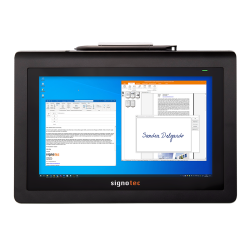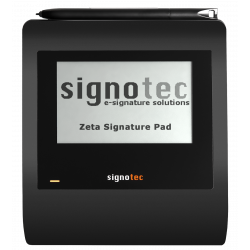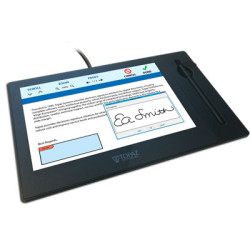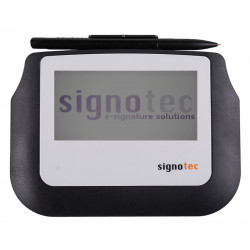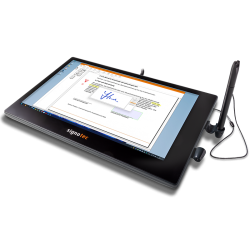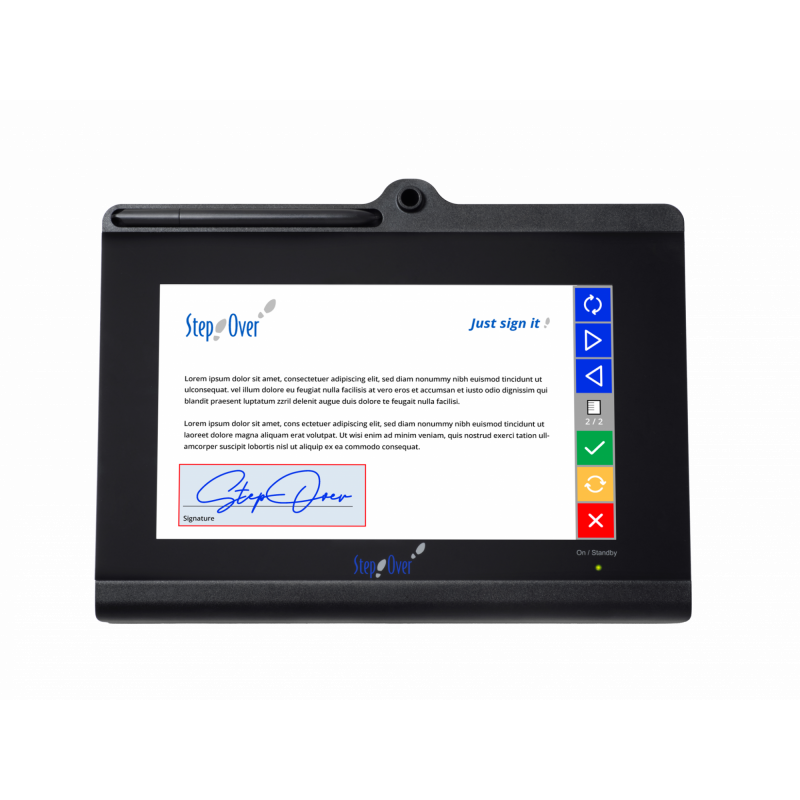
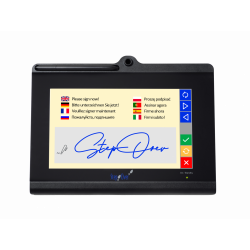
The StepOver duraSign Pad 10.0 is a desktop tablet for capturing handwritten electronic signatures. It features a 10-inch color TFT screen, allowing you to view, scroll, zoom, and sign directly at the desired location. The signature is visible on the device's screen in real time.
StepOver duraSign Pad 10.0
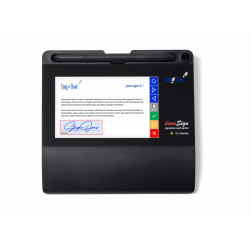
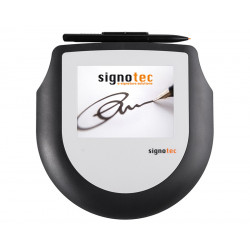
The StepOver duraSign Pad 10.0 is a desktop tablet for capturing handwritten electronic signatures. It features a 10-inch color TFT screen, allowing you to view, scroll, zoom, and sign directly at the desired location. The signature is visible on the device's screen in real time.
The device captures not only the image of the signature but also its dynamic data: stylus position, pressure, and time history. This data is encrypted within the tablet before being transferred to the computer. Its tempered glass design, PC/ABS housing, and sensor rated for over 30 million signatures indicate that this model is primarily designed for intensive, stationary use at customer service desks.
The duraSign Pad 10.0 is not a standalone document signing device. It must be connected to a computer via USB and requires appropriate StepOver software or integration with an external system. Signature software is not included with the tablet.
Technical Specifications
Design
Housing dimensions: 290 × 220 × 21 mm;
Weight without cable: 955 g;
Housing material: PC/ABS, a combination of polycarbonate and ABS plastic;
Work surface covered with chemically tempered glass;
Replaceable duraPen 2 or duraPen 2.5 electromagnetic stylus;
Battery-free stylus;
Stylus attached to the housing with a textile cable;
Can be secured with a Kensington lock;
Can be mounted on a VESA 100-compatible mount.
Display
Diagonal: 10 inches;
Technology: TFT color screen;
Resolution: 1024 × 600 pixels;
Number of colors: approximately 64,000;
Brightness: Maximum 310 cd/m²;
Active screen area according to the current data sheet: 22.27 x 12.53 cm;
Landscape or portrait orientation;
Display of multi-page documents;
Vertical and horizontal scrolling;
Document zooming;
On-screen buttons operated with a stylus;
Ability to display graphics and advertising presentations in standby mode;
Declared LED backlight life: approximately 20,000 hours.
There is a slight discrepancy in the manufacturer's materials regarding the working area. The product page states 22.41 x 12.67 cm, while the current data sheet states 22.27 x 12.53 cm. When designing the workstation, the dimensions of the entire enclosure and the official mounting template should be based on the dimensions of the entire enclosure and the official mounting template, and the exact screen area should be confirmed with the supplier.
Signature Capture
Sensor type: ERT (Electronic Sensor) by the manufacturer;
Standard sensor durability: over 30 million signatures;
Coordinate capture resolution:
- X: 2560 DPI/LPI,
- Y: 2560 DPI/LPI;
Measurement repeatability: ±0.4 mm;
Sampling rate: 330 4D data sets per second;
One 4D data set includes:
- X coordinate,
- Y coordinate,
- pressure,
- time;
Number of pressure levels: 2048;
Minimum detected pressure force: approximately 0.5 N;
Maximum detected force: approximately 8 N.
Security
Biometric data encryption begins within the tablet;
Supports up to 4096-bit RSA encryption;
Supports 256-bit AES;
Supports SHA-256 hashing;
Unique certificate assigned to a specific device;
The ability to detect subsequent changes to the signed document, depending on the software used;
The ability to verify the integrity of the signed document in standard PDF software, such as Adobe Acrobat Reader;
Optional factory-installed case tamper detection;
Optional internal date and time stamp.
RSA stands for asymmetric cryptography, which uses a public-private key pair. AES is a symmetric encryption algorithm, while SHA-256 is used to create a cryptographic hash of data that can detect document tampering.
Connectivity and Power
Interface: USB 2.0, also compatible with USB 1.1;
Device Mode: USB HID Encrypted;
HID stands for Human Interface Device, a standard class of USB devices recognized similarly to a keyboard or mouse;
No standard hardware driver required;
Y-cable:
- 2 × USB-A,
- 1 × Mini-USB-B,
- length approximately 3 m;
Maximum power consumption: 1100 mA;
USB cable and multilingual manual included in the standard package.
Required Software
At least one compatible software is required to sign documents.
eSignatureOffice
The basic solution recommended by the manufacturer for local work. It allows:
opening and signing PDF and PDF/A documents;
displaying the document on the duraSign Pad 10.0 screen;
signing directly in a designated field;
filling out PDF forms;
automatic signature field search;
saving biometric signature data;
integration of the signing process with subsequent document workflow.
The software runs locally and can be automated. It is designed for Windows 10 and Windows 11.
webSignatureOffice
A solution for signature processes implemented via a web application. It can be used in systems where documents are prepared and managed online, while the signature is applied locally on the StepOver tablet.
Signature API
A programming interface designed to integrate the device with your own system, for example:
a CRM system;
a banking system;
an electronic document workflow;
a medical system;
a sales application;
a customer service system.
Supported languages include .NET, Java, and native languages such as C++ and Delphi. The manufacturer states that the API is compatible with Windows, macOS, and Linux.
Pad Connector
A local service that allows an application running in a browser to communicate with a tablet connected to a computer via USB.
The Standard version allows you to download a signature image and encrypted biometric data. The Pro version also allows you to create signed PDF documents and integrate the process with a web application.
StepOver ImageLoader
Free additional software not intended for signing documents. It allows:
uploading graphics displayed in standby mode;
configuring a slideshow;
setting image display time;
changing brightness;
software screen shutdown.
Minimum hardware requirements for the workstation
For the eSignatureOffice bundle, the manufacturer states:
Minimum processor: 1 GHz dual-core;
Recommended processor: 2 GHz dual-core;
Minimum RAM: 1 GB;
Recommended RAM: 2 GB;
Free disk space: at least 150 MB, including for temporary files;
Computer monitor resolution: at least 1024 × 768;
Color depth: at least 16 bits;
Operating system: Windows 10 or Windows 11.
For practical implementation, the following additional requirements must be met:
Available USB-A connectors for the provided Y-cable;
Adequate current capacity of the USB ports;
A powered USB hub for when your computer doesn't provide enough power;
Approximately 29 x 22 cm of space for your device;
Additional space for a stylus and cable management;
A stable workstation or VESA mount;
Internet access only when required by your chosen online solution.
The StepOver duraSign Pad 10.0 is a desktop tablet for capturing handwritten electronic signatures. It features a 10-inch color TFT screen, allowing you to view, scroll, zoom, and sign directly at the desired location. The signature is visible on the device's screen in real time.