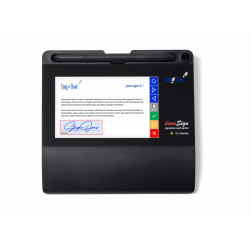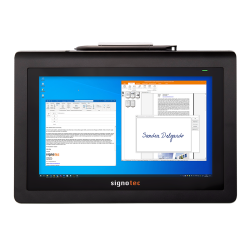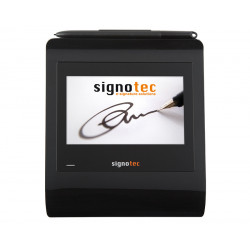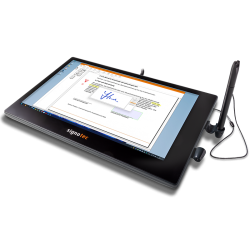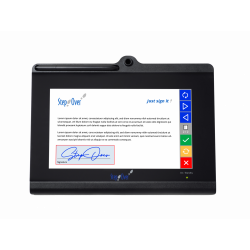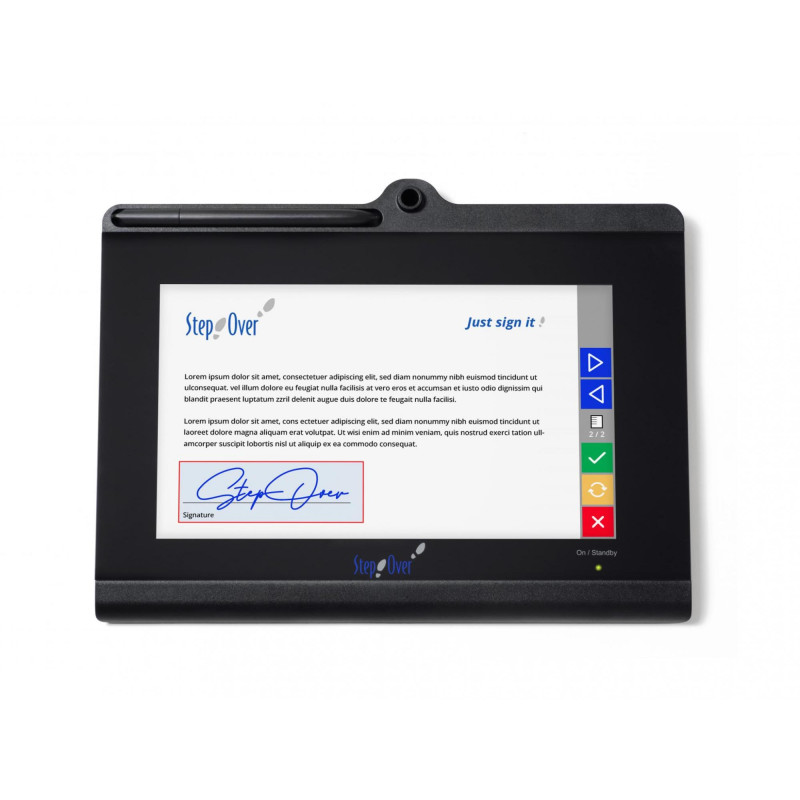
The StepOver duraSign Pad NG 10 is a professional, desktop tablet for handwritten electronic document signing. The device has a 10-inch color screen and can operate as a standalone network device: it renders a PDF document, captures a signature with biometric data, encrypts it, embeds it in the document, and returns the signed file—without the need to process the document through a dedicated application on a computer.
StepOver duraSign Pad NG 10
The StepOver duraSign Pad NG 10 is a professional, desktop tablet for handwritten electronic document signing. The device has a 10-inch color screen and can operate as a standalone network device: it renders a PDF document, captures a signature with biometric data, encrypts it, embeds it in the document, and returns the signed file—without the need to process the document through a dedicated application on a computer.
Basic operation is performed via a web browser. The pad can be connected directly via USB or shared over an Ethernet network, allowing multiple employees to use a single device simultaneously. However, network connection requires a separate Ethernet Connection Kit, which is not included in the standard package.
The device is primarily designed for intensive customer service in banks, government offices, medical facilities, insurance companies, points of sale, reception desks, and logistics centers.
Key Applications
Signing contracts, forms, consents, and protocols,
Electronically confirming receipt of goods or documents,
Signing medical records and patient consents,
Customer service in banks, insurance, and government,
Integration with DMS, CRM, ERP systems, and proprietary applications,
Displaying promotional materials, slides, or videos in standby mode,
Completing text fields, checkboxes, and lists directly on the device—after activating the appropriate additional function.
Technical Specifications
Design
Housing dimensions: 290 × 220 × 21 mm.
Weight: 945 g according to the current data sheet.
Housing material: PC/ABS, a blend of polycarbonate and ABS plastic.
Work surface: chemically tempered glass.
Intended use: Stationary use.
Can be secured with a Kensington cable.
Can be mounted on a VESA 100-compliant mount.
Screen
Type: TFT color screen.
Number of colors: approximately 64,000.
Resolution: 1024 × 600 pixels.
Active image area: 222.7 × 125.3 mm according to the data sheet.
Maximum brightness: 310 cd/m².
Declared LED backlight lifespan: approximately 20,000 operating hours.
Real-time signature display.
Supports multi-page documents, text, on-screen buttons, and information screens.
Signature Capture
Signature sensor: Manufacturer-defined as ERT; the public data sheet does not specify this abbreviation.
Stylus: duraPen 3, electromagnetic and battery-free.
Sampling rate: 330 sets of 4D coordinates per second.
4D data includes:
- X position,
- Y position,
- pressure,
- signature timeline.
Number of pressure levels: 2048.
Coordinate capture resolution: 2560 DPI/LPI for the X and Y axes.
Repeatability: approximately ±0.4 mm.
Measurement force range: approximately 0.5–8 N.
Claimed sensor life: over 30 million signatures.
Supported Formats
Documents:
PDF/A-1b,
PDF/A-2b,
PDF/A-3b,
other PDF variants - after compatibility check.
Slideshow Images:
PNG,
JPG,
BMP,
recommended resolution: 1024 × 600 pixels.
Video:
VP8 codec,
resolution: 512 × 300 pixels scaled to full screen,
24 frames per second,
bitrate: 512 Kbps,
maximum video length stored on the device: approximately 30 minutes.
The device does not have speakers and does not play audio.
Connectivity and Power
Primary Interface: USB 2.0.
Networking: Ethernet via optional Ethernet Connection Kit.
Network Adapter: USB 2.0, 10/100 Mbps Ethernet. Maximum device power consumption: approximately 5 W, 1000 mA.
Cable: Y-cable, two USB-A to Mini-USB-B connectors, approximately 3 meters long.
The European version of the Ethernet kit uses a power supply of approximately 7 W, while the international version uses a power supply of approximately 7.5 W.
Software Required for Operation
Basic Document Signing
Basic use of the device does not require installing a driver or dedicated application. The user opens the device interface in a browser, uploads a PDF/A document, signs it on the pad, and downloads the completed signed file.
Supported Browsers:
Google Chrome,
Microsoft Edge,
Mozilla Firefox,
Apple Safari.
Print2NG
Print2NG is an optional virtual printer driver. It allows you to send a document to the pad from any program that supports printing, such as Microsoft Word, Excel, or a PDF file manager. After signing, the document can be automatically saved to a specified folder.
Print2NG Requirements:
Windows 10 or Windows 11 in x86 or x64 versions,
Windows ARM32 and ARM64 not supported,
macOS 13.2 or later,
Linux,
minimum 1 GHz dual-core processor,
2 GHz dual-core processor recommended,
minimum 2 GB RAM,
minimum 300 MB of free disk space,
minimum 1024 × 768 pixel screen with 16-bit color depth.
Application Integration
The manufacturer provides:
NextGen API for .NET – a programming interface for applications using the Microsoft .NET platform;
REST API – an interface enabling communication with the device via network requests;
Swagger interface facilitating API testing and documentation;
eSignatureOffice 7.x or later;
SimpleSigner 8.x or later.
API stands for Application Programming Interface, which is a programming interface enabling the device to be connected to a CRM, ERP, DMS system, web application, or proprietary software.
Security
Biometric signature data is encrypted within the device.
Supported mechanisms include RSA up to 4096 bits, AES 256 bits, and SHA-256.
The public key used for encryption is located on the device, while the corresponding private key is, according to the manufacturer, stored by a notary for possible decryption in the event of a dispute.
Each device has its own certificate, which allows the document to be linked to a specific pad.
Network access is provided via the built-in web interface or REST API.
Firmware updates are encrypted.
A case intrusion detection function is available, but the data sheet indicates that this is an optional extra.
The device can be physically secured with a Kensington security lock.
The manufacturer describes the device as suitable for building advanced electronic signature processes compliant with eIDAS. However, this does not automatically mean it is a qualified signature. According to eIDAS, a qualified signature must also be based on a qualified certificate and created using a qualified signature creation device.
Hardware Requirements
Basic browser-based operation
A computer, tablet, or other device with a supported browser,
A free USB 2.0 or later port (for direct connection),
Two appropriately powered USB-A ports (using the included Y-cable),
Ability to deliver up to 1000 mA of power via USB,
Optional 10/100 Mbit/s Ethernet network,
Optional Ethernet Connection Kit,
Access to the device's IP address from the user's computer.
Networking
Ethernet infrastructure,
Network cable,
Ethernet Connection Kit,
Power socket for the adapter,
Configuration of IP addressing and network rules,
A browser or application communicating via REST API.
The StepOver duraSign Pad NG 10 is a professional, desktop tablet for handwritten electronic document signing. The device has a 10-inch color screen and can operate as a standalone network device: it renders a PDF document, captures a signature with biometric data, encrypts it, embeds it in the document, and returns the signed file—without the need to process the document through a dedicated application on a computer.