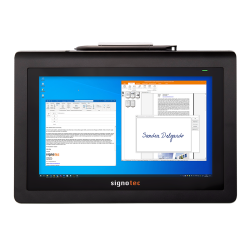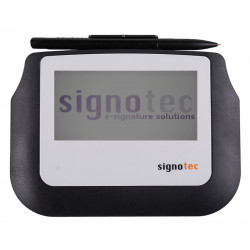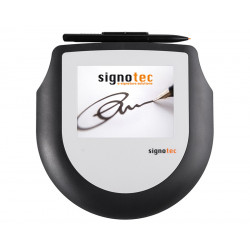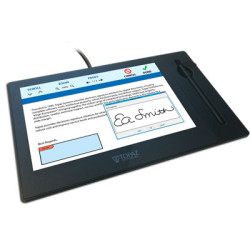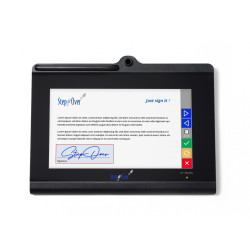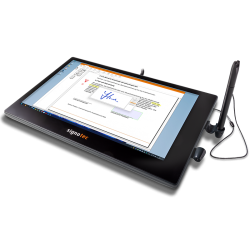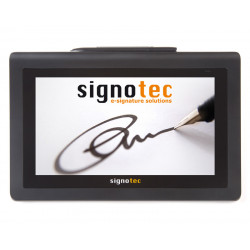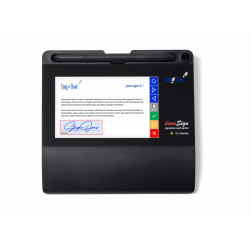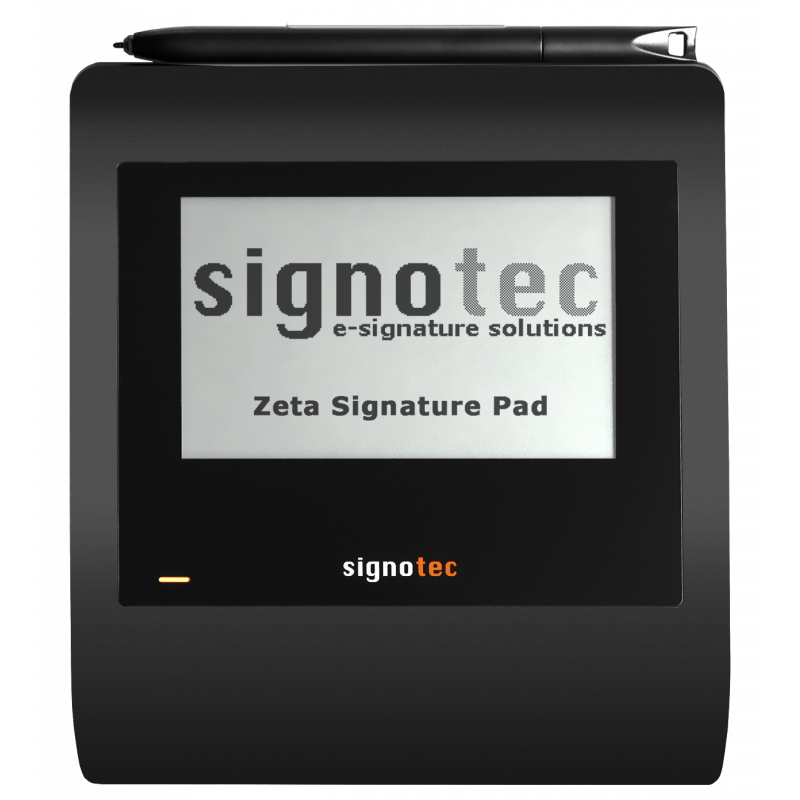
The Signotec Zeta is a wired pad for electronically capturing handwritten signatures. The device features a 4.5-inch monochrome screen, displaying the signature in real time, and an active, battery-free stylus. ERT—Electronic Resonance Technology—responds exclusively to a special stylus, ignoring palm and finger contact.
Signotec Zeta
The Signotec Zeta is a wired pad for electronically capturing handwritten signatures. The device features a 4.5-inch monochrome screen, displaying the signature in real time, and an active, battery-free stylus. ERT—Electronic Resonance Technology—responds exclusively to a special stylus, ignoring palm and finger contact.
The pad records stylus position, pressure, and time at a rate of 500 samples per second and distinguishes 2,048 pressure levels. The stylus' movements over the device's surface are also recorded. This allows the signature to contain more information than a simple graphic image, which can increase its usefulness in processes requiring subsequent biometric analysis.
The Zeta is primarily intended for customer service, reception, administration, banking, insurance, healthcare, and other locations where PDF documents are signed without printing. The backlit version is more suitable for mobile work or in variable lighting conditions.
Technical Specifications
Design
Dimensions: 147 x 179 x 16 mm,
Weight: approximately 240 g including cable,
USB cable length: approximately 2.7 m,
Power supply: directly from the USB port,
Housing: black top, white bottom,
Built-in kickstand on the rear,
Multigrip mounting plate compatible,
6 mm wide anti-theft security slot,
Ingress protection: IP52,
Display
Type: monochrome TFT/LCD,
Diagonal: 4.5 inches (11.4 cm),
Resolution: 320 x 200 pixels,
Viewable area: 97 x 61 mm,
Backlight: optional, brightness 150 cd/m²,
Backlight adjustable via service menu, API, or configuration file,
No scrolling function Content,
Option to set a custom image displayed in standby mode.
Surface and Sensor
Sensor technology: ERT — Electronic Resonance Technology,
Active signature area: 96 × 60 mm,
Sensor resolution: 9598 × 5998 points,
Linearity: ±0.4 mm,
Number of pressure levels: 2048,
Data transfer rate: 500 Hz,
Internal sampling rate: 6000 samples per second,
Recorded parameters: X and Y coordinates, pressure, and time,
Minimum pressure force: 0.098 N,
Maximum pressure force: 7.845 N,
Stylus tilt angle: ±45°,
Stylus detection at a height of approximately 5–15 mm above the surface,
Surface made of special, frosted glass with a hardness of 8H,
Claimed durability: approximately 30 million signatures.
Stylus
Active, battery-free stylus,
replaceable tip,
stylus connected to the pad with a textile cord,
holder for storing the stylus,
the manufacturer claims a tip lifespan of approximately 1.2 million signatures under specified test conditions.
Connectivity
USB-HID,
WinUSB,
optional variant with a virtual serial COM port using an FTDI chip,
optional Ethernet support via an additional USB-Ethernet adapter,
Windows Remote Desktop and Citrix ICA compatibility,
optional Citrix virtual channel.
Available variants include a non-backlit model, a backlit model, and a backlit version with a virtual COM port.
Security Mechanisms
The pad supports encryption of data transmission between the computer and the device using AES-256, with RSA key exchange. The device itself includes mechanisms for creating RSA signatures, generating and storing certificates, and keys up to 4096 bits in length. SHA-1, SHA-256, and SHA-512 hash functions are supported.
Secure Mode allows the signature to be displayed on the screen in real time without transmitting useful biometric data to the application. The manufacturer also provides the option of encrypting the signature's biometric data with an RSA public key, so that decryption requires the corresponding private key.
Purchasing a pad, however, does not automatically determine the legality of the entire electronic signature. This also depends on the software used, certificate configuration, signer identification method, and the overall document workflow.
Software Required for Operation
USB Connection
The manufacturer claims Plug and Play operation with a standard USB connection. A special driver is not required when the device operates in standard USB-HID mode. The optional WinUSB driver can be installed with the signotec software if required by a specific application or integration method.
Merely detecting the device by the system is not sufficient for signing documents. An application that supports Signotec Zeta is required.
SignoSign/2 Lite
The manufacturer includes the free signoSign/2 Lite software with the device, designed for basic PDF document opening and signing. The software also allows the use of a virtual PDF printer, which converts a document from another application to a PDF and opens it in signoSign/2.
The Lite version provides basic features but does not include the full set of tools available in the paid Pro version, such as more advanced workflows, advanced automation, some integrations, and professional archiving options.
SignoSign/2 Pro
The Pro version is designed for more advanced processes, including:
editing and signing PDF documents,
supporting extensive signature fields,
working with forms,
automating document workflows,
integrating with selected external systems,
archiving and forwarding documents.
Integration with Your Own System
If your ERP, CRM, DMS, medical application, or industry-specific software already has built-in support for Signotec pads, installing a separate signing application may not be necessary. For a proprietary solution, the manufacturer provides SDKs and APIs for Windows and Java environments.
Supported Operating Systems
According to the current datasheet, the pad itself is compatible with:
Windows 10 or later,
Windows Server 2016 or later,
Linux systems,
Windows Remote Desktop environments,
Citrix ICA environments.
However, it is important to distinguish between hardware compatibility and application compatibility. The current version of the desktop signoSign/2 is designed for 64-bit systems:
Windows 10,
Windows 11,
Windows Server 2019,
Windows Server 2022,
Windows Server 2025.
In Linux environments, compatible external software or integration using the appropriate API or SDK is required; the included signoSign/2 program is not a standard Linux application.
Computer Hardware Requirements
Minimum for signoSign/2:
Dual-core processor,
4 GB RAM,
500 MB free disk space,
A screen resolution of at least 1280 x 720,
A free USB port,
64-bit system,
Microsoft .NET Framework 4.8,
Local administrator privileges for installation.
Recommended:
Quad-core processor or better,
At least 8 GB RAM,
At least 1 GB free disk space,
A 1920 x 1080 screen or better.
The .NET Framework 3.5 may also be required when installing Microsoft Office add-ins.
The Signotec Zeta is a wired pad for electronically capturing handwritten signatures. The device features a 4.5-inch monochrome screen, displaying the signature in real time, and an active, battery-free stylus. ERT—Electronic Resonance Technology—responds exclusively to a special stylus, ignoring palm and finger contact.