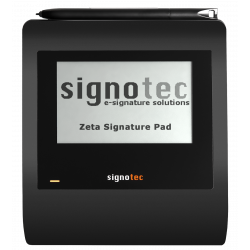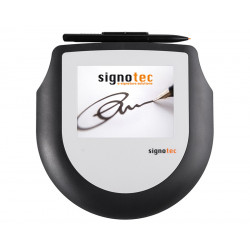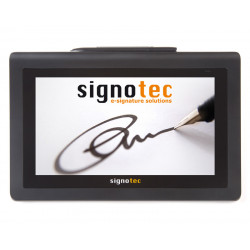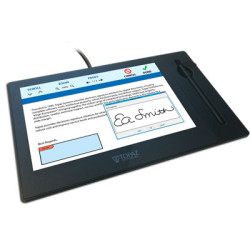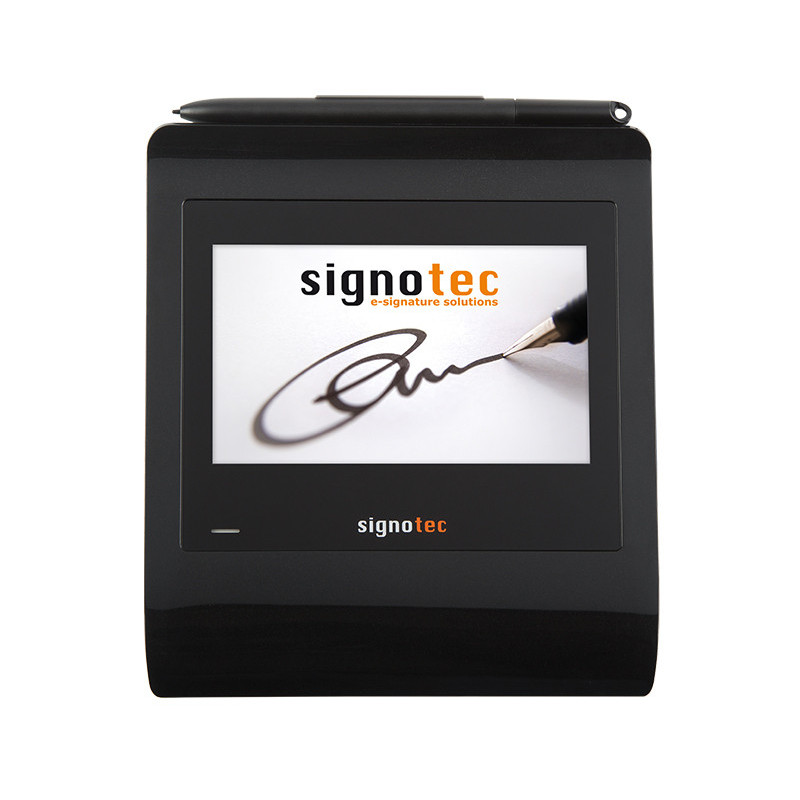
The Signotec Gamma is a desktop tablet designed for capturing handwritten signatures electronically. The device features a 5-inch color LCD screen with a resolution of 800 x 480 pixels, which displays the signature in real time. The screen can also display graphics, messages, and buttons to control the signing process.
Signotec Gamma – Tablet for Electronic Signature Capture
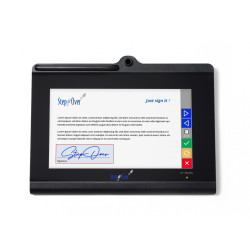
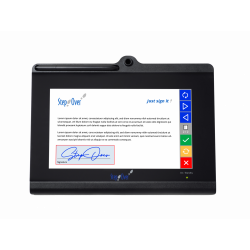
The Signotec Gamma is a desktop tablet designed for capturing handwritten signatures electronically. The device features a 5-inch color LCD screen with a resolution of 800 x 480 pixels, which displays the signature in real time. The screen can also display graphics, messages, and buttons to control the signing process.
The tablet utilizes Electromagnetic Resonance Technology (ERT). Signatures are created with a special pen that does not require batteries. The sensor records the pen's position, pressure, and the time of each stroke. This data can be used as biometric signature data, provided the appropriate software is used and the process is properly configured.
The Gamma is a very flat device—approximately 12 mm high—making it ideal for use on desks, counters, customer service desks, and at points of sale. The manufacturer intends it to be used primarily as a desktop device, connected to a computer via USB.
Technical Specifications
Display:
Type: Color LCD with LED backlight,
Diagonal: 5 inches, approximately 12.5–12.7 cm,
Resolution: 800 × 480 pixels,
Number of colors: 16.8 million,
Scrolling support: yes,
Maximum size of displayed graphics with scrolling: 800 × 1440 pixels,
Support for displaying captions, text, graphics, and buttons,
Slideshow of up to 10 images can be saved on the device.
Signature Sensor
Technology: ERT — Electromagnetic Resonance Technology,
Input Device: Battery-Free Pen,
Replaceable Pen Tip,
Surface: Hardened Special Glass,
Declared Durability: Approximately 30 Million Signatures,
Pressure Levels: 2048,
Sampling Rate: 500 Hz,
Recorded Data: X and Y Coordinates, Pressure, and Time,
Active Signature Area: 108 × 65 mm,
Sensor Resolution: 10,206 × 7,422 Dots,
Declared Sensor Density: 2400 × 2910 PPI.
Security
AES and RSA encryption,
the ability to encrypt the signature's biometric data within the device,
the ability to create an RSA signature directly on the tablet,
a unique RSA certificate assigned to the device,
the ability to save your own RSA certificates,
supported hash algorithms include SHA-256 and SHA-512; the RSA documentation also lists SHA-1,
a secure mode that allows for real-time signature display without transferring useful biometric data to the on-screen image.
However, the device itself does not determine the type or legal effects of an electronic signature. The signature's quality, evidentiary value, and compliance with process requirements also depend on the software used, the signer's identification method, security configuration, and the overall organizational procedure.
Connectivity and Power
Basic connection: USB,
USB cable length: approximately 2.7 m,
Power supply: directly from the USB port,
Supports operation over a TCP/IP network using the optional signotec USB-to-Ethernet adapter,
Supports operation in terminal, Citrix, and Remote Desktop environments using the appropriate FTDI variant, vCOM driver, or Virtual Channel,
Available device variants: standard USB and USB with an FTDI chip creating a virtual COM port.
Dimensions and weight
Width: 145 mm,
Depth: 177 mm,
Height: 12 mm,
Two-color status LED,
Standard warranty: 2 years,
Software Required for Operation
The tablet is not a standalone document signing device. Once connected, it can display a waiting screen or a slideshow, but proper signature capture and saving requires a compatible application. A driver alone is not sufficient.
signoSign/2 Lite
Free, basic version of the program for:
opening and signing PDF documents,
filling out PDF forms,
manually creating signature fields,
adding simple notes,
working with signotec tablets.
The Lite version has a limited feature set and is primarily intended for simple signing processes. It does not include many automation features, advanced document management, archiving, or full biometric data utilization.
signoSign/2 Pro
A paid version designed for professional use. It can support features such as:
biometric signature data,
RSA encryption on the device,
PDF signing on the tablet,
automatic document type recognition,
automatic signature field creation,
archiving,
automatic document sending,
integration with external systems,
IP-based device management,
advanced document workflows.
Other available tools:
signoPAD-Tools – free tools for basic signature capture as an image,
signoPAD-API – a programming interface for integrating the tablet with your own application,
signoPAD-API/Web – a component required to support the tablet in web applications,
Adobe Acrobat Plug-in – a paid plug-in enabling signing directly in Adobe Acrobat Reader DC or Acrobat Pro,
signoSign/Universal – a solution for managing documents and signatures via a browser, including remote processes,
SlideShow Manager – a free tool for configuring graphics and slideshows displayed on the device.
Hardware Requirements
Minimum requirements for the tablet itself:
a computer or terminal with an active USB port,
compatible software supporting the Signotec Gamma,
an operating system supported by the selected application,
in a local Windows environment, the standard USB variant is automatically recognized and usually does not require a separate driver,
for the FTDI variant, an FTDI driver may be required,
in a Citrix, Remote Desktop, or terminal environment, the appropriate device variant or an additional communication driver is required.
signoSign/2 Requirements
Supported Systems:
Windows 10,
Windows 11,
Windows Server 2019,
Windows Server 2022,
Windows Server 2025,
64-bit x64 system.
Minimum Configuration:
Dual-core processor,
4 GB RAM,
500 MB free space,
Screen resolution of at least 1280 x 720,
Microsoft .NET Framework 4.8.
Recommended Configuration:
Quad-core processor or better,
at least 8 GB RAM,
at least 1 GB free space,
Screen resolution of 1920 x 1080 or higher.
Microsoft Office add-ins also require .NET Framework 3.5. Outlook integration is officially designed primarily for the 64-bit version of Microsoft Office 2016 or later.
The official signoSign/2 requirements include Windows. Using the tablet on other operating systems depends on the chosen API, the integrating application, and the support of the software vendor.
The Signotec Gamma is a desktop tablet designed for capturing handwritten signatures electronically. The device features a 5-inch color LCD screen with a resolution of 800 x 480 pixels, which displays the signature in real time. The screen can also display graphics, messages, and buttons to control the signing process.