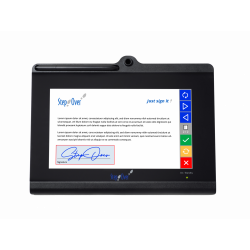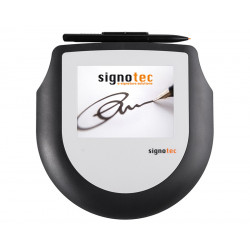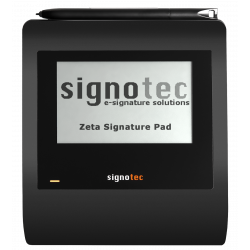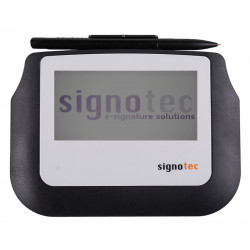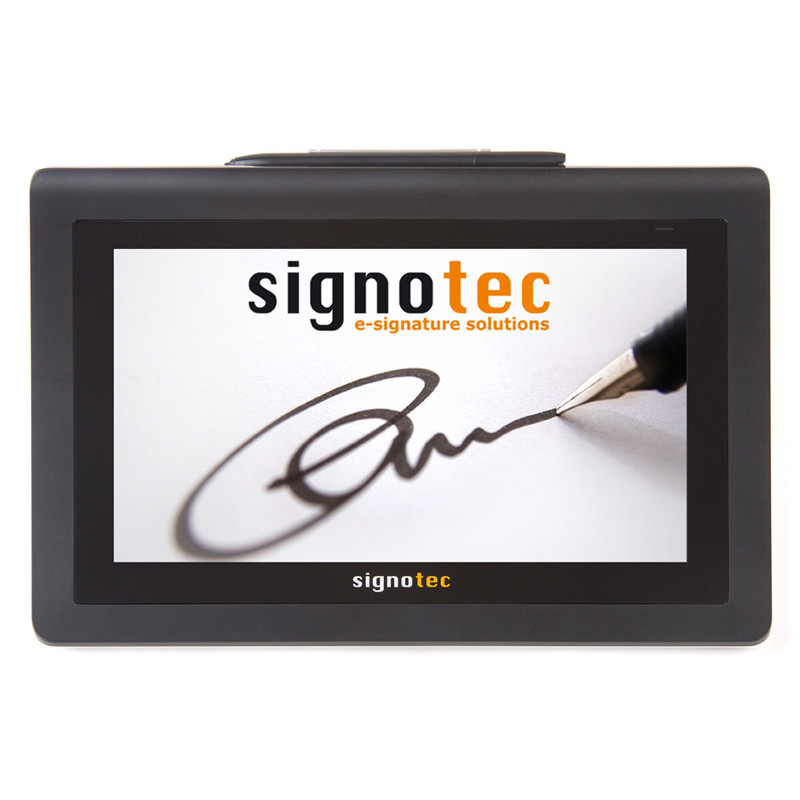
The signotec Delta is a professional, stationary signature pad designed to capture handwritten electronic signatures and display documents intended for signing. The device features a large 10.1-inch colour LCD screen with a resolution of 1280 × 800 pixels.
signotec Delta – Electronic Signature Pad
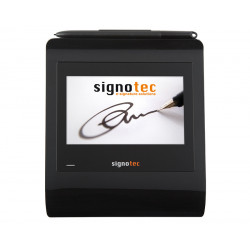
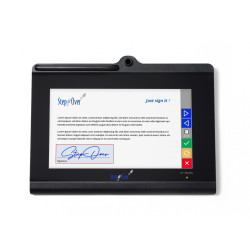
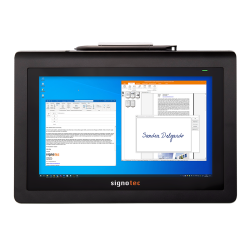
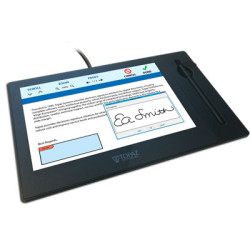
The signotec Delta is a professional, stationary signature pad designed to capture handwritten electronic signatures and display documents intended for signing. The device features a large 10.1-inch colour LCD screen with a resolution of 1280 × 800 pixels.
The screen size allows A4 documents to be displayed at their original width, enabling users to review the content directly on the signature pad without needing an additional monitor.
Signatures are entered using a special battery-free pen on a hardened glass surface. The electromagnetic sensor records the pen position, pressure and timing of individual movements. According to the manufacturer, the signing surface is designed to withstand approximately 30 million signatures, making the device suitable for intensive use in banks, public authorities, healthcare facilities, customer service centres and other environments where documents are signed regularly.
The signotec Delta can operate via USB or, depending on the selected version, through an Ethernet network. A version supporting Power over Ethernet is also available, allowing both power supply and data transmission through a single network cable.
The Ethernet interface is factory-installed and cannot be added later.
Main Applications
The device is primarily intended for:
signing contracts and PDF forms,
digital customer service processes at sales and service locations,
approving banking and insurance documents,
signing medical consent forms and healthcare documentation,
handling public administration documents,
signing delivery notes and logistics documentation,
integration with ERP, CRM, DMS and industry-specific systems,
replacing paper-based document workflows.
Technical Specifications
Display
type: colour LCD display with LED backlight,
screen size: 10.1 inches, equivalent to 25.5 cm,
resolution: 1280 × 800 pixels,
colour depth: 16.7 million colours,
document scrolling support: yes,
maximum image size supported by the scrolling function: 1280 × 37,600 pixels,
ability to display A4 documents at their original width.
Signature Sensor
technology: ERT – Electromagnetic Resonance Technology,
input device: special battery-free pen,
pen tip: replaceable,
signing surface: hardened special glass,
declared durability: approximately 30 million signatures,
pressure levels: 2,048,
sampling rate: 500 Hz,
recorded data: X and Y coordinates, Z pressure value and T timing data,
active signing area: 217 × 136 mm,
sensor resolution: 10,800 × 6,900 points,
reading density: approximately 1,264 × 1,292 dpi.
Security
AES encryption,
RSA encryption,
SHA-256 and SHA-512 hashing algorithms,
ability to encrypt biometric signature data directly inside the device,
ability to sign PDF documents within the signature pad,
individual RSA certificate assigned to the device,
ability to upload custom RSA certificates,
support for RSA PKCS #1 v1.5 and PKCS #1 v2.1,
secure real-time signature display mode without transmitting usable biometric data to the display application.
AES stands for Advanced Encryption Standard and is a symmetric data encryption standard.
RSA is an asymmetric cryptographic algorithm that uses a public and private key pair.
SHA, or Secure Hash Algorithm, is used to create a document hash that can help detect subsequent changes to the document.
Interfaces and Connectivity
Depending on the selected version, the device may provide:
USB,
USB and RJ45 Ethernet,
USB and RJ45 Ethernet with Power over Ethernet,
TCP/IP network communication,
automatic network configuration through DHCP,
support for terminal environments,
Citrix support through a Virtual Channel driver,
communication through a virtual COM port using the signotec vCOM driver.
The network version allows the device to be controlled using an IP address, operated at a greater distance from the computer and potentially shared between several workstations, depending on the software and system configuration.
Power Supply
standard power supply: USB Y-cable,
maximum current requirement: approximately 1,000 mA,
optional external power supply,
Power over Ethernet in the appropriate version,
supported PoE standards: IEEE 802.3af, IEEE 802.3at and IEEE 802.3bt.
When using USB 2.0 ports, it may be necessary to connect both USB plugs of the Y-cable. A single USB 2.0 port normally supplies up to 500 mA, while USB 3.0 supplies up to 900 mA.
Insufficient power may prevent the device from starting, cause occasional shutdowns or lead to problems with pen detection.
Dimensions and Weight
width: 280 mm,
depth: 205 mm,
height: 13 to 23 mm,
weight: approximately 650 g,
status indicator: two-colour LED,
slideshow function: up to 16 images stored in the device,
standard manufacturer’s warranty: 2 years.
Software Required for Operation
A driver alone is not sufficient to use the signature pad. The device requires an application capable of communicating with the signotec Delta, displaying the document and receiving and embedding the signature.
This may be software supplied by signotec, a compatible third-party application or a company system with the required integration.
signoSign/2 Lite
The manufacturer provides the free signoSign/2 Lite application with the device.
It is a Windows application intended for opening, editing and signing PDF documents. It includes the basic functions required for local document signing.
signoSign/2 Pro
The Pro edition is a paid and more advanced solution.
It provides additional functions relating to professional signing processes, automation, document processing, document type configuration and integration with company workflows.
Integration with Existing Business Systems
When an organisation uses its own ERP, CRM, DMS, web application or industry-specific software, the signature pad can be integrated using the appropriate programming interfaces, drivers or signotec integration tools.
Available solutions include:
signoPAD-API,
Native Java API,
signoSign/Universal,
signotec vCOM driver,
Citrix Virtual Channel,
signoPAD-Tools,
Adobe Acrobat plug-in.
The exact integration scope and required licences depend on the system being used and the intended document workflow.
Adobe Acrobat
signotec provides a plug-in compatible with Adobe Acrobat Reader DC and Adobe Acrobat Pro on 64-bit Windows 10 or newer systems.
However, when using the signotec Delta, this integration has an important limitation. Due to the Adobe interface, the full document cannot be displayed and scrolled on the signature pad screen. Only a selected fragment of the document is shown.
To make full use of the Delta’s capabilities, the manufacturer recommends signoSign/2 or a custom API-based integration.
Hardware and System Requirements
The following requirements apply primarily to the signoSign/2 application rather than exclusively to the signature pad itself.
Supported Operating Systems
Windows 10,
Windows 11,
Windows Server 2019,
Windows Server 2022,
Windows Server 2025,
64-bit x64 system architecture.
Minimum Computer Requirements
dual-core processor,
4 GB of RAM,
500 MB of available disk space,
computer display resolution of at least 1280 × 720 pixels,
available USB port or ports, or a network connection for the Ethernet version,
Microsoft .NET Framework 4.8.
Recommended Computer Requirements
quad-core processor or better,
at least 8 GB of RAM,
at least 1 GB of available disk space,
computer display resolution of at least 1920 × 1080 pixels.
Microsoft .NET Framework 3.5 may also be required when installing Microsoft Office add-ins.
Integration with Microsoft Outlook officially requires the 64-bit edition of Microsoft Office 2016 or newer.
Local administrator permissions are required to install signoSign/2.
Package Contents
The standard package includes:
signotec Delta signature pad,
USB cable,
special battery-free pen,
pen tether,
vertical pen holder,
replacement pen tip,
free signoSign/2 Lite software for PDF documents.
Advantages
Large Document Display
The 10.1-inch screen allows users not only to enter a signature but also to read a substantial part of the document directly on the device.
This is particularly important in processes where the customer should be able to review the content before signing.
Precise Signature Capture
The 500 Hz sampling rate, 2,048 pressure levels and high sensor resolution allow the device to reproduce signature dynamics accurately, including movement direction, timing and pen pressure.
Durable Signing Surface
The hardened glass surface and declared durability of approximately 30 million signatures make the device suitable for locations with a high volume of customer interactions.
Battery-Free Pen
The pen does not require charging or battery replacement. This reduces operating costs and minimises the risk of interruptions caused by a discharged battery.
Advanced Security Mechanisms
Biometric data encryption, RSA certificate support, document hash generation and the ability to perform selected cryptographic operations inside the device reduce the risk of signature data being intercepted or modified.
Flexible Connectivity Options
USB is suitable for an individual workstation, while Ethernet allows the pad to be deployed in distributed infrastructures, terminal environments or locations where the device is positioned further away from the computer.
Citrix and Terminal Server Support
The ability to operate through Ethernet, vCOM or Citrix Virtual Channel increases the device’s suitability for virtualised and centrally managed environments.
No Separate Driver Required in Typical Configurations
On Windows 10 and Windows 11, a device operating in HID-USB or WinUSB mode is automatically recognised by the operating system.
Compatible signing software is still required to manage the document signing process.
Disadvantages
Relatively Large Physical Size
With dimensions of 280 × 205 mm, the device occupies considerably more desk space than compact signature pads with 4- or 5-inch screens.
It may therefore be less practical at small service counters or mobile workstations.
Stationary Device
Despite its relatively low weight, the signotec Delta is not designed as a typical mobile solution. It is best suited as a permanent component of a customer service workstation.
Dedicated Software Is Required
The signature pad cannot independently sign arbitrary documents.
It requires a compatible application or system integration. Simply connecting the device and installing a driver does not provide document-signing functionality.
Additional Costs for Advanced Processes
The Lite edition covers basic requirements, but more complex document workflows may require the purchase of signoSign/2 Pro, additional modules, API licences or a custom system integration.
Ethernet Must Be Selected at the Time of Purchase
The network interface cannot be added after the device has been purchased.
Choosing the USB-only version may limit the possibility of deploying the device in a network environment at a later stage.
Possible USB Power Issues
The device may require two USB ports or an additional power supply, particularly when connected through USB 2.0 or through ports that do not provide sufficient power.
Limited Functionality with Adobe Acrobat
The Adobe plug-in does not make full use of the large screen or the document scrolling function.
For complete device functionality, signoSign/2 or an API-based integration is recommended.
Limitations
The device is not a standalone tablet and cannot operate without a computer, server or compatible document management system.
It does not automatically function as a qualified electronic signature creation device unless the entire process is properly designed and connected to an appropriate trust service.
A handwritten signature captured on the pad is not automatically equivalent to a qualified electronic signature.
The evidential value of the signature depends not only on the hardware but also on the software configuration, document security measures, data storage, certificates, audit trail and organisational procedures.
Full support for cryptographic functions may require signoSign/2, appropriate APIs or a dedicated integration.
The USB version cannot later be upgraded with an integrated Ethernet interface.
The device is not intended for general graphic design, digital drawing or use as a pen display.
The manufacturer primarily supports signoSign/2 in a Windows x64 environment. Other operating systems may require a server-based solution, web application or custom integration.
Summary
The signotec Delta is an advanced electronic signature pad designed primarily for professional, stationary customer service workstations.
Its main strengths include a large screen for document presentation, precise signature capture, a durable glass surface and advanced cryptographic security mechanisms.
The device is a suitable choice for organisations processing large volumes of documents that require a controlled, secure and integrated electronic signing process.
Before purchasing, the organisation should determine the required integration method, select the appropriate connectivity version and verify whether the free Lite software is sufficient.
For more advanced processes, the cost of the Pro version, API integration or a server-based solution should also be considered.
The signotec Delta is a professional, stationary signature pad designed to capture handwritten electronic signatures and display documents intended for signing. The device features a large 10.1-inch colour LCD screen with a resolution of 1280 × 800 pixels.