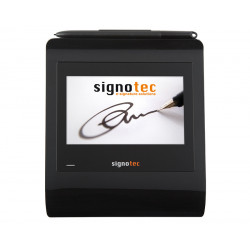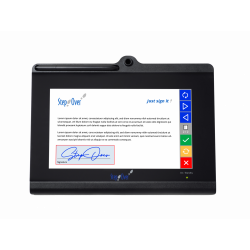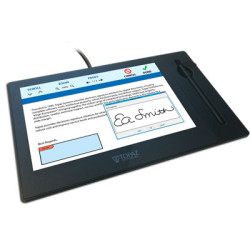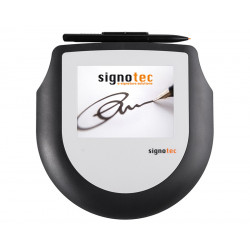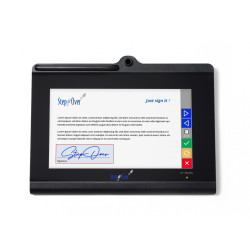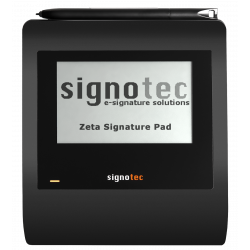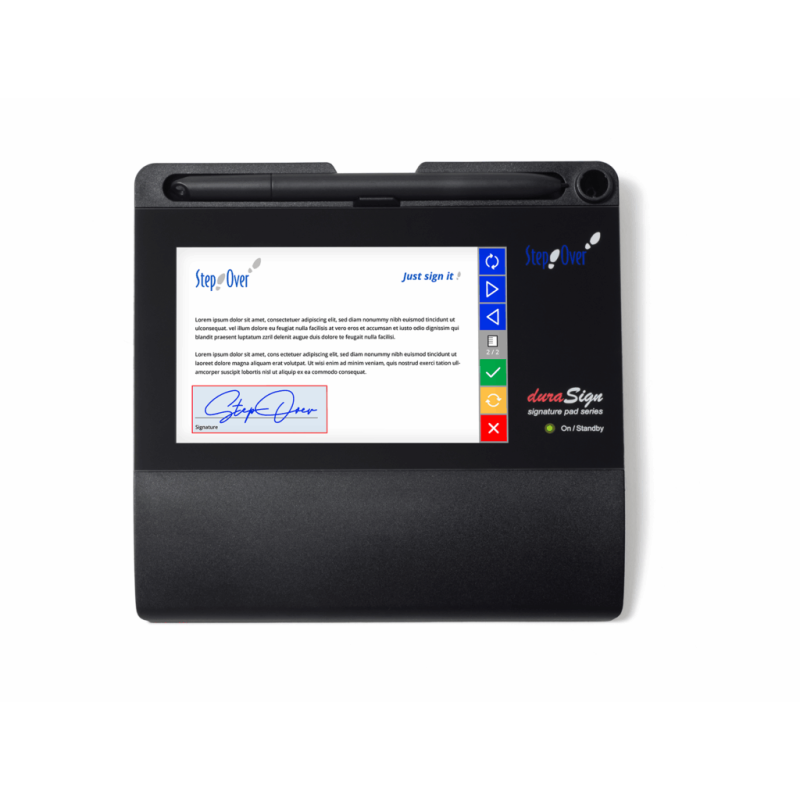
The StepOver duraSign Pad 5.0 is a stationary pad for capturing handwritten electronic signatures, designed primarily for use at customer service desks, reception desks, cash registers, points of sale, and offices. The device features a 5-inch color screen that can display document content, signature fields, messages, and control buttons. The signature is presented on the screen in real time, and in addition to the image, biometric data such as pressure, movement direction, and signature progression over time are recorded.
StepOver duraSign Pad 5.0
The StepOver duraSign Pad 5.0 is a stationary pad for capturing handwritten electronic signatures, designed primarily for use at customer service desks, reception desks, cash registers, points of sale, and offices. The device features a 5-inch color screen that can display document content, signature fields, messages, and control buttons. The signature is presented on the screen in real time, and in addition to the image, biometric data such as pressure, movement direction, and signature progression over time are recorded.
The pad can be part of a solution for creating a simple or advanced electronic signature compliant with the eIDAS regulation. However, the device itself does not automatically create a "qualified electronic signature"—the legal status of the signature also depends on the software used, the signer's identification method, and the overall organizational process.
Key Applications:
Signing contracts, forms, protocols, and consents in the presence of an employee,
Handling PDF and PDF/A documents,
Digital confirmation of receipt of goods or services,
Use in banks, insurance, medical facilities, government offices, trade, and logistics,
Integration with CRM, ERP, DMS, or industry-specific applications,
Displaying messages or advertising materials in standby mode.
Technical Specifications
Design:
Dimensions: 16.3 x 15.4 x 1.9 cm,
Weight: 300 g without USB cable,
Housing material: PC/ABS,
Screen and signature area: Chemically tempered glass,
Declared sensor life: over 30 million signatures,
Holes for permanent desktop or wall mounting,
Kensington security slot,
Standard warranty: 2 years,
Country of development, production, and quality control: Germany.
Screen:
Approximately 5-inch color TFT screen,
Active area: 10.8 x 6.5 cm,
Resolution: 800 x 480 pixels,
Number of colors: 64,000,
Maximum brightness: 245 cd/m²,
Estimated LED backlight life: 20,000 hours,
Ability to display documents, text, on-screen buttons, and signatures in real time,
Internal memory for at least four interchangeable advertising or informational images.
Signature capture:
ERT electromagnetic sensor,
500 sets of 4D coordinates per second,
4D data: X position, Y position, pressure, and time,
Recording resolution: X = 3700 and Y = 3700 DPI/LPI,
Repeat accuracy: ±0.5 mm,
1024 pressure levels,
Minimum detectable pressure force: approximately 0.5 N,
Maximum detectable pressure force: approximately 8 N,
DuraPen 1 battery-free stylus,
The stylus is connected to the device with a textile cord and can be replaced without tools.
Connectivity and Power
USB 2.0 interface,
2m USB-C to USB-C cable,
USB-A to USB-C adapter included,
USB HID protocol,
optional virtual serial COM port mode,
no need to install a separate hardware driver in the standard HID configuration,
maximum power consumption: 2.3W, 460mA,
powered directly from the USB port - no separate power supply required.
Security
Biometric data encryption inside the pad,
RSA support up to 4096 bits,
AES-256 encryption,
SHA-256 hash function,
Encryption of communication between the ERT sensor and the device's motherboard,
A new, random key generated before each signature,
Protection against eavesdropping on signature data and replay attacks (reusing captured data),
Individual device certificate enabling document association with a specific pad,
A public key for biometric data protection stored on the device, and the corresponding private key can be deposited with a notary,
Option to secure the device with a Kensington lock.
Software Required for Operation
The pad itself does not include document signing software. Windows can recognize it as a HID device without an additional driver, but compatible StepOver software or an API-integrated application is required to open the document, perform the signing process, place the signature in a PDF, and save the result.
1. eSignatureOffice
The most typical solution for a local Windows workstation. It allows:
opening and signing PDF/PDF-A documents,
filling out form fields,
automatically finding and arranging signature fields,
automatically saving, printing, sending, or forwarding documents,
invoking the process from an external system,
working completely offline,
integrating via command line parameters, configuration files, or an OCX component.
For duraSign Pad 5.0, the manufacturer recommends the following minimum versions:
eSignatureOffice 5.9 for 2048-bit encryption,
eSignatureOffice 6.2 for keys longer than 2048 bits,
SimpleSigner 7.0 or 7.1,
Device API 5.9 or 6.2,
Signature API 4.13 for encryption above 2048 bits.
2. webSignatureOffice
A web-based solution that works through a browser. It allows you to combine signatures created locally on a pad with remote signing processes on a computer, smartphone, or tablet. Online service, SaaS, and in-house installation options are available. The manufacturer claims compatibility with major modern browsers, but using a physical pad may require additional local integration components specific to your specific implementation.
3. Signature API
A development toolkit designed to embed signature support into existing applications. Supports:
Windows 10 and Windows 11,
macOS,
Linux,
32- and 64-bit environments,
.NET,
Java,
native languages such as C++ and Delphi.
The Signature API requires approximately 400 MB of free disk space. The manufacturer confirms support for colored StepOver pads and signing directly on the document image.
4. Citrix and Terminal Environments
The pad can be used in a remote desktop or Citrix environment, but requires the appropriate TCP or Citrix extensions. Therefore, don't assume that standard USB redirection will work in every VDI environment without configuration and testing.
Hardware Requirements
For the device itself,
a free USB-C or USB-A port,
a port providing at least 460 mA of power,
a computer or terminal with compatible software,
desk space of approximately 16.3 x 15.4 cm,
optional Kensington mount or security lock for a permanent workstation.
For eSignatureOffice
Minimum official requirements:
1 GHz dual-core processor,
1 GB RAM,
150 MB of free disk space, including for temporary data,
a computer screen with a resolution of at least 1024 x 768,
at least 16-bit color depth,
Windows 10 or Windows 11.
Recommended configuration:
2 GHz dual-core processor,
2 GB RAM.
These are very low requirements for a modern computer. In practice, the efficiency of the document workflow system, the size of supported PDF files and the number of simultaneously running applications will be more important.
The StepOver duraSign Pad 5.0 is a stationary pad for capturing handwritten electronic signatures, designed primarily for use at customer service desks, reception desks, cash registers, points of sale, and offices. The device features a 5-inch color screen that can display document content, signature fields, messages, and control buttons. The signature is presented on the screen in real time, and in addition to the image, biometric data such as pressure, movement direction, and signature progression over time are recorded.